TikTok Shop Seller Center Explained for Beginners
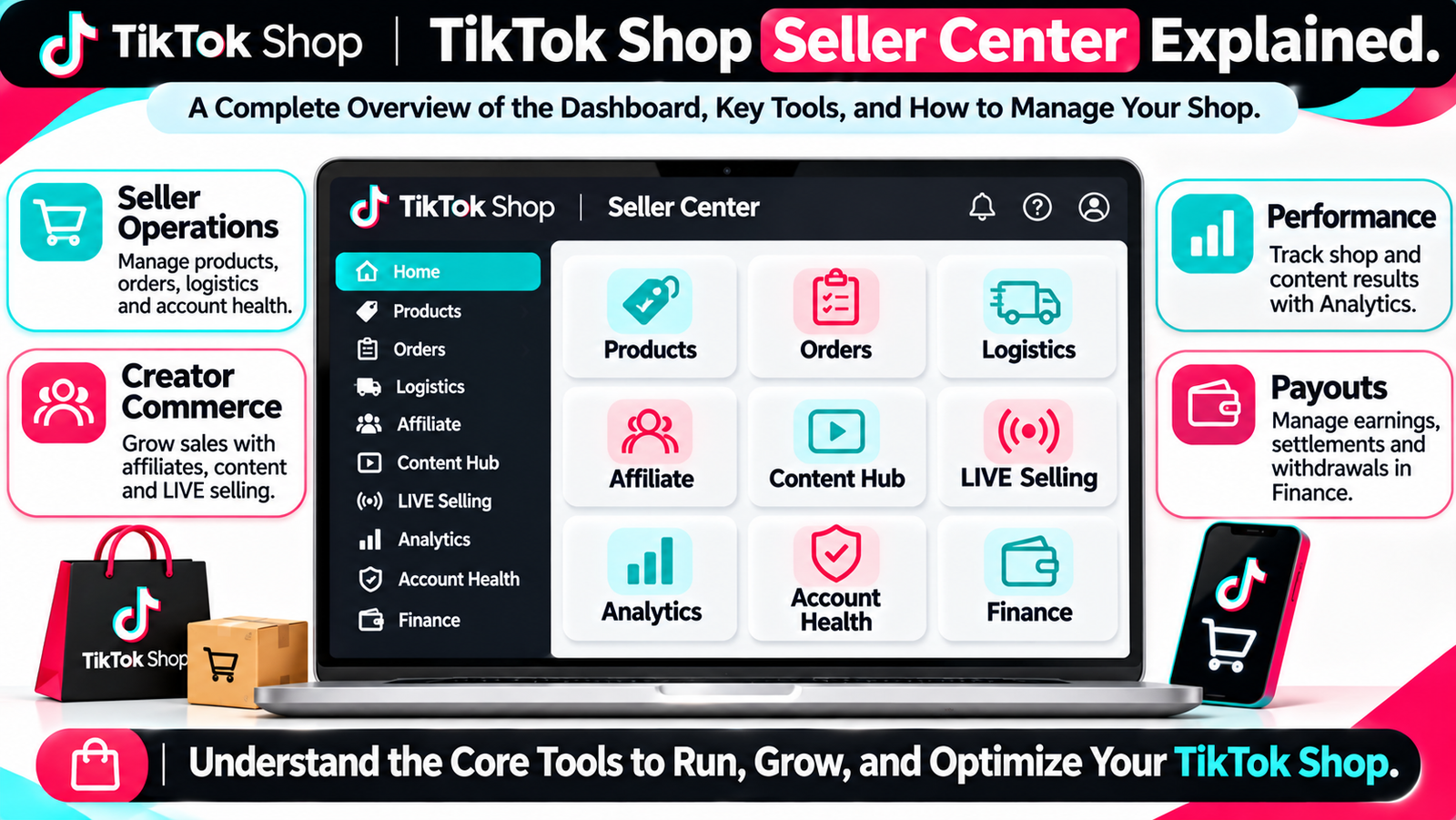
TikTok Shop Seller Center is the operating workspace behind a TikTok Shop. It is where sellers add products, process orders, manage shipping, work with creators, review TikTok Shop analytics, monitor account health, and track money.
For anyone learning TikTok Shop for beginners, this distinction matters. The normal TikTok app is mainly where content, audiences, and engagement live. TikTok Seller Center is where the commerce side of the business is managed.
The TikTok Shop dashboard also changed significantly in late 2026, so older tutorials may show menus that no longer exist. The current TikTok Shop seller dashboard now brings products, logistics, creators, shoppable content, LIVE, marketing, analytics, compliance, and finance into one operating system.
This TikTok Shop Seller Center explained guide walks through those sections from a beginner’s point of view.
What Is TikTok Shop Seller Center?
TikTok Shop Seller Center is the seller-management workspace used to run a TikTok Shop. Sellers use it to manage products, orders, shipping, creators, affiliate partnerships, shoppable content, LIVE selling, analytics, account health, settlements, and other day-to-day commerce activity.
How Do You Set Up a TikTok Shop Seller Account?
TikTok Shop seller registration begins by creating an account for the marketplace where you intend to sell.
For U.S. sellers, the general TikTok Shop seller account setup process is:
- Create your seller account.
- Complete identity or business verification.
- Provide required tax information.
- Set up warehouse and logistics information.
- Link a bank account for payments.
- Add products.
- Link an official TikTok account where appropriate.
TikTok’s current U.S. signup page allows businesses, brands, and individual sellers to apply, subject to verification and supported-market requirements.
For the current signup process, use TikTok’s official registration page: TikTok Shop seller registration.
If you want a separate step-by-step introduction, see How to Become a TikTok Shop Seller.
What Do You Need to Register for TikTok Shop?
TikTok Shop verification depends on the marketplace, business type, seller structure, and verification result.
Possible TikTok Shop documents can include identity information, business registration details, addresses, tax information, and government-issued identification.
For U.S. TikTok Shop seller verification, TikTok may collect a government-issued photo ID and, where required, a photo or facial verification information to confirm identity.
Do not assume one worldwide checklist applies everywhere.
TikTok Shop business verification and TikTok Shop identity verification should always be checked against the marketplace where the shop is being registered.
What Is Inside TikTok Shop Seller Center?
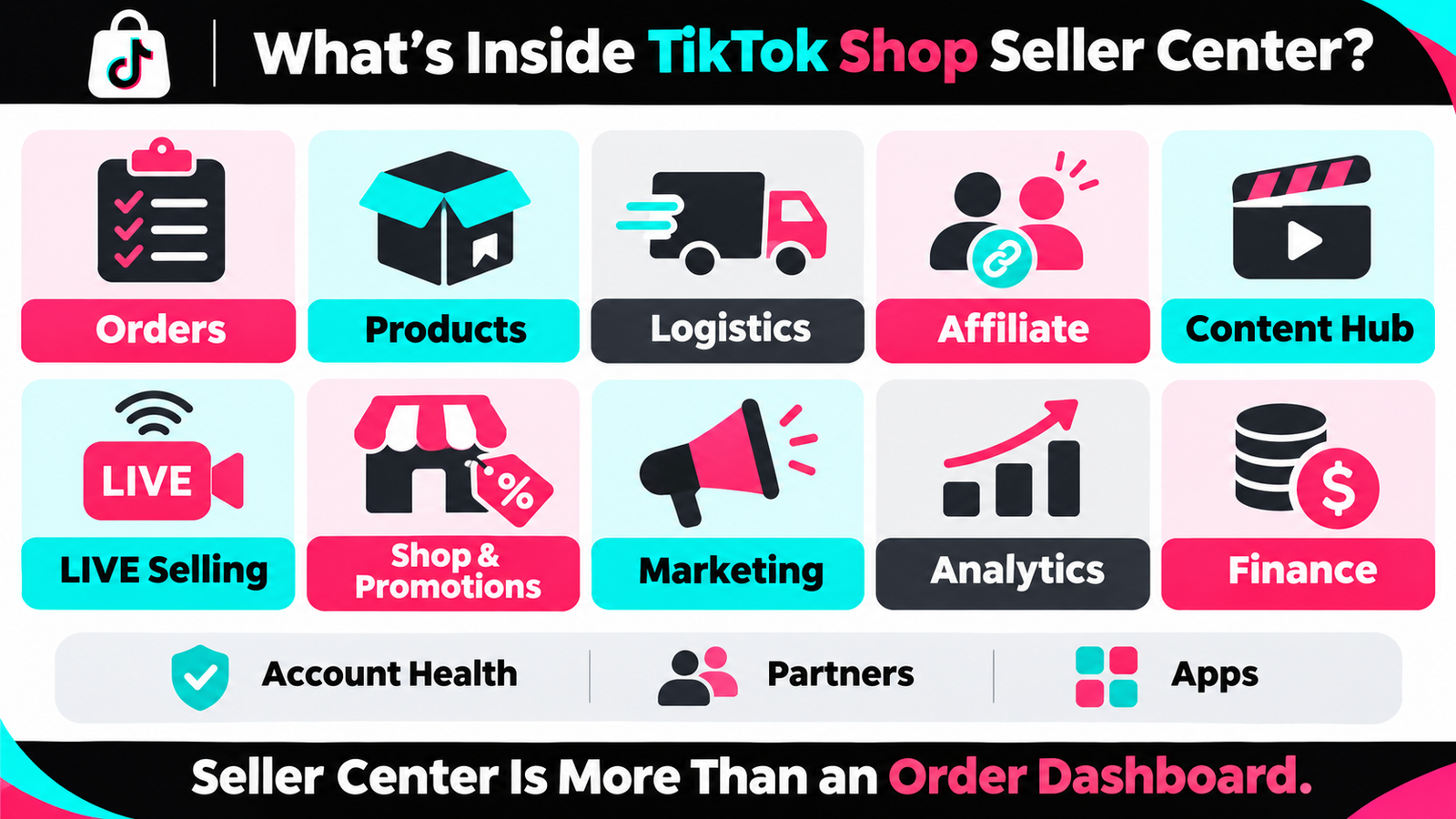 TikTok Shop Seller Center navigation changed in October 2026.
The current main areas include:
| Area | Main Purpose |
| Orders | Process and manage customer orders |
| Products | Add, edit, and manage products. |
| Logistics | Warehouses, shipping, delivery, fulfillment |
| Affiliate | Work with creators |
| Content hub | Create and manage shoppable content |
| LIVE selling | Manage LIVE commerce |
| Shop & promotions | Shop design, customers, promotions, growth |
| Marketing | Ads, campaigns, promotions |
| Analytics | Business and performance reporting |
| Account health | Policy and account-standing monitoring |
| Finance | Payments, settlements, financial records |
| Partners | Find service providers |
| Apps | Connected tools and integrations |
Older tutorials may tell sellers to look for a separate Growth menu. TikTok moved many of those functions into Shop & Promotions during the navigation update. Analytics and other modules were also reorganized.
See TikTok’s official explanation here: Seller Center Navigation Update.
This is why the TikTok Shop dashboard should be viewed as a complete TikTok Shop management platform rather than just an order screen.
How Do You Manage Products in Seller Center?
TikTok Seller Center products tools handle the product catalog.
Inside Products, sellers can typically:
- Add products to TikTok Shop
- Edit TikTok Shop product listings
- Manage inventory
- Review listing quality
- Monitor ratings and reviews
- Explore product opportunities
- Improve product information
TikTok Shop product management matters because poor titles, images, descriptions, attributes, pricing, or stock can make products harder to sell.
A beginner should first make sure TikTok Shop products are accurate, approved, in stock, and correctly categorized before focusing on advanced promotion.
What Is TikTok Shop Product Optimizer?
TikTok Shop Product Optimizer is designed to identify listing-quality issues and recommend improvements.
Current tools can suggest changes to areas such as images, product information, missing attributes, and inventory. TikTok has also introduced AI-assisted listing optimization in some workflows.
The purpose is to improve listing quality, not to guarantee rankings or sales.
Use TikTok Shop product optimization as a quality-control tool rather than a shortcut.
How Are Orders Managed in TikTok Shop Seller Center?
TikTok Shop orders follow a familiar ecommerce workflow:
New order → review → prepare → ship or fulfill → tracking → delivery → return/refund if required
TikTok Seller Center orders tools help merchants see order status and take the next required action.
For beginners, good TikTok Shop order management means checking new orders frequently, keeping inventory accurate, meeting dispatch requirements, and confirming shipping information.
A simple rule is to process TikTok Shop orders before spending time on optional growth tools.
Where Do Sellers Manage Returns and Refunds?
TikTok Shop returns and TikTok Shop refunds are managed through Seller Center’s order and after-sales workflows.
A seller may need to review:
- return requests
- refund requests
- customer evidence
- product status
- resolution status
The exact workflow can vary by order and market.
TikTok Seller Center returns should not be ignored because unresolved after-sales issues can affect the customer experience and may also affect financial reconciliation.
What Does the Logistics Section Do?
TikTok Shop logistics covers the physical movement of products.
The logistics area can include:
- TikTok Shop warehouse settings
- pickup or return addresses
- TikTok Shop shipping setup
- delivery configuration
- fulfillment settings
- shipping labels or carrier workflows
For new U.S. sellers, TikTok Shipping is currently used as the default setup, while sellers choosing eligible alternative shipping arrangements may need to configure additional settings.
TikTok Shop fulfillment settings should be completed before orders begin arriving.
What Is Fulfilled by TikTok?
Fulfilled by TikTok is TikTok Shop’s own fulfillment service, often shortened to FBT.
Where available and eligible, inventory is handled through TikTok’s fulfillment network rather than the seller packing every order directly.
TikTok Shop FBT is only one of the TikTok Shop fulfillment options. It is not required for every seller, and availability can vary.
What Is Affiliate Center in TikTok Shop?
TikTok Shop Affiliate Center connects sellers with creators who can promote products.
Sellers can use it to:
- make products available to TikTok Shop creators
- Set TikTok Shop commissions
- manage creator collaborations
- handle samples
- review affiliate transactions
- study creator-driven sales
TikTok Shop affiliate marketing is commission-based creator commerce. A creator may promote a product through videos or LIVE content and earn commission when qualifying sales occur.
This does not mean adding a product to TikTok Shop Affiliate Center automatically creates sales.
TikTok’s current Collaboration workspace organizes different ways of working with creators, including open collaboration, platform-led opportunities, and targeted outreach.
Read TikTok’s current explanation here: TikTok Shop Affiliate Collaboration.
What Is Open Collaboration?
TikTok Shop open collaboration allows eligible creators to discover products that sellers have made available for affiliate promotion.
The seller can control which products are included and set the TikTok Shop affiliate commission.
TikTok also supports auto-enrollment options for new products in certain Open Collaboration workflows.
Before choosing a commission rate, check product margin. A higher commission can attract interest but can also reduce profitability.
What Is TikTok Shop Content Hub?
TikTok Shop Content Hub is a centralized Seller Center workspace for shoppable content.
Current functions can include:
- TikTok Shop shoppable videos
- carousels
- content creation tools
- education
- content recommendations
- performance information
TikTok introduced the current Content Hub as a dedicated workspace in 2026. Some tools, including certain auto-post, photo, and carousel functions, may still be limited or gradually rolled out depending on the account.
TikTok Shop shoppable content connects entertainment with products, but sellers do not need to use every available content tool immediately.
Where Does LIVE Shopping Fit Into Seller Center?
TikTok Shop LIVE selling now has a dedicated top-level workspace in the current Seller Center navigation.
TikTok LIVE shopping lets sellers or creators demonstrate products during livestreams and attach products that viewers can purchase.
The LIVE workspace makes TikTok Shop livestream selling easier to manage separately from regular videos.
But TikTok Shop LIVE selling is not mandatory.
A shop can still generate sales through Shop Tab, search, videos, creator content, and other discovery routes.
What Is the Shop & Promotions Section?
Shop & promotions is one of the important navigation changes for sellers following older tutorials.
Functions that previously appeared under Growth have been reorganized.
This area can include:
- shop-related settings
- customer tools
- TikTok Shop promotions
- growth and benefits
- selected shipping or promotional tools
So if an old video tells you to click Growth and you cannot find it, the feature may have moved rather than disappeared.
What Can Sellers Do in the Marketing Section?
TikTok Shop marketing covers paid and platform-supported growth tools.
Depending on account availability, the Marketing section can include:
- TikTok Shop ads
- campaigns
- Smart Promotion
- seller programs
- promotional opportunities
A beginner does not need to activate every marketing tool immediately.
First make sure products, inventory, shipping, and tracking are working correctly.
Then use TikTok Shop marketing to amplify an operation that already functions.
For broader planning, see TikTok Shop Growth Strategy Guide.
What Can You Track in TikTok Shop Analytics?
TikTok Shop analytics has become much broader than a basic sales chart.
Current Seller Center reporting includes areas such as:
- Shop analytics
- Product Analytics
- Channel analytics
- Marketing analytics
- Service analytics
- Shop Tab and Search reporting
- AI Report
TikTok reorganized analytics during 2026, so old tutorials may show different paths. Current documentation directs sellers to different modules depending on whether they are analyzing overall shop performance, individual products, content, LIVE, search, promotion, or post-purchase service.
For current discovery reporting, see TikTok Shop Tab & Search Analytics.
Which TikTok Shop Metrics Should Beginners Watch?
A new seller does not need 50 metrics.
Start with:
Traffic → orders → conversion → GMV → top products → traffic sources
TikTok Shop GMV means gross merchandise value, or the sales value generated under the platform’s measurement rules.
GMV is not profit.
A shop can have high TikTok Shop GMV while producing poor margins after product cost, shipping, affiliate commissions, ads, refunds, and platform charges.
TikTok Shop conversion rate helps show how effectively traffic becomes purchases.
Looking at traffic and conversion together is usually more useful than watching GMV alone.
What Is Product Analytics?
TikTok Shop Product Analytics provides product-level performance information.
Current reporting can include:
- GMV
- orders
- traffic
- conversion
- pricing
- inventory
- reviews
- creators
- content performance
TikTok’s official Product Analytics guidance says sellers can drill into product performance and investigate where traffic and sales are coming from.
This is useful when one product is growing while another is receiving traffic but failing to convert.
What Is Shop Tab & Search Analytics?
TikTok Shop Search Analytics and Shop Tab reporting help sellers understand discovery.
Current reporting can cover:
- impressions
- GMV
- orders
- items sold
- conversion
- recommendation eligibility
- shop-page activity
- traffic sources
- search performance
TikTok Shop traffic sources can include Shop Tab, search, order centre, livestreams, videos, direct messages, and other channels.
This makes TikTok Shop discovery analytics useful when a seller wants to know where shoppers are finding products.
What Is TikTok Shop AI Report?
TikTok Shop AI Report is a newer analytics capability.
Current U.S. documentation shows it under Analytics and allows sellers to build reports using metrics, dimensions, templates, and natural-language requests. TikTok also supports order and SKU-level analysis in some AI Report workflows.
Availability and fields can vary by account, permissions, version, and market.
Do not assume every seller globally has identical TikTok Seller Center AI analytics.
What Is Account Health in TikTok Shop?
TikTok Shop account health focuses on policy standing and compliance.
For U.S. sellers, the TikTok Shop Account Health Rating is currently a color-coded score from 0 to 1,000 based on activity over the previous 180 days.
Points can be gained through successful order fulfillment and qualifying policy quizzes, while policy or performance problems can reduce the score.
The current official rules are available here: TikTok Shop Account Health Rating requirements.
TikTok Shop AHR is primarily about policy and account health.
It should not be confused with the Shop Performance Score.
Account Health Rating vs Shop Performance Score
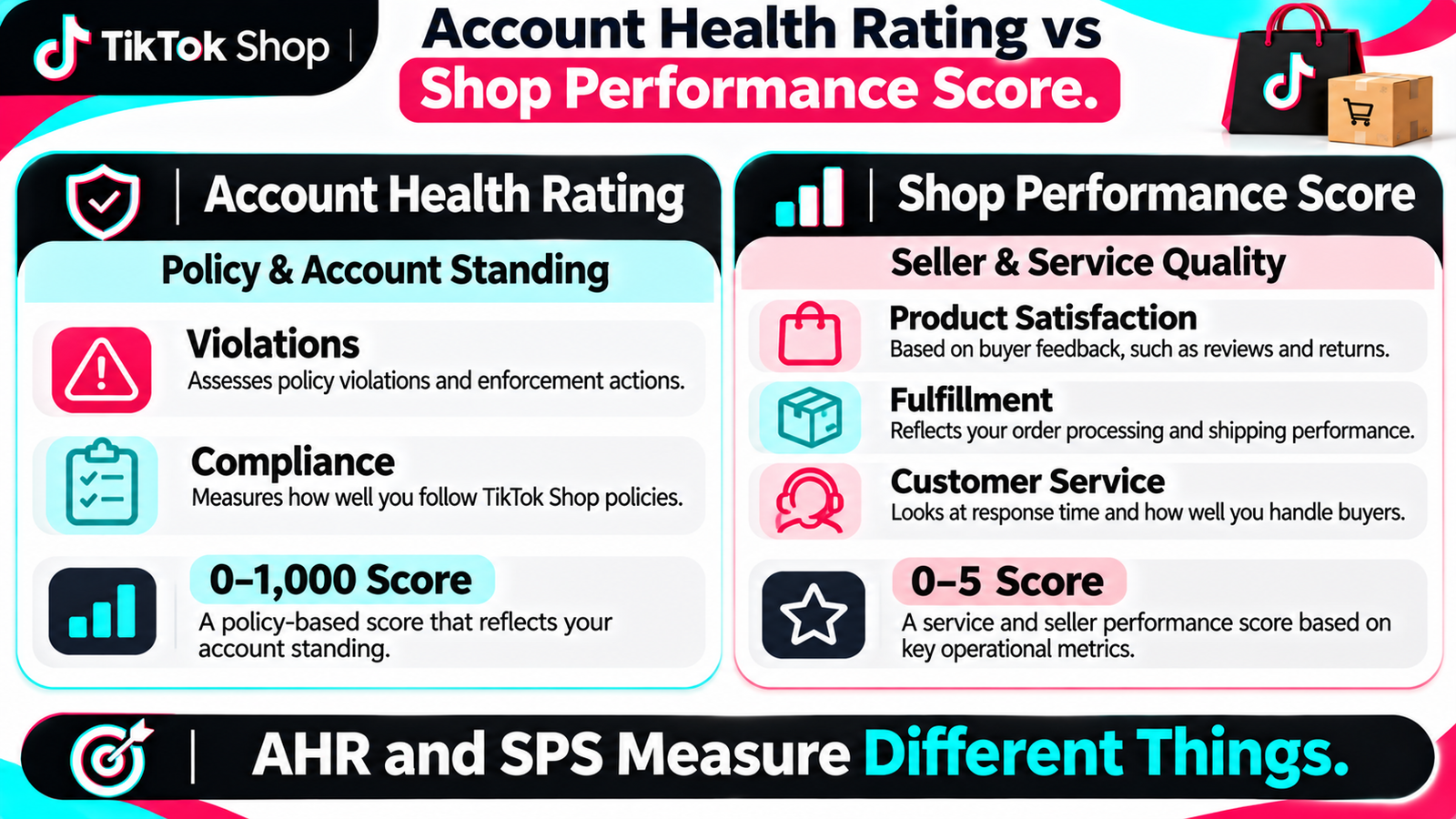 These are different metrics.
| Metric | Main Purpose |
| Account Health Rating | Policy compliance and overall account standing |
| Shop Performance Score | Seller and service performance quality |
TikTok Shop Performance Score currently uses a 0–5 scale and evaluates areas such as product satisfaction, fulfillment, and customer service over a shorter performance period.
TikTok Shop Account Health Rating, by contrast, focuses on compliance and can be connected to enforcement actions when account health deteriorates.
A shop can therefore have a strong TikTok Shop SPS and still need to monitor policy compliance separately.
Where Do Sellers Track Payments and Settlements?
TikTok Shop Finance is the financial area of Seller Center.
It is where sellers can review:
- settlements
- seller payouts
- statements
- financial records
- funds on hold
- payment adjustments
TikTok’s current U.S. Finance documentation also explains that sellers need a linked and verified bank account to receive earnings.
Use the official guide for the current finance workflow: TikTok Shop Finance and Settlement guide.
Do not hard-code one payout schedule for every seller or country. Settlement timing can depend on market and seller performance.
What Are Partners and Apps?
They are separate areas.
Partners help sellers discover service providers.
Apps provide access to TikTok Shop integrations and connected tools.
These may help shops connect ecommerce systems, operational software, affiliate tools, or other supported services.
Beginners should only add integrations that solve a real operational need.
Can You Manage TikTok Shop From Your Phone?
Yes, many common tasks can be handled through the TikTok Shop Seller Center app.
Current mobile functions include areas such as:
- seller registration
- products
- order processing
- returns and refunds
- customer service
- analytics
- affiliate tools
TikTok also supports Open Collaboration management from the Seller Center mobile experience.
The TikTok Seller Center mobile app is useful for daily monitoring, but complex catalog, reporting, or administrative work may still be easier on desktop.
TikTok App vs Seller Center: What’s the Difference?
TikTok Shop Seller Center vs TikTok app is a simple distinction.
| TikTok App | Seller Center |
| Publish content | Manage products |
| Engage audiences | Process orders |
| Build followers | Configure logistics |
| Create videos | Manage affiliates |
| Host content/LIVE | Review analytics |
| Audience activity | Monitor account health |
| Creator-facing activity | Track finance |
The TikTok app is audience-facing.
Seller Center is operations-facing.
They work together, but TikTok Seller Center vs TikTok should never be treated as the same interface.
Why Link a TikTok Account to the Shop?
A linked official TikTok account connects the commerce operation with the shop’s public TikTok presence.
For the current U.S. setup, linking an official account can unlock selling through shoppable videos, LIVE, and a shop page. TikTok currently allows an official shop account to be linked through Seller Center or the Seller App.
This helps connect product operations with content and audience activity.
What Should a New Seller Check Each Day?
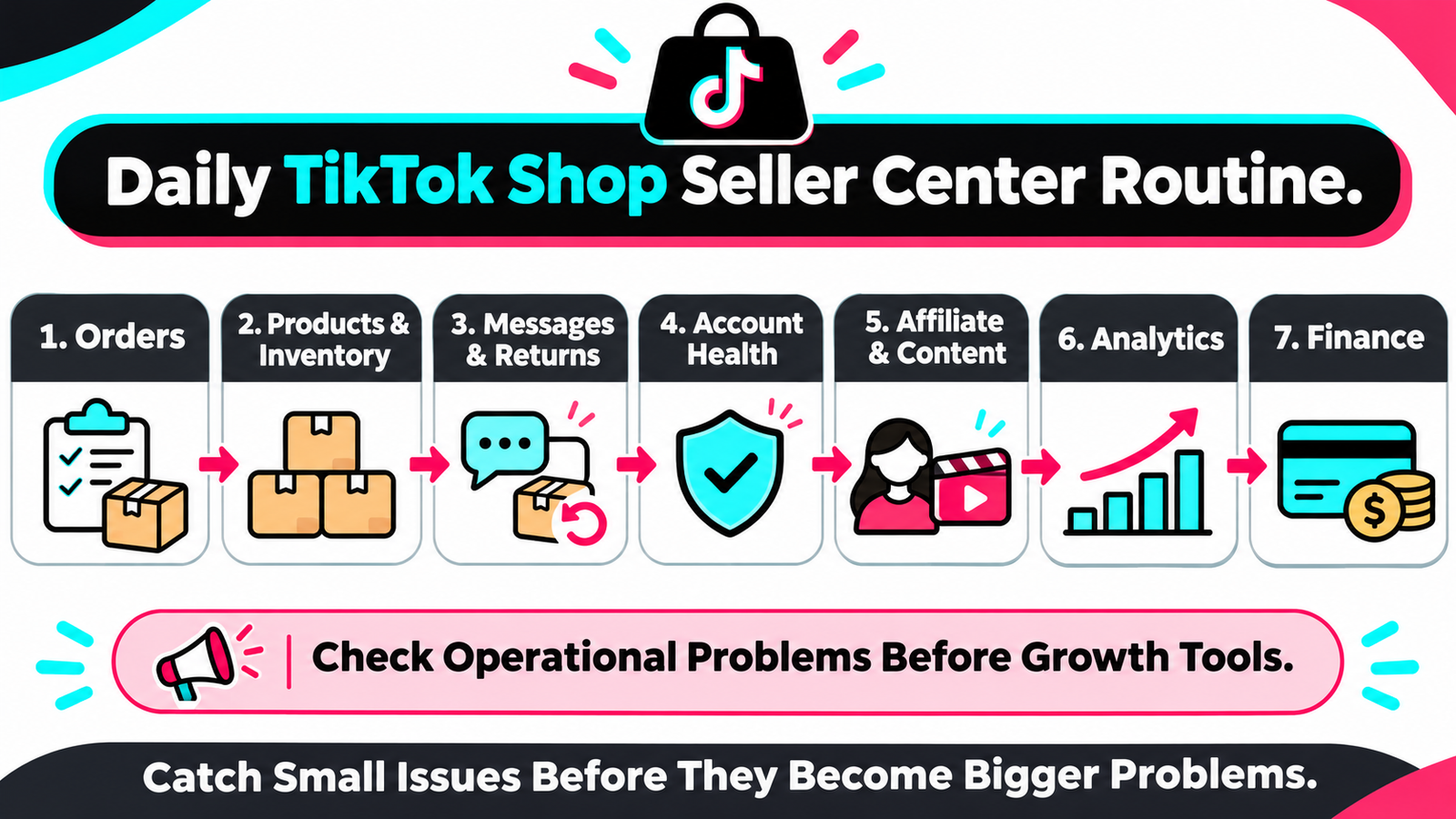 A practical TikTok Shop daily seller routine is:
- Orders – Check new and delayed orders.
- Products – Review stock and listing problems.
- Messages / returns – Handle customer issues.
- Account health – Check warnings or violations.
- Affiliate / content – Review creator and content activity.
- Analytics – Look for major changes in traffic, conversion, or sales.
- Finance – Investigate settlement or payout issues.
This is a recommended TikTok Shop seller workflow, not an official TikTok requirement.
The goal is to catch operational problems early.
Common TikTok Shop Seller Center Mistakes
Common TikTok Shop beginner mistakes include:
- following outdated tutorials with the old Growth menu
- uploading products without understanding category rules
- ignoring inventory
- missing dispatch requirements
- ignoring returns and refunds
- failing to monitor TikTok Shop account health
- confusing AHR with TikTok Shop Performance Score
- treating GMV as profit
- ignoring Affiliate Center
- setting creator commissions without checking margin
- publishing content without correctly linking products
- ignoring finance and settlement reconciliation
The biggest mistake is treating Seller Center as a place you visit only when an order arrives.
It is the operating workspace for the entire shop.
Conclusion
TikTok Shop Seller Center is the operating workspace behind a seller’s TikTok commerce activity.
The current TikTok Shop dashboard goes well beyond order management. Products and Orders handle core commerce operations, Logistics supports fulfilment, Affiliate and Content Hub connect sellers with creators and shoppable content, and TikTok Shop analytics explain what is happening across the business.
Account Health Rating and Shop Performance Score answer different questions, while Finance helps sellers reconcile settlements and TikTok Shop seller payouts.
For TikTok Shop for beginners, start with the sections you will use every day: Orders, Products, Logistics, Account Health, Analytics, and Finance. Once those workflows are comfortable, add Affiliate, Content Hub, LIVE selling, promotions, and marketing tools as the shop grows.
For broader operational support, see TikTok Shop services. For help with a specific store, contact HiSellIt.
Frequently Asked Questions
Q. What Is TikTok Shop Seller Center?
TikTok Shop Seller Center is the commerce-management workspace behind a TikTok Shop. Sellers use it for products, orders, shipping, creators, affiliate management, shoppable content, LIVE activity, analytics, account health, and financial records.
Q. How Do I Register for TikTok Shop?
Create a seller account for a supported market, complete the required identity or business verification, configure tax and warehouse information where required, link a bank account, add products, and connect a TikTok account where appropriate.
Q. How Do I Add Products to TikTok Shop?
Use the Products area in Seller Center to create or import TikTok Shop product listings. Add accurate product information, images, pricing, inventory, category information, and other required details before submitting the listing.
Q. How Do I Manage TikTok Shop Orders?
Open the Orders section to review new orders, prepare them for fulfillment, arrange shipping, update tracking where required, monitor delivery, and handle after-sales activity such as returns or refunds.
Q. Where Can I See TikTok Shop Analytics?
Open Analytics in the current Seller Center navigation. Depending on the question, you may use Shop Analytics, Product Analytics, Channel Analytics, Marketing Analytics, Service Analytics, Search Reporting, or AI Report.
Q. Can I Manage TikTok Shop From My Phone?
Yes. The Seller Center app supports many routine functions, including products, orders, returns, customer service, analytics, and affiliate activity. Some complex workflows may still be easier on desktop.