
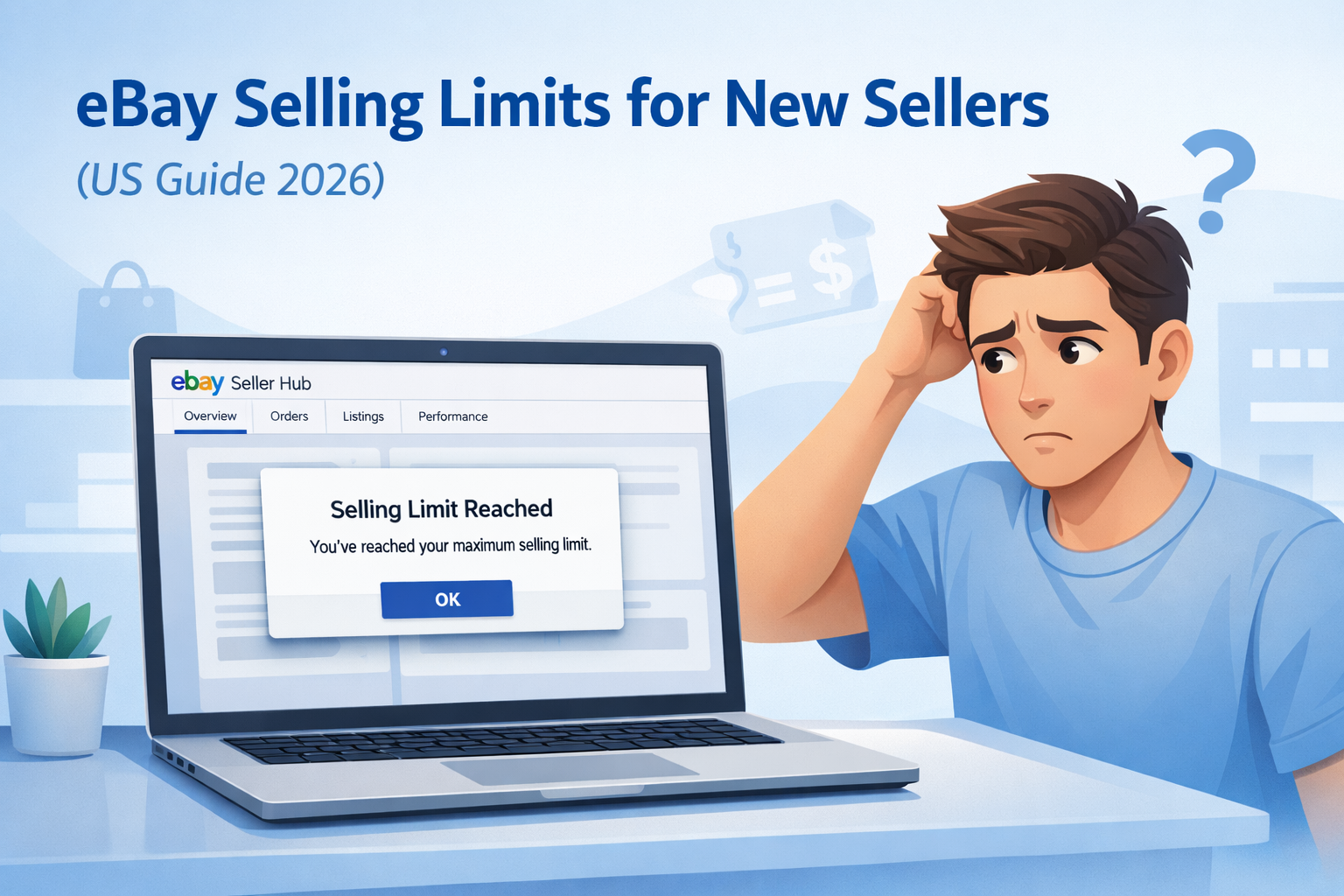
eBay Selling Limits for New Sellers (US Guide 2026)
You listed your first few items on eBay. Everything looks good. Then you try to add more, and you get a message telling you that you have hit your limit. What limit? Nobody warned you about this.
This happens to every new seller on eBay. It is totally normal. And the good news is, it does not last forever.
eBay selling limits for new sellers are a cap on how many items you can list and how much you can earn each month. New accounts start small. As you build a track record, the limits go up.
This guide explains exactly what the limits are, why eBay does this, how long it takes for them to go away, and what you can do right now to speed things up.
What Are eBay Selling Limits for New Sellers and How Do They Work?
eBay selling limits for new sellers are account restrictions that cap how many items you can list and how much money you can earn per month. Every new account gets them. They are temporary and increase as you prove yourself as a seller. Understanding how eBay selling limits for new sellers work helps you avoid frustration and grow your account faster.
When you first sign up to sell on eBay, eBay does not know anything about you yet. You have no history. No sales. No feedback from buyers. Nothing.
So eBay starts you off small. You get a beginner selling limit, usually around 10 items and $500 a month. That is it to begin with.
These beginner eBay listing limits prevent new sellers from posting unlimited inventory before establishing account credibility.
It is not a punishment. Think of it like probation at a new job. You do not get full access on day one. You prove yourself first, then you get more.
eBay is a massive marketplace. Millions of people buy things there every day. eBay Inc. has to protect those buyers. If a brand-new account could immediately list thousands of items and disappear with the money, that would be a serious problem. The eBay Trust & Safety team uses these limits to manage that risk. These limits are part of eBay’s official risk and compliance system outlined in its Seller Performance Standards.
How much can a new seller sell on eBay per month?
Most new eBay sellers in the United States start with selling limits of 10 items or $500 per month.
These beginner limits apply to total listings or total sales value, whichever comes first. Exact limits vary based on account verification, category, and risk review inside eBay Seller Hub.
As you complete successful transactions and maintain positive feedback, eBay may automatically increase your monthly selling limits or allow you to request an increase.
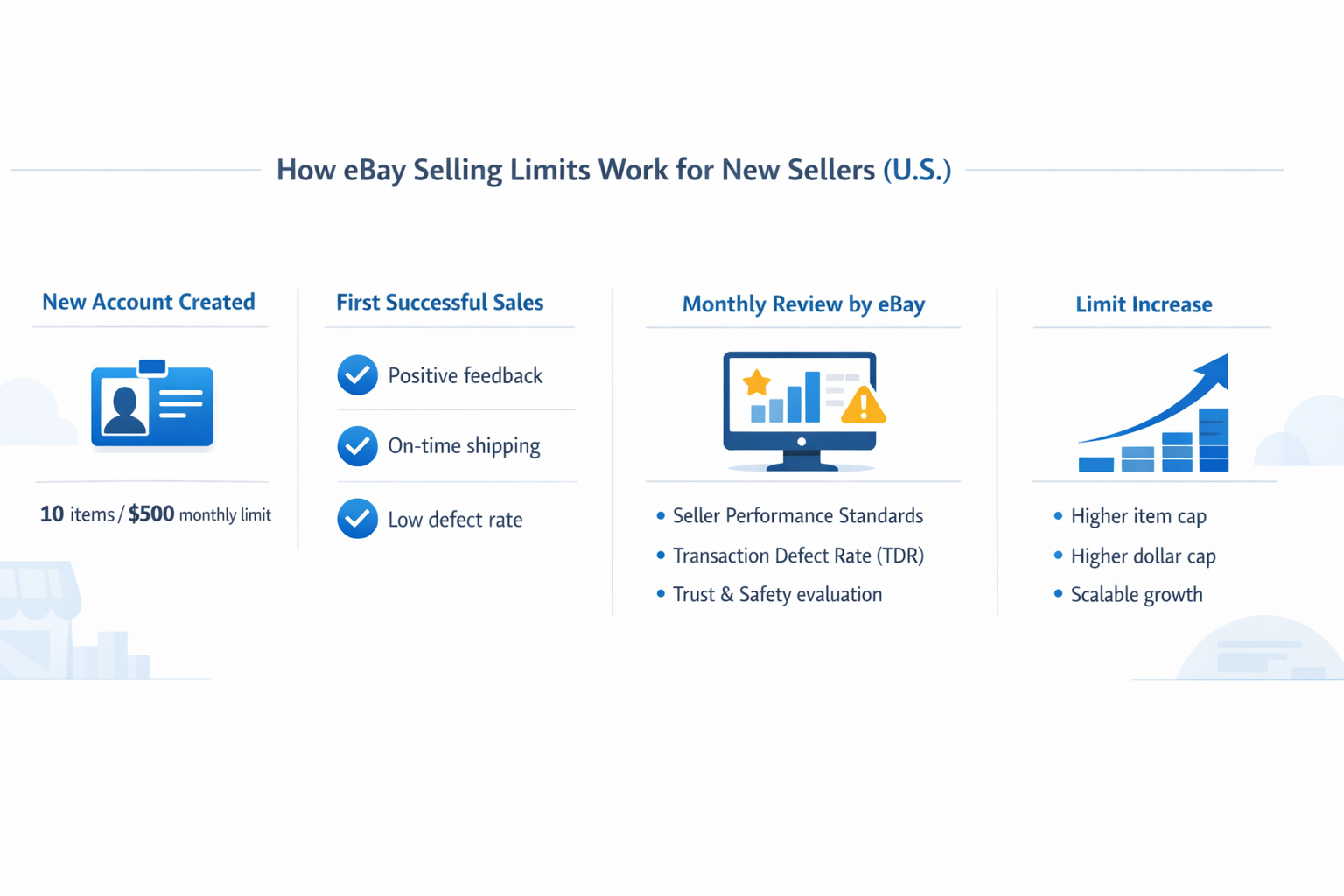
What Are the Default Selling Limits for New US Accounts?
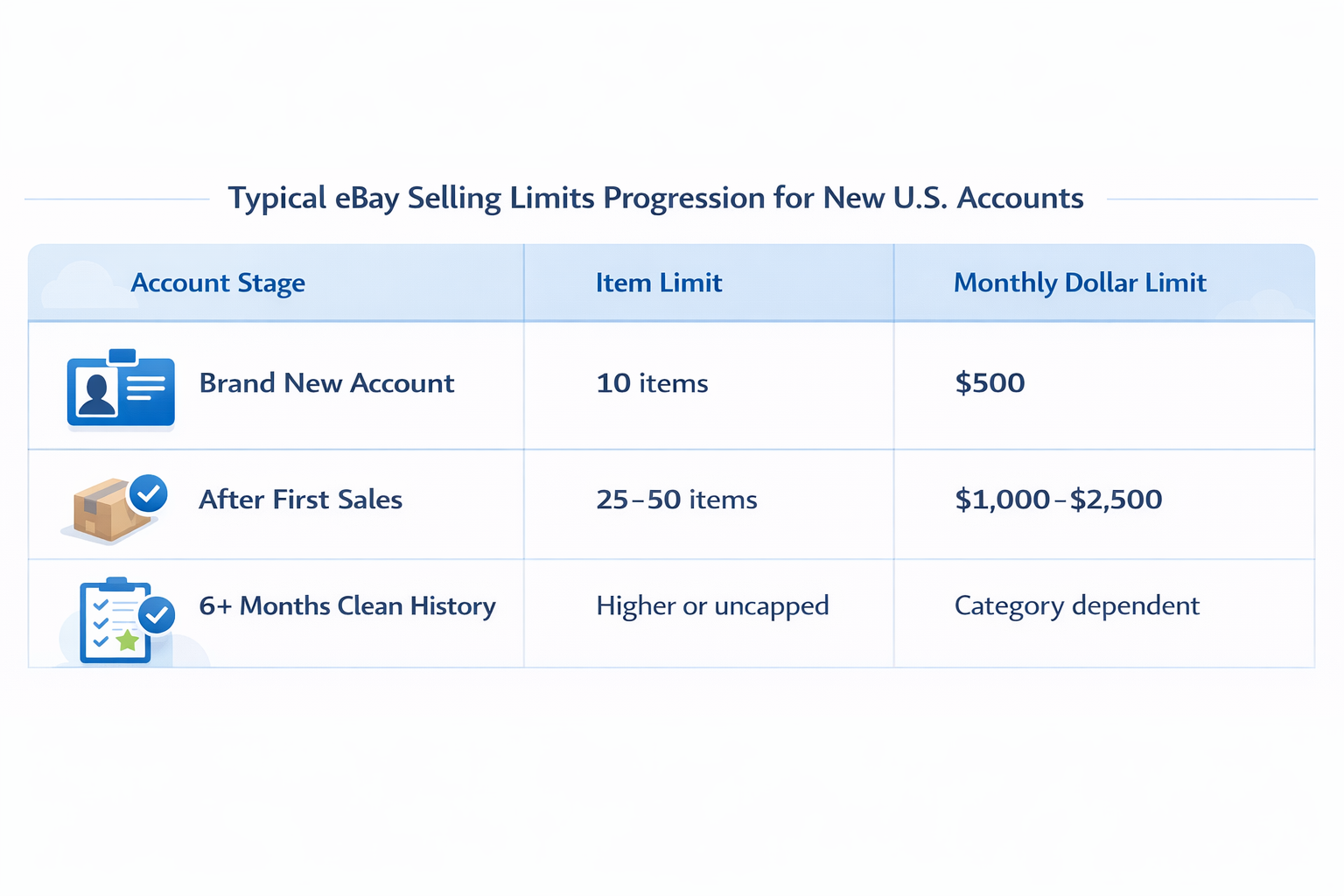
These eBay monthly selling limits apply to both item quantity and total sales value during each calendar month.
| Account Stage | Item Limit | Monthly $ Limit |
| Brand new account | Up to 10 items | Up to $500 |
| After the first few sales | Around 25-50 items | $1,000 – $2,500 |
| 6+ months, clean history | Much higher or no cap | Varies by category |
These numbers are not exact for everyone. eBay adjusts the starting limits based on factors such as how you verified your account and what you are selling. The eBay $500 limit new account is the most common starting point people talk about online, but yours could be slightly different.
To see your actual numbers, log into the eBay Seller Hub and look for the selling limits section. It takes about 30 seconds.
Pro Tip: Check Your eBay Selling Limits First
Check your exact selling limits inside eBay Seller Hub before you start listing products.
This helps you understand how many items or how much total value you can sell each month, so you are not surprised mid-listing or blocked from publishing additional inventory.
Why Does eBay Restrict New Sellers?
The short answer: eBay does not know you yet. That is the core reason eBay selling limits for new sellers exist in the first place.
You have no positive feedback score. No transaction history. Nothing that proves you are a reliable seller. Until you build that up, eBay treats your account as an unknown.
And unknown accounts can be risky. A bad seller could take a buyer’s money and never ship the item. They could list things that do not exist. They could misrepresent what they are selling. eBay has seen all of this before.
The limits keep that risk low while new sellers prove themselves.
Here is what eBay is actually watching on your account:
| What eBay Tracks | What It Means |
| Defect rate | How often something goes wrong in your sales |
| Transaction Defect Rate (TDR) | Defects per 100 transactions eBay counts |
| Positive feedback score | What buyers say about you after each sale |
| Cases opened against you | Buyers who reported a problem or dispute |
New sellers have a blank scorecard. Once you fill it with good results, eBay raises your limits. The eBay Seller Performance Standards system tracks all of this and decides whether you are an Above Standard Seller, a Top Rated Seller, or a Below Standard Seller.
How Long Do eBay New Seller Limits Last?
There is no countdown clock. eBay new seller limits increase based on performance, not just time passed. Limits do not lift automatically because 30 or 60 days passed.
eBay looks at your account at the beginning of each month. If you had a solid month, your limits usually go up. If you did nothing, or if something went wrong, they stay the same or get tighter.
Most sellers who stay active and keep their buyers happy see their limits increase within 90 days. Some see movement sooner. Others take longer if they are not selling consistently.
Important Note About eBay Selling Limits
eBay selling limits do not automatically disappear over time.
Many new sellers assume limits will be removed if they simply wait, but increases must be earned through consistent sales activity, positive feedback, on-time shipping, and strong account performance.
Things that help eBay raise your limits faster:
- Complete sales regularly, even if they are small
- Get positive feedback from buyers after every transaction
- Ship on time, every time, with a tracking number
- Keep disputes and buyer complaints to zero if possible
- Finish setting up your account fully through eBay Managed Payments
How to Increase eBay Selling Limits
You do not have to just wait to outgrow eBay selling limits for new sellers. There are two ways to get your eBay account limits raised: automatic increases and manual requests.
Automatic increases happen when eBay reviews your account at the start of each month and sees good performance. Manual requests are something you submit yourself through eBay Seller Hub. Submitting an eBay limit increase request signals to the system that you want a formal account review. eBay explains the process inside its official selling limits documentation.
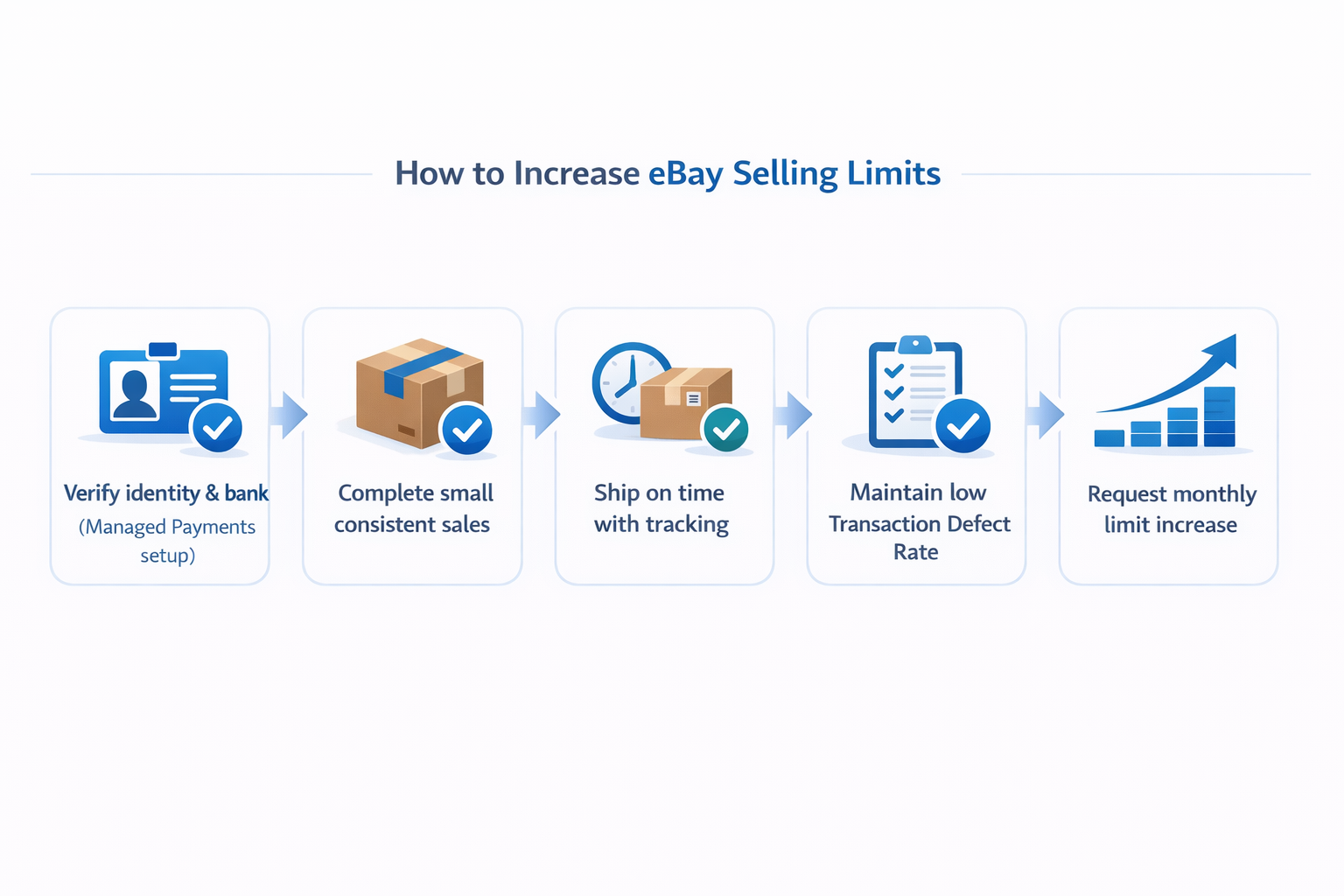
Here is the step-by-step process to do both:
Set up your account completely.
Make sure your identity is verified, and your bank is connected through eBay Managed Payments. Incomplete accounts get lower starting limits.
Sell small things first.
List items you already own. Clothes, books, phone accessories. Things that are cheap to ship and easy to describe accurately. Every completed sale builds your history.
Ship fast and stay in touch.
eBay tracks how quickly you ship. Fast shipping and quick responses to buyers lead to positive feedback, which is the single biggest factor in getting limits raised.
Avoid disputes.
If a buyer opens a case against you, it counts as a defect. Resolve problems quickly. Refund if you have to. One bad case can slow your progress significantly.
Request a limit increase manually.
After your first month of selling, go to eBay Seller Hub and click ‘Request higher selling limits.’ This is the direct way to ask eBay to review your account. Do this every single month.
Keep going.
eBay lets you request an increase once per month. Submit every month. Even if you were approved last month, submit again next month. Limits compound over time.
If you want to understand how sellers grow from beginner limits all the way to high-volume operations, the eBay automation growth timeline guide has a detailed breakdown of what that journey looks like.
How do you request a selling limit increase on eBay?
You can request a selling limit increase through eBay Seller Hub under the Account or Selling Limits section.
eBay typically allows sellers to request a review once per month after account activity has been established.
- Positive feedback
- Low Transaction Defect Rate (TDR)
- On-time shipping performance
- Verified payment details
Strong performance metrics increase approval chances.
What Can Lower Your eBay Selling Limits?
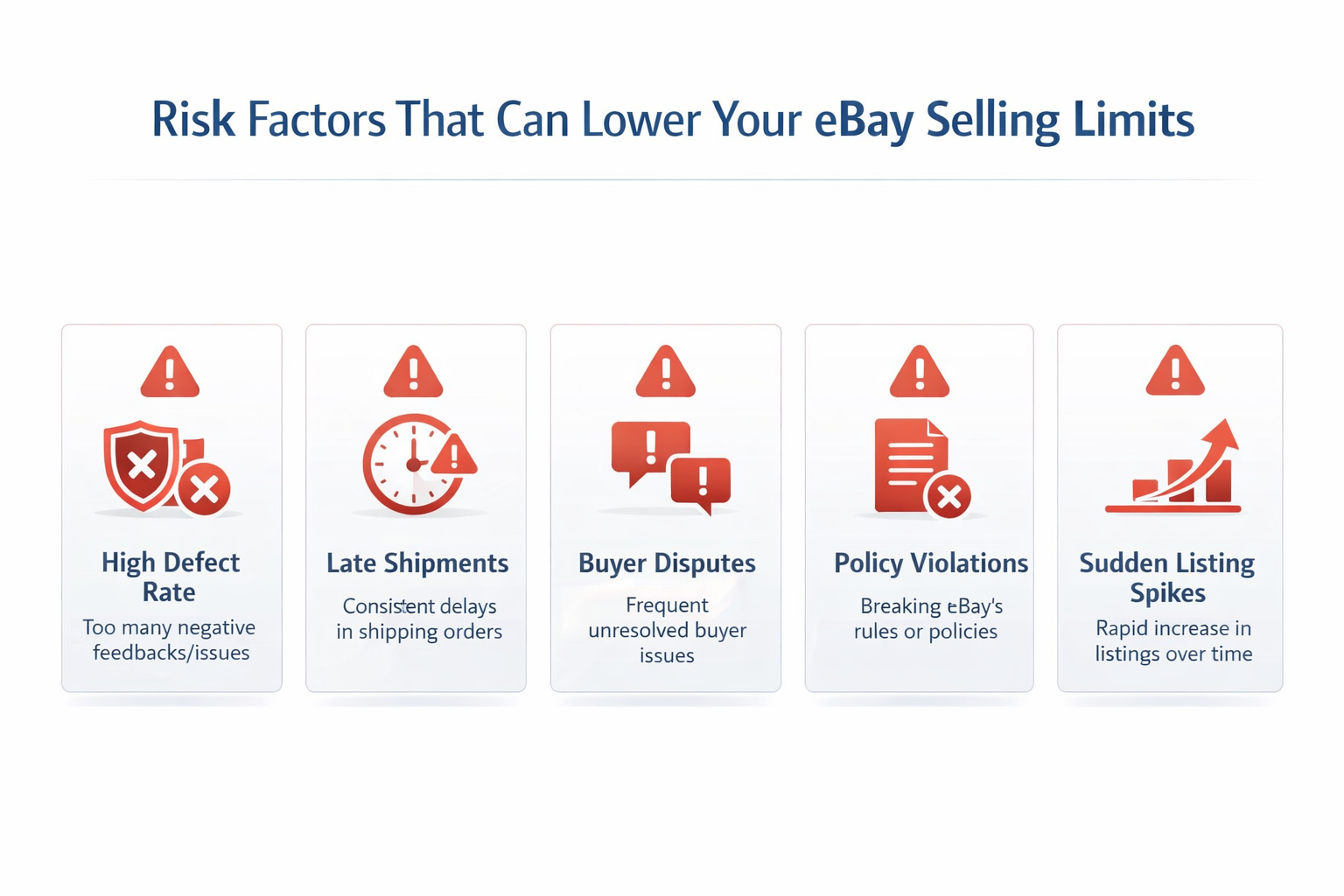
Getting limits raised is great. Losing them is worse. eBay can lower your limits if your account performance drops. In serious cases, repeated performance issues can trigger temporary eBay seller restrictions beyond normal monthly limits.
These are the most common reasons sellers see their eBay account limits cut:
-
High defect rate:
Too many late shipments, cancellations, or complaints from buyers that items were not as described
-
Rising Transaction Defect Rate (TDR):
eBay allows very little room here. Even a small percentage of problem transactions can trigger a review
-
Payment holds:
If eBay flags your account for risk and puts a hold on your funds, limits often tighten at the same time
-
Policy violations:
Listing items that break eBay rules or ignoring warnings from eBay Trust & Safety. Violations are reviewed under eBay’s marketplace policy framework.
-
Sudden jumps in listing volume:
Going from 5 listings to 200 overnight raises red flags in eBay’s system
Sellers who fall to Below Standard Seller status face serious restrictions. Getting back up from that takes months of clean performance. It is much easier to stay out of that situation than to recover from it.
How to Avoid eBay Account Restrictions as a Beginner
The habits you build in your first few months on eBay follow your account for a long time. The sellers who grow fastest are the ones who get the basics right from the start.
- Only list items you actually have in hand.
Never list something you need to go find after someone buys it.
- Write honest descriptions.
If there is a scratch on the item, mention it. Buyer surprises almost always turn into cases.
- Ship within your stated handling time, every single time.
This one matters more than most people realize.
- Respond to buyer messages within 24 hours.
Quick communication stops problems before they become disputes.
- Always add tracking to every shipment.
Without tracking, you have no proof of delivery if a buyer claims the item never arrived.
- Stay current on eBay’s policies.
Rules change occasionally. A quick check every few months keeps you out of trouble.
Strong listings also reduce the chance of returns and complaints. The guide to optimizing eBay titles and images walks through how to make listings more accurate and more competitive at the same time.
Scaling Beyond the Default Limits
Once you reach Above Standard Seller or Top Rated Seller status, the limit conversation mostly goes away. Once you move beyond eBay selling limits for new sellers, the focus shifts from lifting caps to maintaining account health at scale. The new question becomes how to handle the volume without your account performance dropping.
At low volumes, you can manage everything manually. But once you are handling hundreds of listings, small things start slipping through the cracks. An order goes out late. A listing has the wrong stock numbers. A buyer message sits unanswered for two days. These things quietly drag your metrics down.
This is where professional eBay automation services become worth looking at. The main value is not just saving time. It is keeping your eBay Seller Performance Standards clean consistently, which is what keeps your limits high and your account healthy.
Your store presentation matters too, especially as you grow. Buyers look at your profile. A well-built store signals that you are a real seller worth trusting. These eBay store design tips show what makes the biggest difference.
If you are thinking about expanding to other platforms alongside eBay, a multi-marketplace strategy can help you scale to Amazon, Walmart, and others without starting from scratch on each one.
Selling Limits vs. Account Suspension: Not the Same Thing
New sellers sometimes worry that hitting their limit means their account is in trouble. It is not. Limits and suspension are completely different.
| Selling Limits | Account Suspension |
| Normal for every new seller | A penalty for serious rule violations |
| Temporary by design | Can be permanent |
| Lifted by good performance | Requires a formal appeal to eBay |
| You can still sell within the cap | You cannot list, sell, or sometimes even log in |
| Part of normal account growth | The result of major policy breaches |
Staying within your limits and keeping your performance clean is the surest way to never have to deal with a suspension.
Final Thoughts
eBay selling limits for new sellers are temporary restrictions designed to protect buyers while you build trust and performance history. Every seller doing serious volume on eBay today started at the same 10-item, $500 cap.
The difference between sellers who move past eBay selling limits for new sellers quickly and those who stay stuck is simple. The fast ones sell consistently, keep their buyers happy, and request increases every single month.
Do those three things, and the limits stop being a problem faster than you might expect.
When you are ready to scale beyond what manual selling can handle, the HiSellIt team helps sellers grow without risking the account health they worked hard to build.
Frequently Asked Questions
Q. How long do eBay new seller limits last?
eBay new seller limits typically last between 30 and 90 days, depending on account performance and activity level. eBay reviews selling accounts monthly and increases limits for sellers who maintain strong metrics and consistent sales.
If your account shows low defect rates, positive feedback, and verified information, limit increases can happen faster. Manual limit increase requests can also be submitted through eBay Seller Hub once per review cycle.
Q. Can eBay remove selling limits completely?
Yes, eBay can effectively remove meaningful selling limits for accounts that reach strong performance levels such as Top Rated Seller status. Sellers with long transaction history, low defect rates, and consistent compliance may eventually operate without restrictive monthly caps.
There is no instant removal process. Limit expansion happens gradually as your account builds trust under eBay Seller Performance Standards and marketplace compliance policies.
Q. Why did eBay lower my selling limit?
eBay may lower your selling limit if your account shows performance risks such as a high Transaction Defect Rate (TDR), buyer disputes, or policy violations. Dropping to Below Standard Seller status can trigger temporary restrictions while metrics are reviewed.
Common causes include item-not-as-described cases, late shipments, unresolved returns, or compliance issues. Improving account health and maintaining strong feedback over multiple monthly cycles typically restores normal limits.
Q. What happens if you exceed your eBay selling limit?
If you exceed your eBay selling limit, your listings may stop publishing or active listings may be blocked from further sales. eBay does not usually suspend accounts for limit overages, but it prevents additional transactions once the cap is reached.
You must wait for the next review cycle or request a limit increase before listing more inventory.
Q. How do you request a selling limit increase on eBay?
You can request a selling limit increase through eBay Seller Hub under the Account or Selling Limits section. eBay typically allows sellers to request a review once per month after account activity has been established.
Before submitting a request, ensure your account has:
-
Positive feedback
-
Low Transaction Defect Rate (TDR)
-
On-time shipping performance
-
Verified payment details
Strong performance metrics increase approval chances.