
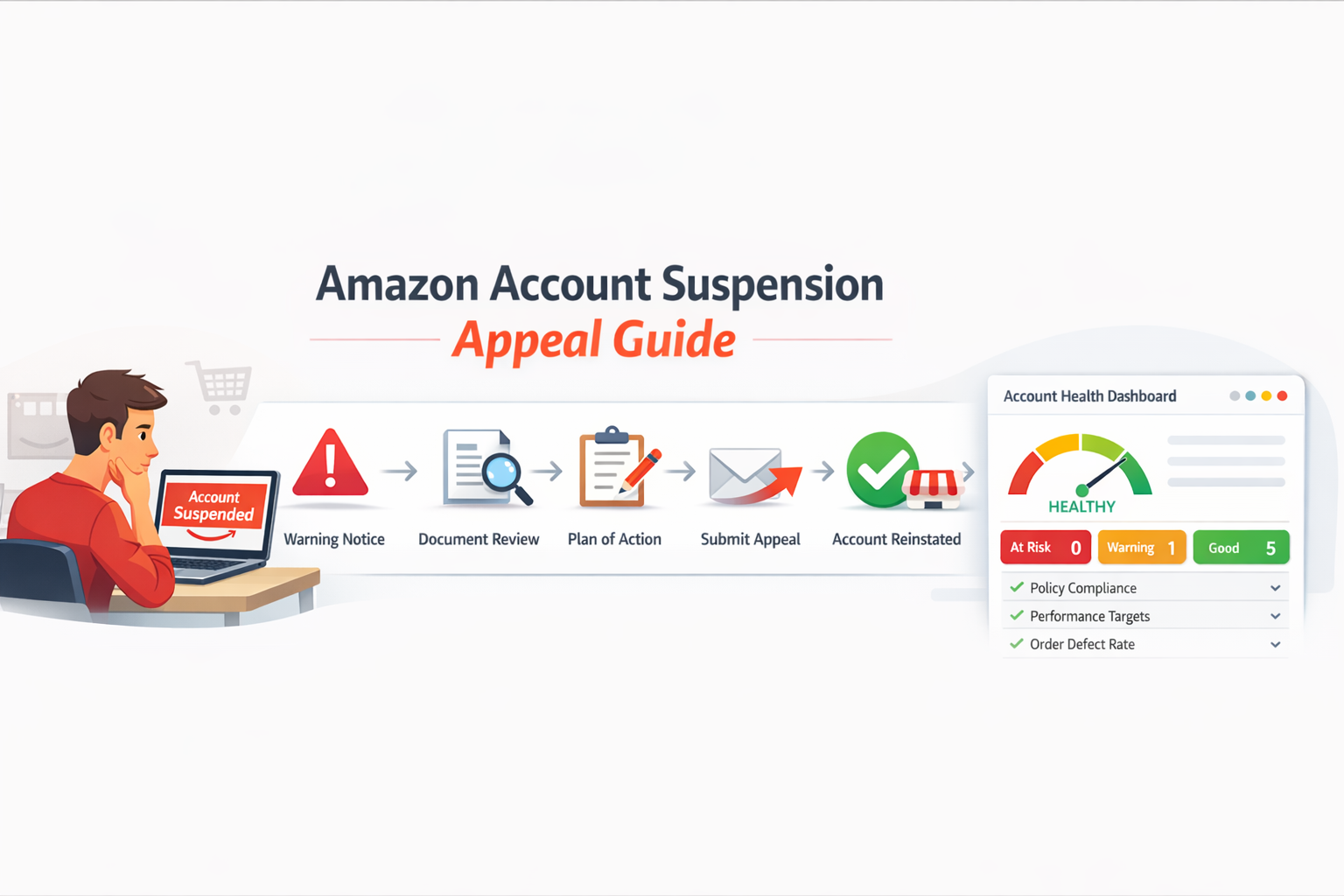
Amazon Account Suspension Appeal Guide: How to Reinstate Your Seller Account
Getting a suspension notice from Amazon feels like the floor just dropped out from under your business. Your listings go dark. Your sales stop completely. And every day without a fix costs real money.
This Amazon account suspension appeal guide walks you through the exact steps needed to recover your seller account. It walks through why Amazon suspends accounts, how the Amazon seller appeal process works, and how to write a winning plan of action that actually gets results.
What Is Amazon Account Suspension?
Amazon account suspension is when Amazon disables a seller account because of policy violations, poor performance, or customer complaints. The account stays disabled until the seller submits a successful Amazon account suspension appeal and proves the problem has been resolved.
Amazon Seller Central manages millions of active seller accounts worldwide. According to Statista, Amazon had over 9.7 million registered seller accounts globally as of recent years. With that many sellers, Amazon enforces its rules strictly to protect buyers and keep the Amazon Marketplace trustworthy.
If your Amazon seller account suspended notice just arrived, start here. Every step of the recovery process is covered from beginning to end.
Quick Answer: Amazon Account Suspension Appeal
An Amazon account suspension appeal is the process sellers use to restore a suspended seller account.
To reinstate the account, sellers must identify the root cause of the suspension and submit a detailed Amazon plan of action (POA) through Amazon Seller Central.
- Identify the root cause of the suspension
- Provide supporting documents or invoices
- Explain corrective actions already taken
- Outline preventive measures for the future
A clear and well-structured appeal greatly increases the chances of successful Amazon account reinstatement.
Signs Your Amazon Account May Be Suspended
Sometimes a suspension does not come as a complete surprise. Amazon often shows warning signals before or during the suspension.
If you notice any of the following issues inside Amazon Seller Central, your account may already be suspended or at risk.
- Listings suddenly disappear from the Amazon Marketplace
- New orders stop coming in, even though your products were active
- A warning appears in Performance Notifications inside Amazon Seller Central
- The Amazon Account Health Dashboard shows serious violations
- Your seller performance metrics, like order defect rate or late shipment rate, drop below Amazon’s required thresholds
If any of these signs appear, check your Account Health Dashboard immediately. Fixing issues early can sometimes prevent a full Amazon account suspension appeal situation.
Why Amazon Suspends Seller Accounts
Amazon suspends accounts to protect customers. When seller performance metrics fall below required thresholds, or when violations are detected, Amazon moves fast.
The Amazon Seller Performance Team reviews flagged accounts. They check metrics, complaints, and listing history. Anything that falls short of Amazon standards gets the account suspended.
Amazon sends suspension notices through Amazon Performance Notifications inside Amazon Seller Central. These notices spell out the exact reason for the suspension. Reading that notice carefully is always the first step in any Amazon suspension appeal.
If your Amazon seller account suspended notice appears in Seller Central, begin the Amazon seller appeal process immediately to request Amazon account reinstatement.
Common Reasons for Amazon Seller Account Suspension
Before starting any Amazon suspension appeal, you need to know exactly why the suspension happened. Amazon always includes a reason in the suspension notice sent through Amazon Seller Central.
Here are the most common causes.
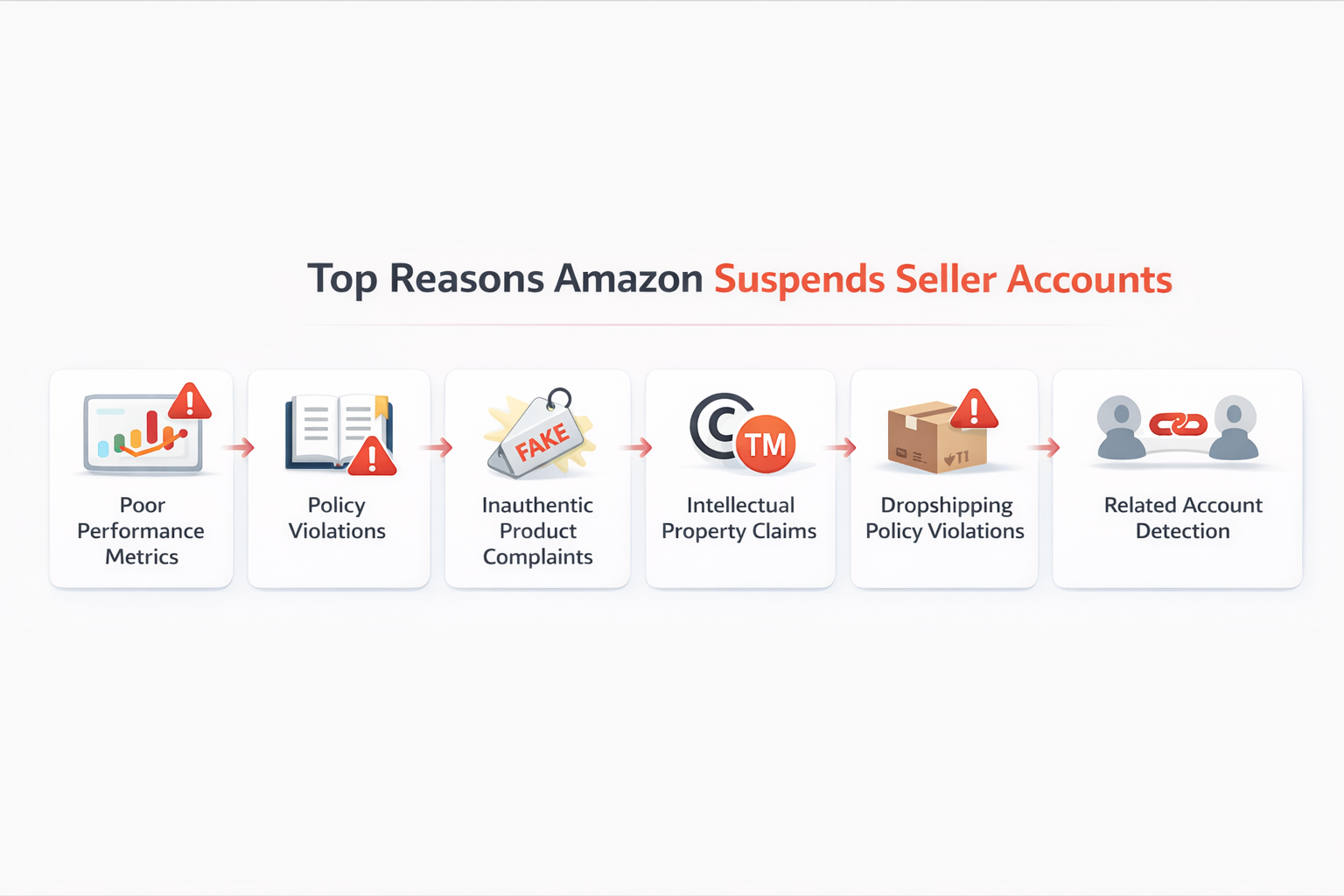
Poor Seller Performance Metrics
Amazon tracks seller performance through its Amazon Seller Performance Metrics system inside the Amazon Account Health Dashboard. Three seller performance metrics matter most.
| Metric | Amazon Requirement |
| Order Defect Rate | Below 1% |
| Late Shipment Rate | Below 4% |
| Valid Tracking Rate | Above 95% |
The Amazon Account Health Rating reflects your overall standing based on these numbers. When any metric falls out of range, Amazon can suspend the account without prior warning.
Sellers using Amazon Fulfillment by Amazon (FBA) often maintain stronger metrics because Amazon handles shipping directly. FBA removes the risk of late shipment rate violations caused by third-party carrier issues.
Checking the account health dashboard regularly helps sellers catch problems early, before they ever trigger a suspension.
Amazon Policy Violation Suspension
An Amazon policy violation suspension happens when a seller breaks one of Amazon’s marketplace rules. Common violations include:
- Violating the Amazon Seller Code of Conduct
- Manipulating product reviews or seller feedback
- Misrepresenting products in listings
- Committing an Amazon dropshipping policy violation, such as shipping orders directly from a retail store to a buyer without proper documentation
- Breaching the Amazon Marketplace Fair Pricing Policy by listing products at prices considered unfair to buyers
Amazon Policy Compliance is monitored at all times. Even one serious violation can result in a full account suspension.
Amazon Inauthentic Item Complaint
An Amazon inauthentic item complaint is filed when a buyer or Amazon believes a product is fake, counterfeit, or does not match the listing description. Sellers facing this complaint must provide supplier invoices and proof that the product is genuine.
This type of complaint is one of the most common causes of account suspension on the Amazon Marketplace.
Amazon Intellectual Property Complaint
An Amazon intellectual property complaint is filed by brand owners who believe their trademarks, copyrights, or patents have been violated. Sellers enrolled in Amazon Brand Registry have extra tools to file and manage these complaints.
Resolving an IP complaint typically requires contacting the rights holder directly or providing authorization to sell the product. Ignoring one almost always leads to account suspension.
Amazon Related Accounts Suspension
An Amazon related accounts suspension happens when Amazon detects a link between a suspended account and a new account opened by the same seller. Amazon does not allow sellers to open new accounts to bypass a suspension. If discovered, both accounts get suspended.
Types of Amazon Seller Account Suspensions
Not every Amazon suspension works the same way. Knowing the type you received helps you write a stronger Amazon appeal letter and pick the right approach.
Listing Suspension
A listing suspension removes one or more product listings from the Amazon Marketplace. The seller account stays active, but specific ASINs are blocked. This usually happens because of an Amazon inauthentic item complaint, an Amazon intellectual property complaint, or a listing policy violation.
You can often resolve a listing suspension by submitting an appeal for that specific ASIN rather than the entire account.
ASIN Suspension
An ASIN suspension is tied to a specific product identifier. Amazon removes the ASIN from search results and blocks all sellers from listing it until the issue is resolved. This commonly occurs when a product receives multiple safety complaints or IP complaints.
Account Suspension
An account suspension disables the entire seller account. All listings are removed. Payments may be held. This is the most common outcome when seller performance metrics fall below required thresholds or when a serious policy violation is detected.
A full Amazon account suspension appeal with an approved Amazon plan of action is required before reinstatement is possible.
Account Deactivation
Account deactivation is more serious than a standard suspension. Amazon deactivates accounts for severe violations, fraud, or repeated non-compliance. In some cases, deactivation is permanent. Sellers facing deactivation should seek professional support immediately.
How to Submit an Amazon Account Suspension Appeal
Quick Answer: How to Appeal an Amazon Suspension
To appeal an Amazon suspension, sellers must review the suspension notice in Amazon Seller Central, identify the root cause of the issue, gather supporting documents, and submit a clear Amazon plan of action (POA).
- Read the suspension notice in Performance Notifications
- Identify the root cause of the violation
- Collect invoices or supporting documentation
- Write a detailed Amazon plan of action
- Submit the appeal through Amazon Seller Central
A clear appeal that explains the root cause, corrective actions, and preventive measures gives sellers the best chance of Amazon account reinstatement.
The Amazon seller appeal process moves through a clear set of stages. Following each one carefully gives you the best shot at fast Amazon account reinstatement.
Step 1. Read the suspension notice
Open Amazon Seller Central. Go to Amazon Performance Notifications. Read the suspension notice word for word. Amazon tells you exactly what caused the suspension.
Step 2. Find the root cause
Review your seller performance metrics, recent customer complaints, and active listing history. The root cause must be real and specific. Guessing does not work. Amazon reviewers can see your full account history.
Step 3. Collect supporting documents
Gather everything that supports your case. This may include supplier invoices, order records, product authenticity certificates, or screenshots showing Amazon Policy Compliance.
Step 4. Write your Amazon Plan of Action
This is the most critical part of how to reinstate Amazon seller account status. The Amazon plan of action explains what went wrong, what has already been fixed, and what systems are in place to prevent it from happening again.
Step 5. Submit your appeal
Go to the Account Health section in Amazon Seller Central. Submit your Amazon account suspension appeal and attach your Amazon plan of action. Keep everything clear, organized, and direct.
Step 6. Monitor for a response
Amazon typically responds within 48 to 72 hours for straightforward cases. Check your Amazon Performance Notifications and email every day while you wait.
Amazon Suspension Appeal Process Overview
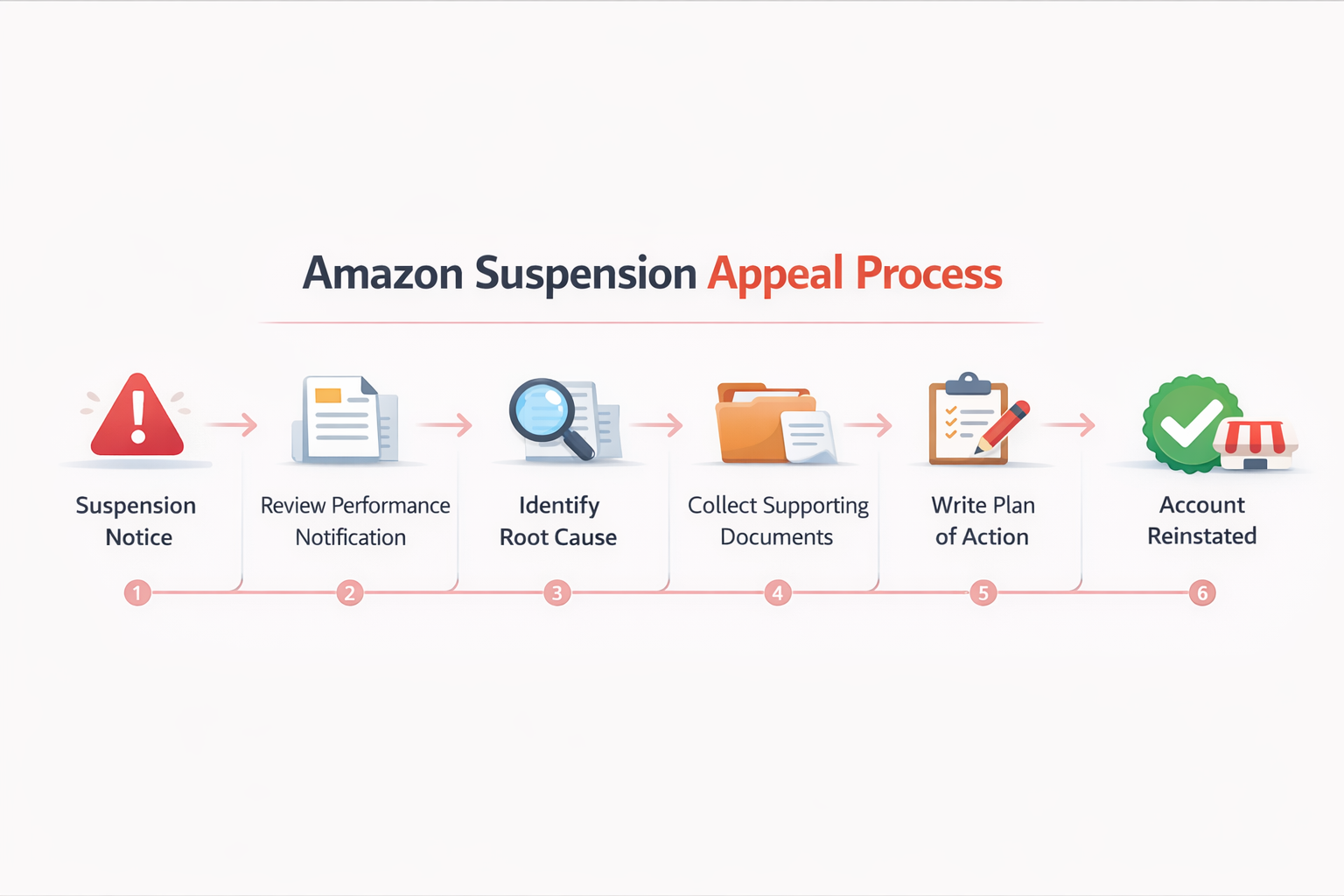
The appeal process usually moves through these steps:
- Suspension notice received
- Read the Amazon Performance Notification carefully
- Identify the root cause
- Collect supporting documents
- Write the Amazon plan of action
- Submit the appeal through Amazon Seller Central
- Wait for review by the Amazon Seller Performance Team
- Account reinstated
Every step matters. Skipping one or rushing the process can weaken your Amazon suspension appeal.
Amazon Account Suspension Appeal Checklist
Before submitting an Amazon account suspension appeal, review this checklist inside Amazon Seller Central to ensure your appeal is complete.
- Read the full suspension notice in Amazon Performance Notifications
- Identify the exact root cause of the suspension
- Review seller performance metrics in the Amazon Account Health Dashboard
- Check listings against the Amazon Seller Code of Conduct and Amazon Policy Compliance standards
- Collect supplier invoices and supporting documents
- Write a complete Amazon plan of action covering root cause, corrective actions, and preventive measures
- Review the Amazon suspension appeal template format before submitting
- Submit the appeal through the Account Health section in Amazon Seller Central
- Monitor Amazon Performance Notifications daily after submission
Submitting an incomplete appeal is one of the most common reasons sellers wait weeks for a response. Using this checklist helps improve the chances of faster Amazon account reinstatement.
How to Write a Strong Amazon Plan of Action
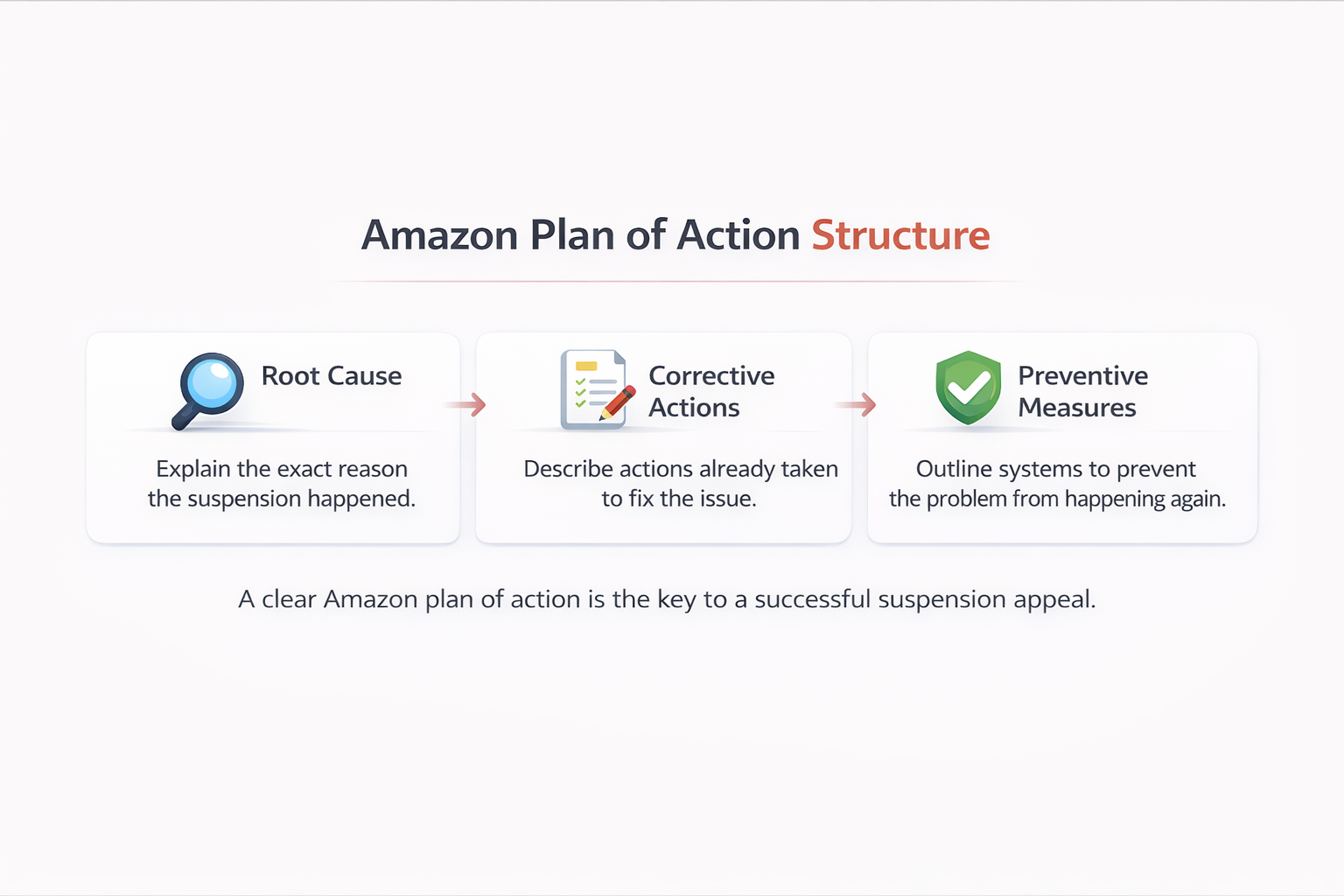
The Amazon plan of action is the backbone of every successful appeal. The Amazon Seller Performance Team wants to see three things addressed clearly.
According to Amazon’s official seller performance standards, sellers must demonstrate that they understand the issue, have taken corrective steps, and have preventive systems in place.
Part 1: Root Cause
Explain exactly what caused the problem. Be specific.
If a high late shipment rate triggered the suspension, say exactly why shipments were delayed. Name the supplier, the time period, or the fulfillment issue responsible.
Vague language like “we will do better” will get your Amazon POA rejected. Amazon reviewers have seen thousands of appeals. Vague answers stand out immediately.
Part 2: Corrective Actions
List only actions you have already completed. Do not describe future plans here. Describe completed steps only.
Strong corrective action examples:
- Removed all flagged listings from the Amazon Marketplace
- Switched to a verified supplier with proper invoices
- Reviewed all active listings against the Amazon Seller Code of Conduct
- Fixed the order defect rate by rebuilding the returns handling process
- Enrolled in Amazon Fulfillment by Amazon (FBA) to eliminate late shipment rate risks going forward
Part 3: Preventive Measures
Show Amazon a repeatable system for staying compliant. Strong examples include:
- Weekly review of the Amazon Account Health Dashboard in Amazon Seller Central
- Automated alerts when Amazon Seller Performance Metrics drop below safe levels
- Monthly listing audits for Amazon Policy Compliance
- A customer complaint response process with a 24-hour response window
- Regular review of the Amazon Marketplace Fair Pricing Policy to keep pricing compliant
A proper Amazon plan of action template follows this exact format every time: root cause first, corrective actions second, preventive measures third. No storytelling. No emotional language.
Amazon Plan of Action Example
Below is a practical Amazon suspension appeal template you can adapt for your specific situation. It gives the Amazon Seller Performance Team exactly what they need to make a reinstatement decision.
Subject: Seller Account Suspension Appeal [Account Name]
Root Cause: The suspension was caused by an elevated late shipment rate resulting from a third-party fulfillment partner failing to process orders on time during [specific month and year]. This caused the order defect rate to exceed Amazon’s required threshold.
Corrective Actions Taken:
- Ended the relationship with the underperforming fulfillment partner
- Fulfilled all open orders through a new, verified fulfillment provider
- Obtained updated supplier invoices for all active product listings
- Reviewed all listings for compliance with Amazon Seller Central policies and the Amazon Seller Code of Conduct
- Enrolled in Amazon Fulfillment by Amazon (FBA) to ensure future shipment reliability
Preventive Measures:
- Set up daily monitoring of the Amazon Account Health Dashboard
- Created automated alerts for order defect rate and late shipment rate thresholds
- Scheduled quarterly reviews of the Amazon Seller Code of Conduct and Amazon Policy Compliance updates
- Implemented a 24-hour customer complaint response system
This Amazon appeal letter works because it is factual, direct, and solution-focused. It signals to Amazon that you understand the problem and have already corrected it.
How Long Does an Amazon Suspension Appeal Take?
How long Amazon account reinstatement takes depends on the type of suspension and the quality of your appeal.
| Suspension Type | Typical Review Time |
| Performance-based suspensions | 48–72 hours |
| Policy violation cases | 5–10 business days |
| Intellectual property complaints | 2–4 weeks |
| Fraud-related suspensions | Several weeks or longer |
Incomplete appeals slow everything down. Amazon returns them and asks for more detail, restarting the entire clock.
Submitting a complete and specific Amazon POA on the first attempt is the fastest path to Amazon account reinstatement. Sellers who use a proper Amazon plan of action template on their first submission consistently get faster responses.
What to Do If Your Amazon Appeal Is Rejected
Knowing what to do after a rejected Amazon suspension appeal is just as important as writing the original one.
Read the rejection notice carefully. Amazon usually explains what was missing or insufficient. Use that feedback directly when rewriting your submission.
Rewrite the Amazon plan of action. Address every specific point Amazon raised. Add more documentation. Make the root cause section more detailed. Never resubmit the same document unchanged.
Contact Amazon Seller Support. Amazon Seller Support inside Amazon Seller Central can help clarify what is needed for a resubmission. In some cases, following up directly can move the review process forward.
Consider professional help. If multiple appeals have already been rejected, working with an experienced Amazon account specialist is worth considering. HiSellIt offers expert support for sellers dealing with complex suspension cases. Reach out through the contact page for personalized guidance.
There is no official limit on how many times you can submit an appeal. But each submission should be meaningfully improved over the last. Repeated weak appeals reduce your credibility with the Amazon Seller Performance Team.
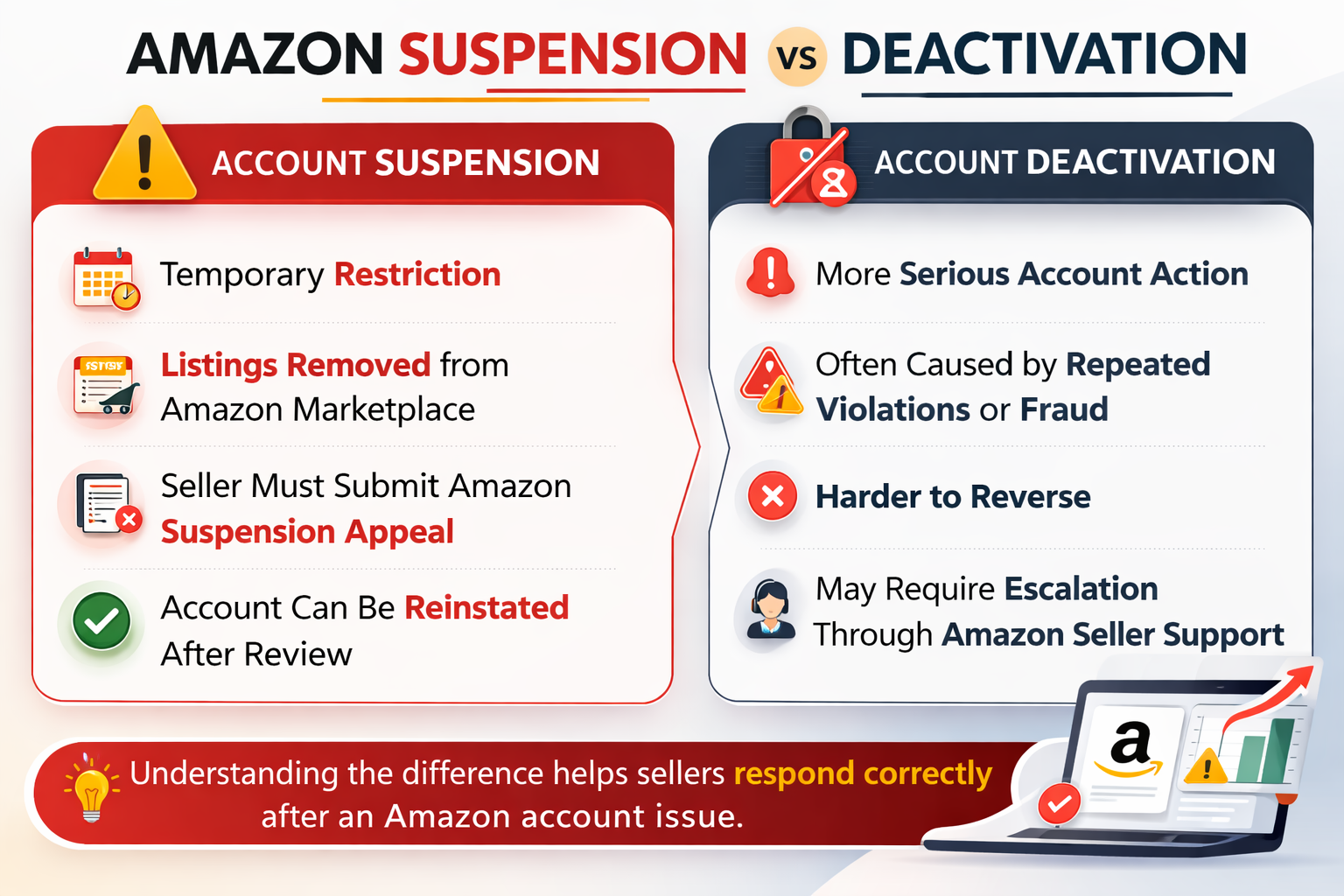
Amazon Account Suspension vs Deactivation
These two terms get confused often. They are not the same thing, and the path to recovery is different for each.
Amazon Account Suspension is a temporary restriction. The account is disabled pending a successful appeal. Most suspensions can be reversed by submitting a strong Amazon account suspension appeal with a complete Amazon plan of action showing root cause, corrective steps, and preventive systems.
Amazon Account Deactivation is a more serious action. Deactivation typically happens after repeated violations, fraud-related activity, or when Amazon determines the seller cannot maintain its performance standards. In some deactivation cases, the decision is permanent.
The key differences at a glance:
- Suspension: Temporary, reversible through appeal
- Deactivation: Permanent or long-term, harder to reverse
- Both: Require action through Amazon Seller Central and the Amazon Seller Performance Team
If you received a deactivation notice rather than a standard suspension, escalating with Amazon Seller Support right away is the right move. For complex deactivation cases, professional account support is strongly recommended.
| Status | Meaning | Reversible |
| Suspension | Temporary account restriction | Yes, through appeal |
| Deactivation | Severe violation or repeated issues | Sometimes permanent |
How to Prevent Future Amazon Suspensions
Prevention is always easier than recovery. Sellers who build consistent habits around compliance and performance rarely face suspension.
Review Metrics Every Week
Check your Amazon Seller Performance Metrics in the Amazon Account Health Dashboard at least once a week. Monitor your order defect rate, late shipment rate, and valid tracking rate on a regular basis. Set up alerts in Amazon Seller Central so you know when any metric starts approaching the danger zone.
The Amazon Account Health Rating gives you an at-a-glance view of where your account stands. Check it every time you log into Amazon Seller Central.
Stay Current on Amazon Policies
Amazon updates its policies regularly. Review the Amazon Seller Code of Conduct, the Amazon Dropshipping Policy, the Amazon Marketplace Fair Pricing Policy, and the Amazon Intellectual Property Policy every quarter. An unintentional Amazon policy violation suspension is still a full suspension. Strong Amazon Policy Compliance habits are your best defense.
Source Products From Verified Suppliers
Only source products from suppliers who can provide proper invoices and documentation. This is the most effective protection against an Amazon inauthentic item complaint. Every product you sell should have a clear paper trail from manufacturer to listing.
Sellers looking to build a reliable sourcing process can explore Amazon selling strategies and wholesale FBA sourcing built around verified supply chains.
Use Amazon FBA to Strengthen Performance Metrics
Amazon Fulfillment by Amazon (FBA) transfers fulfillment responsibility to Amazon. That removes the most common causes of a high late shipment rate and a low valid tracking rate. Sellers using FBA consistently maintain stronger Amazon Seller Performance Metrics than those handling fulfillment themselves.
Keep Listings Accurate and Updated
Audit your product listings regularly. Titles, descriptions, images, and bullet points must all match the actual product being sold. Inaccurate listings trigger both customer complaints and automated policy flags. This guide on Amazon product ranking issues and listing optimization explains how listing accuracy also affects your search visibility.
Respond to Customers Quickly
Respond to all buyer messages within 24 hours. Fast, professional responses reduce negative feedback. High negative feedback directly damages your seller performance metrics and puts your Amazon Account Health Rating at risk.
According to Shopify’s ecommerce research, sellers who maintain high customer satisfaction scores consistently outperform those who do not across every major marketplace.
If you have noticed a sales drop alongside your account problems, this resource on why Amazon sales dropped suddenly covers the most common connected causes.
Conclusion
A suspended account does not have to mean the end of your Amazon business. This Amazon account suspension appeal guide has walked through every stage of the process, from understanding why the suspension happened to writing a strong Amazon plan of action and submitting a complete Amazon account suspension appeal.
The steps are clear. Read the suspension notice carefully. Identify the real root cause. Document every corrective action already taken. Show Amazon a system that prevents the problem from returning.
Following the Amazon seller appeal process with accuracy and patience gives your account the strongest possible chance at full Amazon account reinstatement. The sellers who recover fastest are the ones who treat this as a structured problem to solve, not a crisis to panic through.
If you need expert support navigating a complex suspension, HiSellIt offers professional account management and appeal assistance for Amazon sellers at every stage.
Frequently Asked Questions
Q. Why did Amazon suspend my seller account?
Amazon suspends seller accounts when seller performance metrics fall below required thresholds or when policy violations occur. Common triggers include a high order defect rate, a high late shipment rate, an Amazon inauthentic item complaint, or an Amazon intellectual property complaint. You can find the exact reason inside Performance Notifications in Amazon Seller Central before starting an Amazon account suspension appeal.
Q. How long does Amazon take to review an appeal?
Most Amazon suspension appeals are reviewed within 48 to 72 hours for performance-related issues. Policy violations typically take 5 to 10 business days, while intellectual property complaints or fraud investigations may take several weeks. Submitting a complete Amazon plan of action helps speed up the Amazon account reinstatement process.
Q. Can a suspended Amazon account be reinstated?
Yes. In most cases, a suspended Amazon seller account can be reinstated through the Amazon seller appeal process. Sellers must submit an Amazon account suspension appeal explaining the root cause, corrective actions taken, and preventive measures. A clear Amazon plan of action (POA) significantly increases the chances of Amazon account reinstatement.
Q. How many times can you appeal an Amazon suspension?
Amazon does not set an official limit on the number of suspension appeals you can submit. However, each appeal should be improved based on feedback from the previous rejection. Submitting the same Amazon appeal letter repeatedly rarely works. Updating your Amazon suspension appeal template with stronger documentation improves the chances of reinstatement.
Q. What happens if Amazon rejects my appeal?
If Amazon rejects your appeal, the account is not automatically closed permanently. The rejection message usually explains what was missing in your Amazon plan of action. Sellers should revise the root cause explanation, add stronger documentation, and submit a new Amazon suspension appeal through Amazon Seller Central.
Q. How can sellers prevent future Amazon suspensions?
Sellers can prevent suspensions by monitoring seller performance metrics inside the Amazon Account Health Dashboard, following the Amazon Seller Code of Conduct, and maintaining strong customer service. Using Amazon FBA, sourcing products from verified suppliers, and responding quickly to customer messages helps keep accounts compliant and avoid future suspension issues.