
YouTube Shorts Not Getting Views: Causes and Fixes
You upload a Short. You wait. The view counter sits at zero, or crawls to eleven and stops. Most of the time, the fix is closer than it looks. But finding it means knowing exactly where to look inside YouTube Studio analytics.
Why YouTube Shorts Are Not Getting Views
If your YouTube Shorts are not getting views, the issue is usually because of a weak hook, low retention, poor SEO, or incorrect timing. If a Short stays at 0 views, it often means early viewers left before the algorithm expanded distribution.
Quick Fix Summary
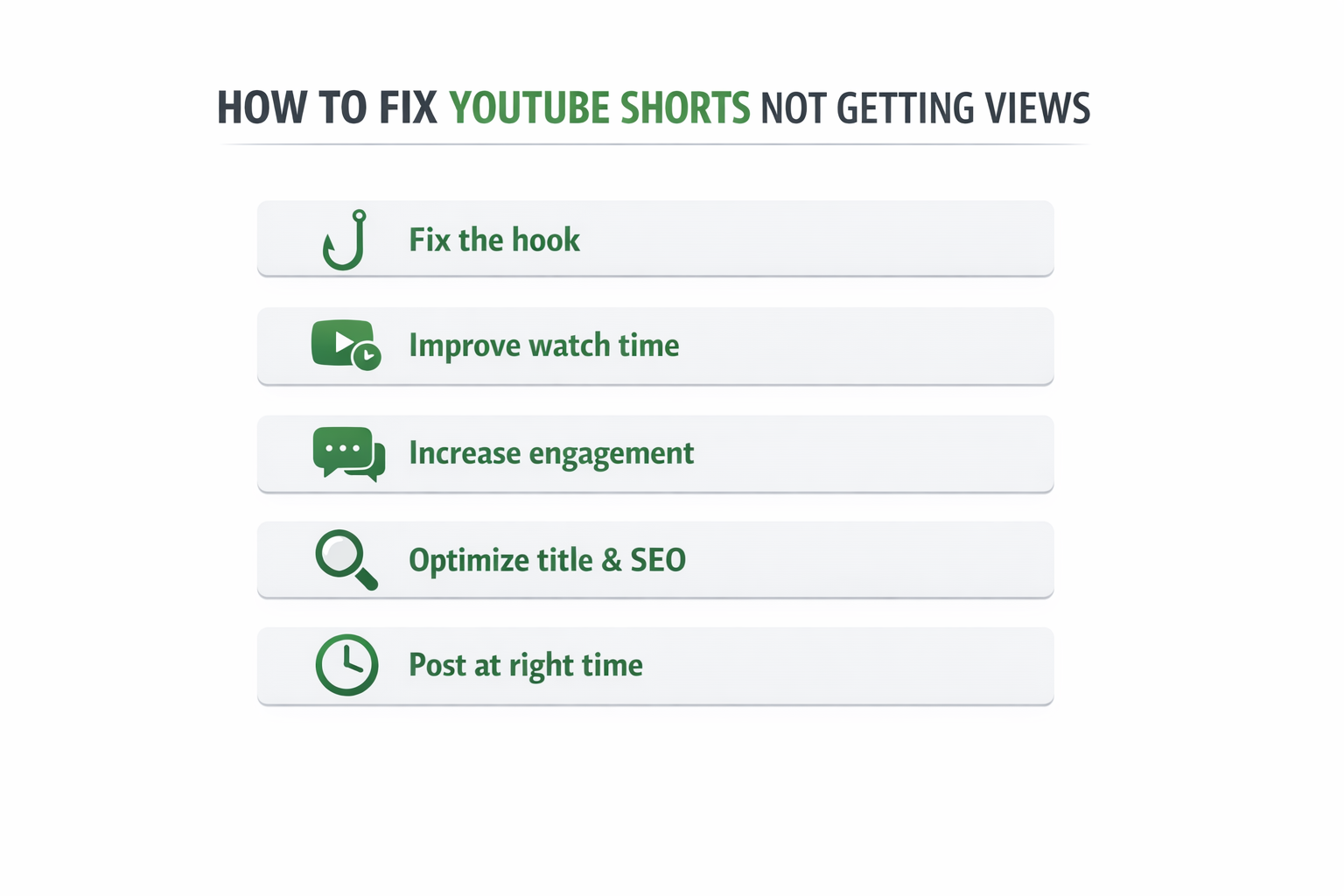
- Fix the hook first. This is where most Shorts fail.
- Improve early audience retention before anything else
- Add the main keyword to the title and description
- Post when your audience is actually active
- Check YouTube Studio analytics for any active policy issues
How to Fix YouTube Shorts Not Getting Views
Fix 1: Build a Hook That Actually Stops the Swipe
If your YouTube Shorts are not getting views, start with the hook first. Watch time lives or dies in the first two seconds. If the viewer has no reason to stay, they are already gone. That swipe drops the audience retention score immediately. This is the first thing to fix.
Three hook types that consistently work:
| Hook Type | How It Works | Example Angle |
| Bold statement | Challenges something the viewer already believes | “Most creators fix the wrong thing first.” |
| Striking visual | Something unexpected in the first frame | Unexpected result shown before the explanation |
| Direct question | Something the viewer genuinely wants answered | “Why does your Short keep hitting zero?” |
Test different hooks on the same topic. Check the audience retention graph in YouTube Studio analytics after each one. The version that holds viewers past the two-second mark is the one worth building on.
Quick takeaway: One hook change on the same topic can shift early retention dramatically. Test before assuming the content itself is the issue.
Fix 2: Keep Watch Time Strong All the Way Through
Watch time across the whole video is one of the clearest signals for how to get views on YouTube Shorts consistently. Every slow section is a swipe waiting to happen.
Cut anything that does not move the point forward. Keep Shorts between 30 and 45 seconds. End on a clear payoff, not a slow fade or a generic “follow for more.”
For a broader look at building a consistent content system, this guide on YouTube automation services covers how creators manage video optimization at scale.
Fix 3: Push the Engagement Rate Higher
Engagement rate, meaning likes, comments, and shares, is a second layer of signal on top of retention. End each Short with something the viewer actually wants to respond to. A specific question works better than a vague call to action. A clear opinion works better than a neutral summary.
Real reactions from viewers carry far more algorithmic weight than anything generic.
Fix 4: Fix the Click-Through Rate From Search
Shorts that show up in search results need a strong click-through rate to keep growing. A title that creates real curiosity or promises a specific answer converts impressions into views much more reliably than a flat or vague one.
Check the click-through rate per video inside YouTube Studio analytics. When it is consistently low, the title is almost always the cause. A stronger click-through rate compounds over time: more impressions converting means the video keeps pulling traffic weeks after the initial push.
Quick takeaway: Low click-through rate and low audience retention together usually mean the problem is at the title and hook level, not deeper in the content.
How to Fix YouTube Shorts Not Getting Views
Fix the hook first, improve early retention, optimize the title with keywords, increase engagement, and post when your audience is active. These factors directly impact how far your Short is distributed.
Why YouTube Shorts Not Getting Views Happens
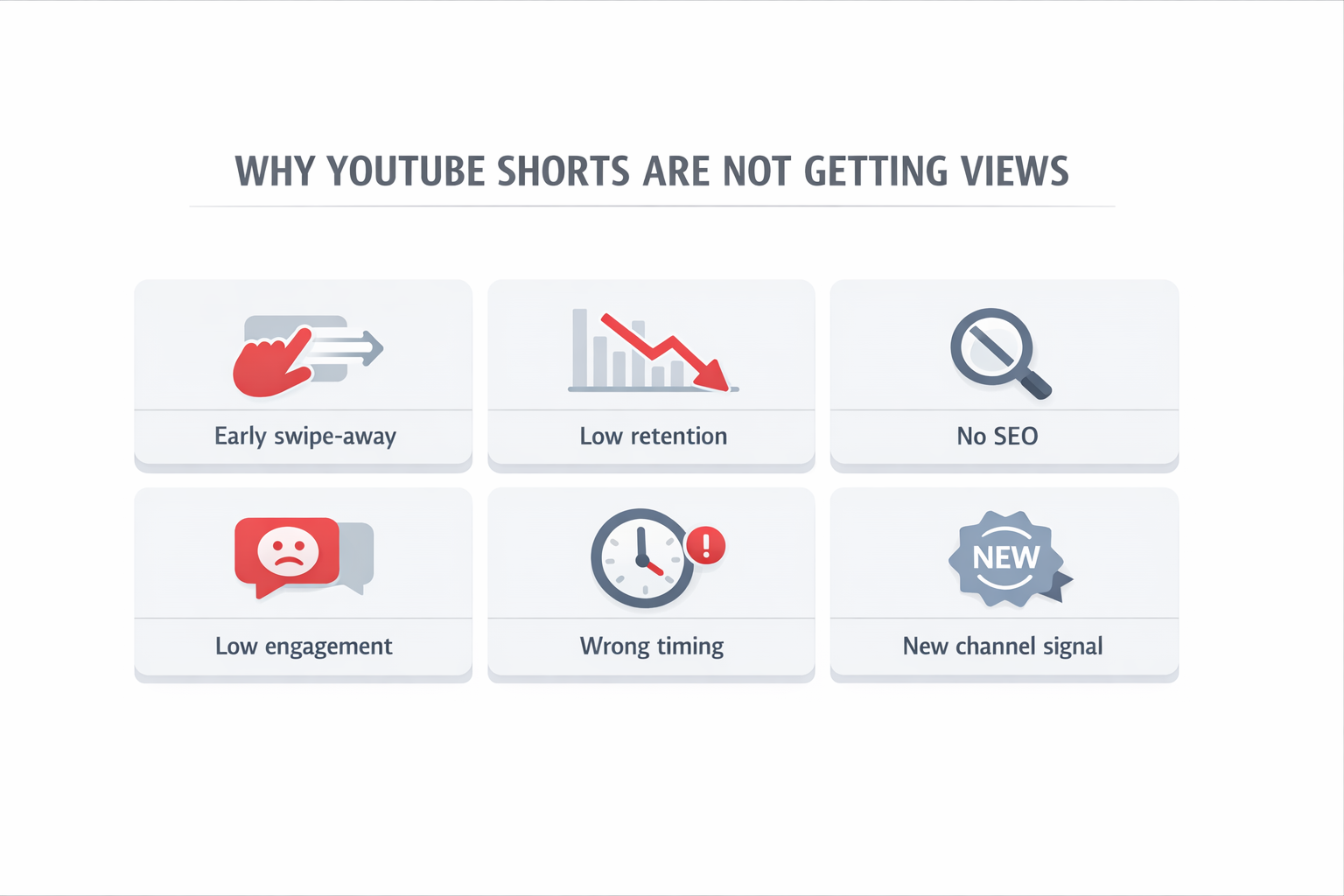
The Shorts feed does not work like a regular upload. It picks a small test group first, shows them the video, and watches what happens. Strong watch time means wider distribution. Early swipes mean the reach gets pulled back almost immediately.
The Shorts feed relies heavily on early viewer response. That first second or two matters more than most creators expect. By the time the hook is over, the algorithm has already started making decisions.
Here is what causes the problem most often:
- The test audience swiped away before the hook landed
- Audience retention dropped early
- No video optimization in the title or description
- Low engagement after the first push
- New channel with no algorithm history
- Posted when the audience was inactive
Each one has a direct fix. The trick is figuring out which one you are actually dealing with.
Top Reasons Shorts Get No Views
Most Shorts fail because viewers leave in the first few seconds, retention drops early, the title lacks keywords, engagement is low, or the video is posted at the wrong time.
YouTube Shorts Getting 0 Views After Upload
Stuck at zero right after uploading? That almost always points to one of two things: the test audience left too fast, or there is a technical issue keeping the video out of the Shorts feed altogether.
Start With the Retention Graph
Open YouTube Studio analytics and pull up the audience retention graph for the video. A sharp drop in the first two seconds is the clearest signal that watch time failed the test window. The algorithm reads that early exit as a reason to stop distributing.
Common Technical Causes Worth Checking
Before assuming the content is the problem, run through this list:
- The video was accidentally set to private or unlisted
- Video runs longer than 60 seconds, and cannot enter the Shorts feed
- Content flagged for automated review over a potential policy issue
- The title and description are completely empty of relevant keywords
According to YouTube’s official Shorts documentation, a Short must be vertical, under 60 seconds, and uploaded natively to qualify for the feed. Anything outside those specs will not reach the right audience, no matter how good the content is.
Worth checking first: If the view count has not moved in 48 hours, open the retention graph and run through the technical list above before changing anything else.
How the YouTube Shorts Algorithm Works in 2026
The YouTube Shorts algorithm 2026 does not measure popularity. It measures behavior. Specifically, it tracks whether real viewers stayed or left, and how fast they made that decision.
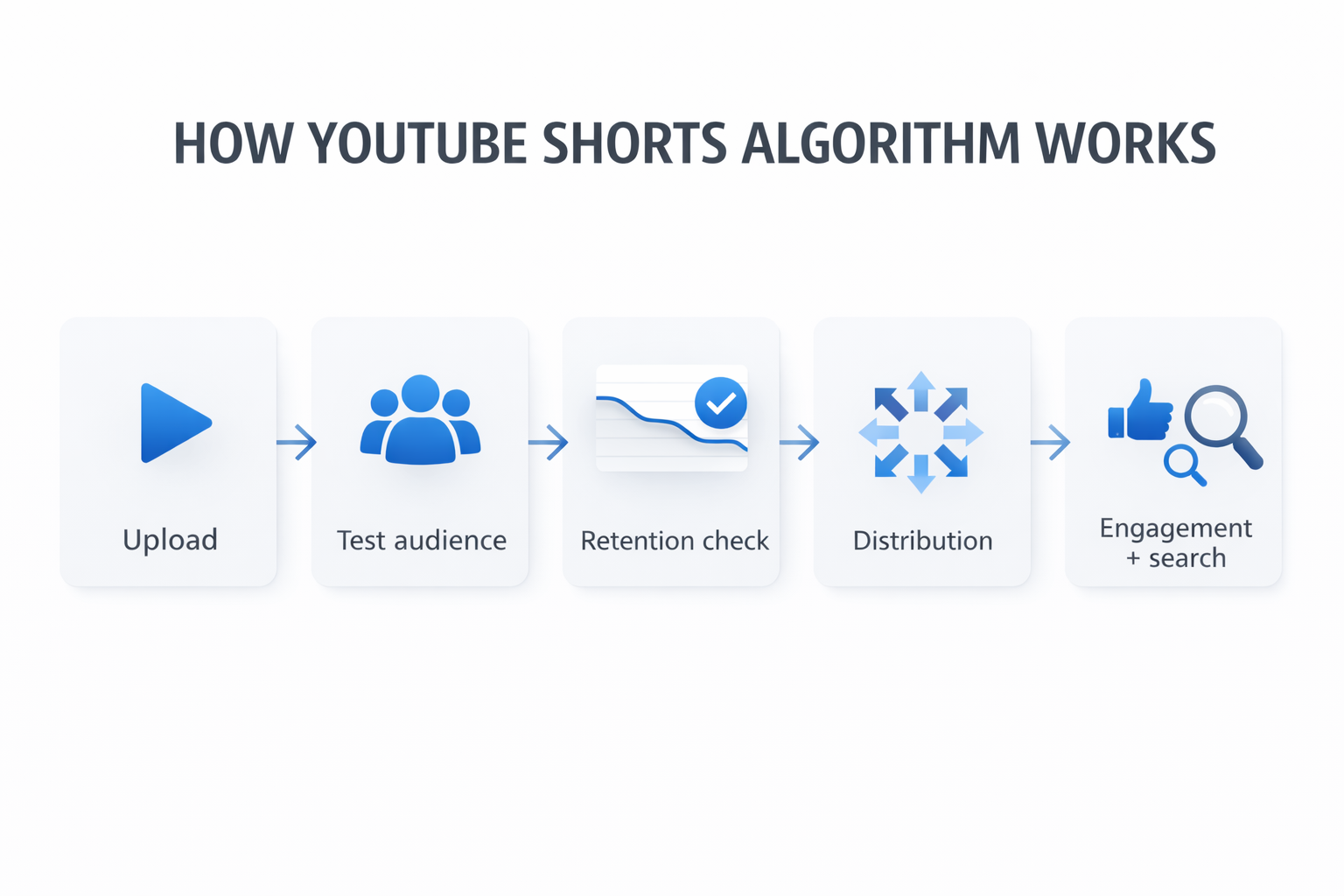
Here is how the process works step by step:
| Stage | What Happens |
| Upload | The algorithm sends video to a small test group via the Shorts feed |
| First signal | Watch time and audience retention in the opening seconds are measured |
| Decision | Strong retention expands reach. Weak retention limits it almost immediately |
| Boost layer | Engagement rate from likes, comments, and shares adds more momentum |
| Search layer | Click-through rate from search results extends reach long after the feed push fades |
The most important number in that whole sequence is early audience retention. A Short that holds attention, even on a small channel, will consistently outperform a bigger channel’s video that loses viewers in the first few seconds. This is what usually causes the drop.
Why Do Some Shorts Go Viral and Others Do Not?
Viral Shorts have three things working at once:
- A hook strong enough to stop the swipe in the first second
- High watch time all the way through the video
- A topic the Shorts feed can quickly match to the right audience
This is where most Shorts fail. No reason to stay in the first second means a swipe, and the algorithm uses that swipe to pull back reach almost immediately.
Does YouTube Shadowban Shorts?
Not in any official way. But distribution does quietly shrink for channels with copyright strikes, active guideline warnings, or posting patterns that look spammy. If views dropped suddenly on a channel that was working fine before, check YouTube Studio analytics for any policy notices before blaming the content.
Best Time to Post YouTube Shorts
Posting when the target audience is already active gives the algorithm’s first test window a better chance of landing with engaged viewers. That stronger early signal matters a lot for watch time.
| Audience Type | Best Days | Best Times |
| General/broad topics | Weekdays | 12 PM – 3 PM |
| Entertainment/lifestyle | Any day | 7 PM – 10 PM |
| Tutorial/how-to | Weekends | 10 AM – 1 PM |
These are starting points, not rules. The Audience tab inside YouTube Studio analytics shows exactly when your specific subscribers are active. That data is always more reliable than any general benchmark.
How Long Does It Take for YouTube Shorts to Get Views?
Most Shorts that are going to gain traction do so within the first 24 to 72 hours. The algorithm test is fast. The feed push either works quickly or it does not.
But the feed is not the only source of views. According to Statista, YouTube has over 2.5 billion monthly logged-in users. Shorts with real video optimization in the title and description tap into search discovery long after the feed push ends, sometimes pulling steady views for months.
Understanding how much YouTube pays per view helps set realistic expectations for what that long-tail traffic is actually worth as a channel grows.
Give any Short two full weeks before drawing conclusions.
How Long Shorts Take to Get Views
Most YouTube Shorts gain traction within 24 to 72 hours. If performance is strong, reach expands quickly. If not, the video may stop gaining views early.
YouTube Shorts SEO Strategy That Actually Works
Most creators skip this entirely and wonder why their videos are not findable. A few minutes of keyword work before every upload changes how discoverable a Short becomes, especially in search.
Title Optimization
The main search term belongs in the first 40 characters. Keep it natural. A title that sounds forced will raise the swipe-away rate and hurt audience retention before the video even starts. Good YouTube Shorts SEO means the title matches exactly what the viewer is about to see.
Description and Hashtags
Two to three sentences using the topic naturally. Three to five hashtags, one broad like #Shorts, the rest specific to the content. More than eight hashtags tend to reduce visibility rather than improve it.
The Google Search Central video documentation explains clearly how metadata affects discovery across both YouTube and Google Search. Worth reading once to understand how video optimization connects to broader search reach.
Channels that are seeing sudden view drops alongside revenue changes should check this breakdown of why YouTube RPM drops. Distribution issues and monetization issues often move together.
YouTube Shorts Optimization: Format Basics
Simple rules, but skipping any one of them removes the video from the Shorts feed entirely:
- Upload in 9:16 vertical, no black bars, no horizontal crop
- Keep the length between 15 and 55 seconds
- Avoid slow intros. The first frame is already part of the hook.
- Cut anything that does not add to what the viewer came for
Video optimization at the format level is the foundation. Everything else, including retention, engagement rate, and click-through rate, builds on top of it.
Final Checklist Before Every Upload
| Check | What to Look For |
| Format | Vertical 9:16, under 60 seconds, uploaded natively |
| Hook | First 1–2 seconds have a clear, specific pull |
| Title | Main keyword in the first 40 characters |
| Description | 2–3 natural sentences with topic keywords |
| Hashtags | 3–5 only, one broad, rest specific |
| Posting time | Cross-checked against YouTube Studio analytics Audience tab |
| Retention graph | Reviewed from recent uploads, drop points identified |
| Engagement setup | Caption or ending designed to get a real response |
| Click-through rate | Tracked per video, weak titles flagged and tested |
| Policy status | No active copyright claims or guideline warnings |
The most reliable path to consistent views is stacking all of these correctly, on every single upload, not just occasionally.
For the full picture on how to use the YouTube Shorts algorithm 2026 to your advantage, this breakdown on YouTube automation and channel growth covers how serious creators approach video optimization at scale.
Final Thoughts
Fixing YouTube Shorts not getting views comes down to a few core factors: the hook, early audience retention, and basic video optimization.
Most problems start in the first few seconds. That is where the algorithm decides whether to push your video or stop it.
Focus on the opening, keep watch time strong, and fix the title if needed. Small changes here usually lead to the biggest improvements.
Frequently Asked Questions
Q. Why are my YouTube Shorts not getting views even with good content?
Good content does not guarantee distribution. The algorithm tests every Short with a small group first. If that group leaves fast, reach stops. That is audience retention deciding the outcome before most viewers even see the video.
Start with the opening hook. Then check whether the title has any real YouTube Shorts SEO in it. A well-made Short with a weak or vague title is simply not findable, and the algorithm cannot push what it cannot match to an audience.
Q. Why do my YouTube Shorts keep getting 0 views?
A repeated zero pattern usually traces back to two causes. Either the hook is failing the algorithm’s opening test window, or a channel-level policy issue is quietly limiting distribution.
Check YouTube Studio analytics for copyright claims, content warnings, or pending reviews. If everything is clean, the fix is almost always in the first two seconds of the video, not in the rest of the content.
Q. How long does YouTube Shorts take to gain views?
Most Shorts either gain traction within 24 to 72 hours or plateau fast. Good video optimization in the title and description extends that. Shorts with proper metadata keep pulling search views for weeks or months after the feed push ends. That long-tail traffic is what separates growing channels from one-time viral moments.
Q. When should you post YouTube Shorts for the best results?
Weekdays between 12 PM and 3 PM and evenings between 7 PM and 10 PM work well for most audiences. The Audience tab inside YouTube Studio analytics gives your specific data. Always use that over general guidelines. Better timing means a stronger early signal, which directly supports watch time and click-through rate from search.
Q. Is it worth posting YouTube Shorts on a brand-new channel?
Yes. The algorithm measures audience retention and engagement rate, not channel size. Three to five Shorts per week with a focus on strong hooks and clean metadata is the fastest way to build a track record. Follower count does not determine reach on Shorts. Viewer behavior does.
Q. Does YouTube SEO fix the YouTube Shorts no views problem?
Often, yes. The no-view problem is not always about video quality. Sometimes the content simply is not findable. YouTube is the world’s second-largest search engine, and Shorts appear in search results, especially for tutorial and how-to topics.
Proper keywords in the title and description feed both the Shorts feed and search discovery. Channels combining strong watch time with real video optimization consistently outperform those relying on the feed push alone. SEO handles the steady traffic that keeps coming long after the initial distribution ends.
To explore content strategy and channel growth further, visit the Hisellit. For questions about automation or getting started, reach out to the team directly.