
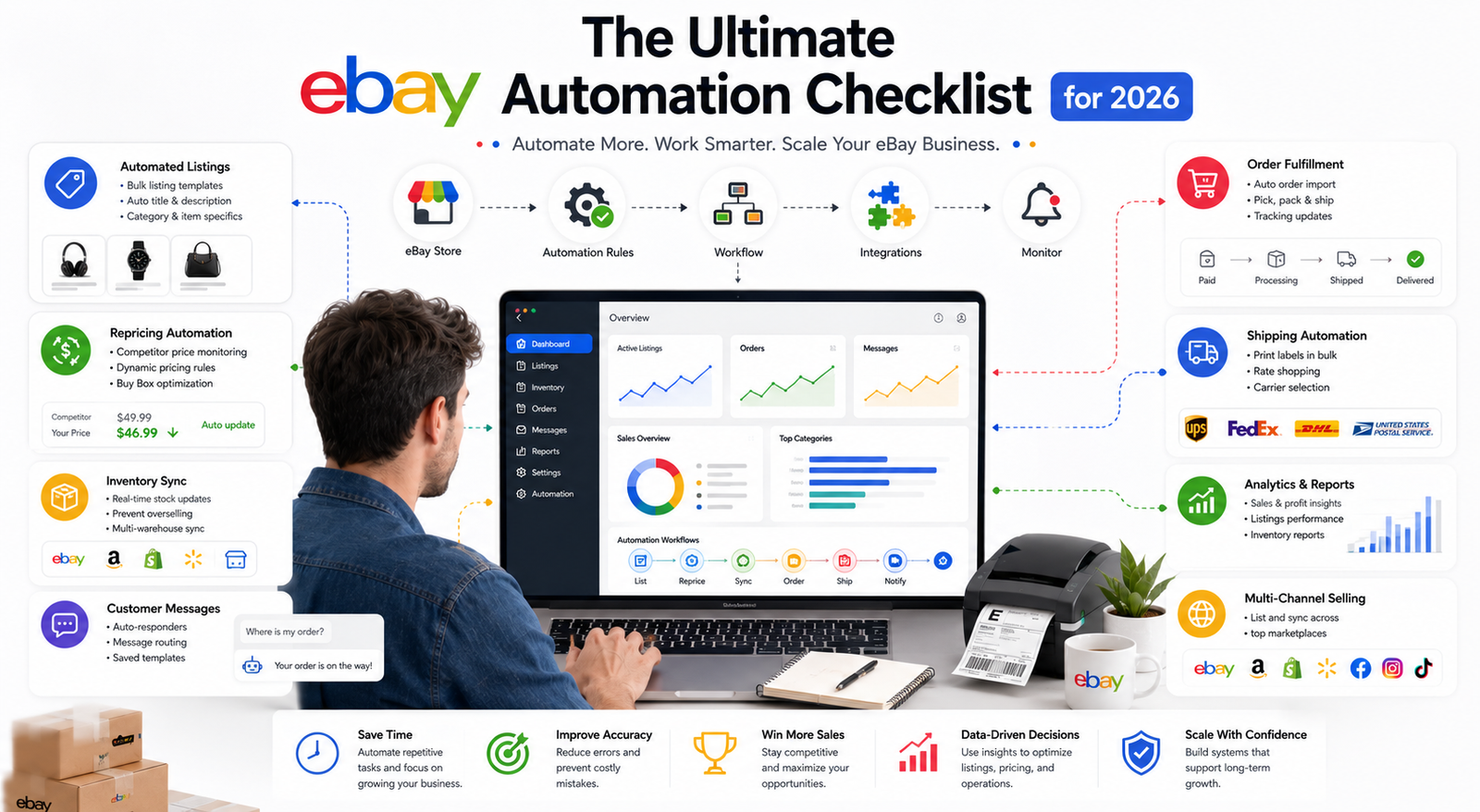
The Ultimate eBay Automation Checklist for 2026
If you are looking to master eBay automation in 2026, the goal is not to make your store completely hands-off. The real advantage comes from automating repetitive tasks such as product research, bulk listing updates, inventory synchronization, shipping, advertising rules, feedback, and routine customer communication while keeping human oversight where judgment is required.
eBay remains a major global marketplace. The company’s latest annual results show $79.6 billion in gross merchandise volume during 2025, along with 135 million active buyers and approximately 2.5 billion live listings at year-end. That scale creates substantial opportunity, but it also means sellers need reliable systems to manage growing catalogs and increasingly complex operations.
The best eBay automation tools can reduce repetitive work across listings, pricing, inventory, fulfillment, customer service, advertising, and reporting. However, automation should support a sound selling strategy rather than replace one.
This eBay automation checklist for 2026 walks through the current tools, workflows, and safeguards sellers should consider when building a more efficient eBay business.
Quick Answer: What Should You Automate on eBay in 2026?
eBay sellers can automate or streamline product research, bulk listing creation, price updates, inventory synchronization, shipping, tracking, advertising rules, buyer feedback, reporting, and parts of customer communication. Start with repetitive tasks that have clear rules, then keep human oversight for product decisions, pricing strategy, complaints, returns, policy compliance, supplier problems, and unusual order exceptions.
Why eBay Automation Tools Matter More Than Ever
The ecommerce landscape in 2026 is highly competitive, and managing a growing eBay store manually becomes increasingly difficult as the number of listings, orders, suppliers, and sales channels increases.
A seller with a small catalog may be able to update prices, check inventory, create labels, answer messages, and revise listings manually. Once the catalog grows, the same tasks can consume significant time and increase the risk of mistakes.
eBay automation can help with processes such as inventory updates, shipping information, listing revisions, pricing rules, advertising management, and reporting.
However, automation does not automatically mean better seller performance.
A poorly configured inventory system can still publish incorrect quantities. An aggressive repricer can damage margins. AI-generated product information can introduce errors. Automated customer messages can frustrate buyers when the situation really requires a person.
The objective is therefore to automate predictable operations, not every business decision.
eBay’s own Seller Hub already provides a centralized environment for managing orders, listings, advertising, payouts, research, and performance.
If you want support building a more structured store-management system, HiSellIt’s eBay automation services cover areas including product research, listings, inventory coordination, fulfillment, advertising, and performance management.
Best eBay Automation Tools for 2026
The right tool depends on what you actually need to automate. A reseller handling unique secondhand products needs a different workflow from a wholesale seller with thousands of repeatable SKUs.
eBay Automation Tools Checklist
| Automation Area | Useful Tools or Systems | What They Can Help With |
|---|---|---|
| Product Research | eBay Product Research, Sourcing Insights, ZIK Analytics | Demand, sold prices, competition, sourcing |
| Listing Management | Seller Hub, Bulk Listing Tool, Seller Hub Reports, AutoDS | Listing creation, revisions, bulk updates |
| Pricing | RepricerExpress, rule-based pricing tools | Price monitoring and automated adjustments |
| Inventory | Linnworks, Sellercloud, Ordoro | Stock synchronization and multichannel inventory |
| Shipping | ShipStation, Shippo, Easyship | Labels, carrier selection, tracking |
| Customer Support | eBay AI Assistant, Zendesk, eDesk | Messaging, ticket organization, suggested responses |
| Advertising | eBay Advertising dashboard | General and Priority campaign management |
| Feedback | eBay Automatic Feedback | Automated positive buyer feedback |
| Reporting | Seller Hub Performance and Reports | Sales, listings, orders, costs and bulk workflows |
No seller needs every tool in this table. Choose systems according to your catalog, sales channels, order volume, fulfillment model, and existing software stack.
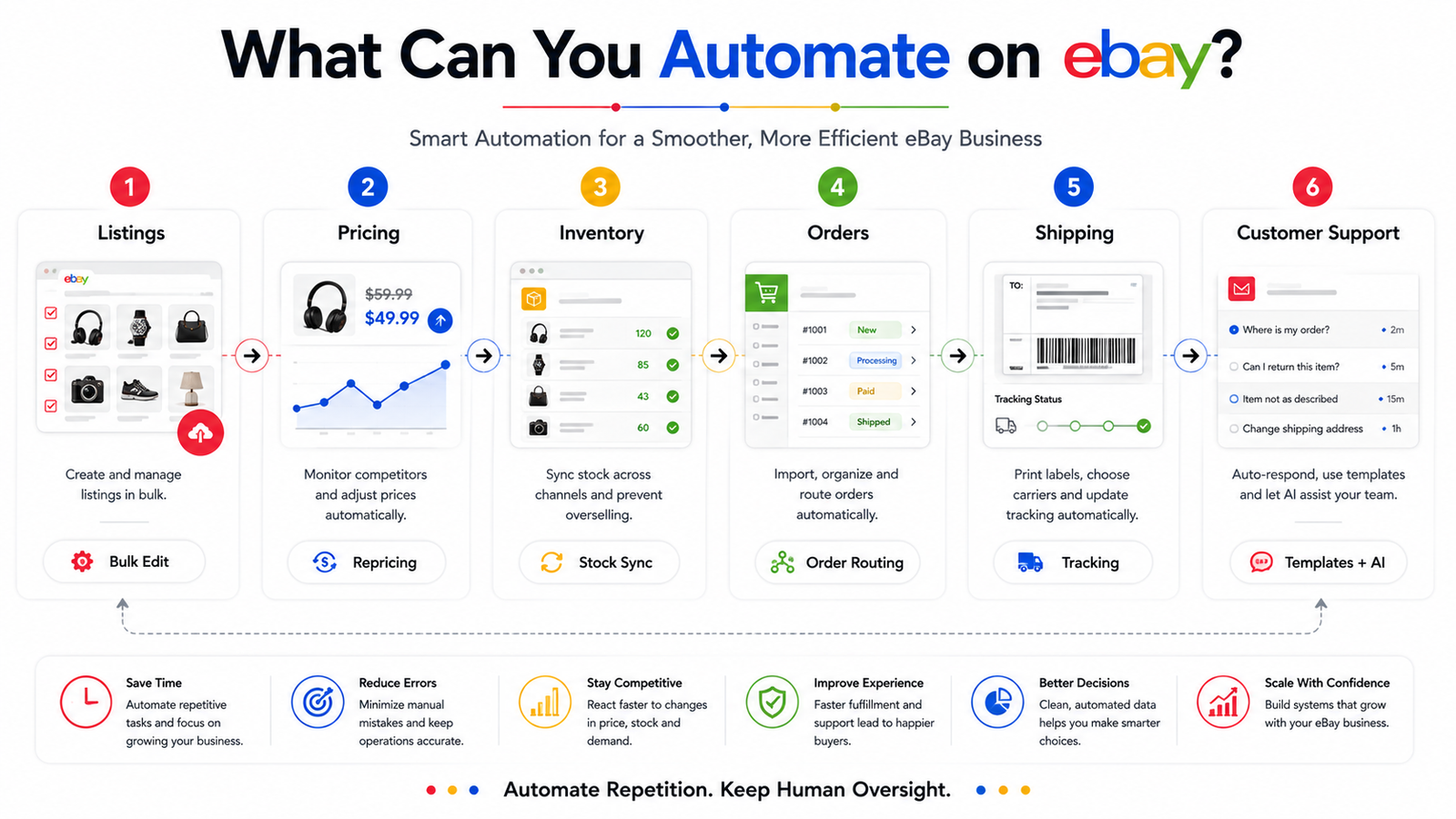 eBay Listing Automation Tools
Managing listings manually can become inefficient as your catalog expands. Before paying for third-party software, it is worth understanding what eBay already provides.
eBay’s current listing tools include:
- Advanced Listing Tool
- Bulk Listing Tool
- Seller Hub Reports
- AI-assisted listing tools
- Photo-based listing creation
The Bulk Listing Tool can help sellers manage large groups of listings, while Seller Hub Reports supports file-based bulk operations such as creating, revising, relisting, ending listings, fulfilling orders, adding tracking, and managing feedback.
eBay also offers AI-assisted listing features. Sellers can use an AI tool to generate suggested product descriptions and can use AI-assisted photo tools such as background removal and generated backgrounds. eBay still recommends checking generated information for accuracy before publishing.
Third-party platforms such as AutoDS may provide additional functionality for particular business models, including listing imports, supplier monitoring, and order workflows.
The right system depends on whether you are a reseller, wholesaler, private-label seller, or compliant dropshipper.
Important Dropshipping Compliance Note
If your eBay automation model includes dropshipping, automation does not change eBay’s sourcing rules.
eBay currently allows dropshipping when orders are fulfilled directly through a wholesale supplier. However, listing an item on eBay and then buying that item from another retailer or marketplace to have it shipped directly to the buyer is not allowed.
The seller also remains responsible for delivery and the overall buyer experience.
That makes supplier selection and inventory accuracy particularly important when automating a dropshipping operation.
eBay Repricing Tools and Dynamic Pricing Software
Automated repricing can be useful for sellers operating in price-sensitive categories, but one important correction is necessary:
eBay does not operate the same Amazon-style Buy Box system.
Older eBay automation guides often incorrectly tell sellers to use repricers to “win the Buy Box.” That terminology belongs primarily to Amazon’s Featured Offer model.
On eBay, repricing should instead focus on maintaining competitive Buy It Now pricing, protecting margins, responding to market changes, and supporting listing competitiveness.
RepricerExpress, for example, currently supports eBay repricing and provides competition-based and formula-based rules for eligible products.
A useful pricing rule should include:
- Minimum acceptable price
- Maximum price
- Product cost
- eBay fees
- Shipping
- Packaging
- Returns
- Advertising costs, where applicable
- Required contribution margin
Do not use a universal rule such as “Always keep a 20% margin.”
The correct minimum price depends on the economics of the individual product.
How Should Automated eBay Repricing Work?
Automated eBay repricing should keep prices within limits that protect your actual unit economics. Set minimum and maximum prices using product cost, eBay fees, shipping, packaging, advertising, returns, and your required contribution margin. Repricing can help respond to market conditions, but lowering prices does not guarantee stronger visibility or higher profit.
Best eBay Inventory Systems for Multi-Channel Management
Inventory becomes more difficult when the same SKUs are offered on eBay, Amazon, Shopify, Walmart, or other channels. A multichannel inventory system can centralize inventory information and push updated quantities to connected stores when stock changes.
Platforms such as:
- Linnworks
- Sellercloud
- Ordoro
can support different combinations of order management, inventory synchronization, purchasing, warehouse operations, and fulfillment. The goal is to reduce overselling and improve stock visibility.
However, “real-time inventory” should not be interpreted as a guarantee that discrepancies are impossible. Sellers still need to account for:
- Synchronization delays
- Bundles and kits
- Returns
- Cancelled orders
- Damaged stock
- Multiple warehouses
- Supplier feeds
- Reserved inventory
- Failed integrations
One major correction from older versions of this article is that TradeGecko should no longer be recommended. TradeGecko was discontinued, and the standalone QuickBooks Commerce product that followed it was also discontinued in 2023.
For sellers expanding from a small catalog, it is also important to remember that eBay may apply selling limits. Our guide to eBay selling limits for new sellers in 2026 explains how account limits interact with seller growth.
eBay Customer Service Automation
Customer-service automation can reduce repetitive work, but eBay sellers should not try to automate every buyer interaction.
Typical questions suitable for partial automation include:
- Where is my order?
- When will it ship?
- What size is the item?
- Do you accept returns?
- Is this product compatible with a specific model?
More complicated issues involving damaged goods, disputes, returns, refunds, or unusual delivery problems should usually be escalated to a person.
eBay AI Assistant
A major current addition is eBay’s own AI Assistant for buyer messages.
eBay introduced AI-assisted suggested responses that use information from a seller’s live listings to help draft replies to common buyer questions. Importantly, the seller remains in control: the suggested response can be reviewed, edited, sent, or dismissed.
That makes it a useful example of how eBay AI automation should work: AI assists with repetitive communication, while the seller verifies what is actually sent.
Third-party helpdesk systems such as Zendesk or eDesk may also be useful for businesses managing customer service across several ecommerce channels.
Building Your eBay Automation Workflow
Having the right tools is only half the process. The real advantage comes from building an eBay automation workflow in which your systems work together reliably.
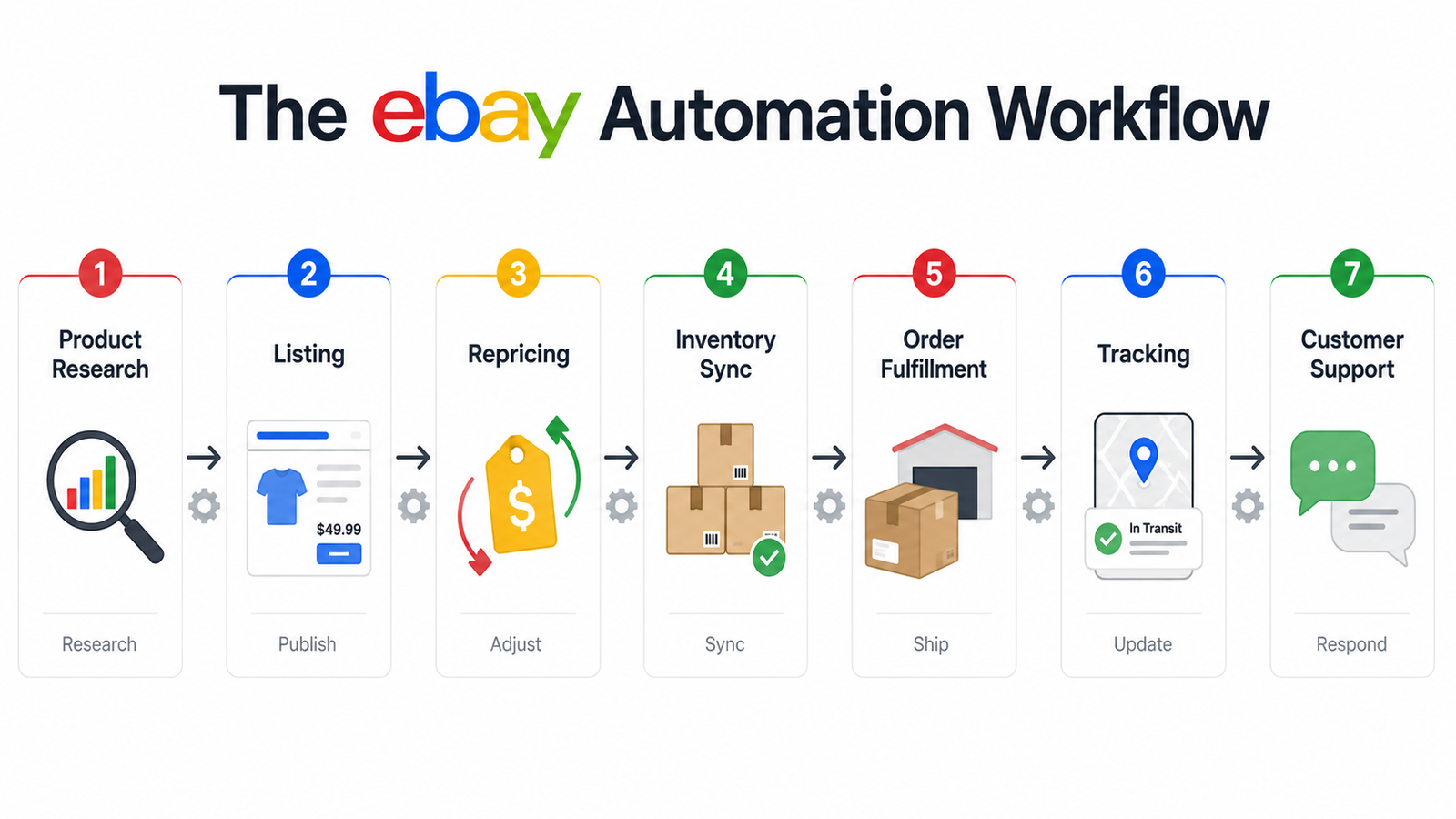 Step 1: Automate Product Research and Sourcing
Product research is one of the strongest places to begin because eBay already provides substantial marketplace data.
The old name Terapeak Product Research has largely been replaced in current eBay navigation by Product Research inside Seller Hub. eBay Product Research currently gives sellers access to up to three years of eBay sales data and metrics such as:
- Sales trends
- Average sold price
- Sold price range
- Shipping costs
- Sell-through rate for relevant recent searches
- Number of sellers
- Selling format
Business sellers with a Basic Store subscription or above can also access Sourcing Insights, which identifies categories with demand and supply opportunities. This makes eBay’s native research tools a strong starting point before purchasing third-party software. Platforms such as ZIK Analytics can be used as supplementary research tools where their additional features fit your workflow.
Automation should help you identify opportunities faster, but a tool cannot guarantee that a product will be profitable.
Before sourcing inventory, validate:
Demand + Competition + Product Cost + Fees + Shipping + Returns + Supplier Reliability + Selling Restrictions
Step 2: Streamline Listing Creation With eBay Listing Automation
Once you identify suitable products, create a repeatable listing process.
eBay’s native tools already support bulk creation and revisions. Seller Hub Reports allows high-volume sellers to upload files and perform bulk listing and order operations, while the Bulk Listing Tool can handle large groups of listings.
A strong automated listing workflow can include:
Product Data → Category → Title → Item Specifics → Description → Images → Business Policies → Quality Review → Publish
Business policies can also reduce repetitive work by allowing sellers to create templates for payment, shipping, and returns and apply them across appropriate listings.
Do not rotate or relist inventory merely because an article claims that the “2026 algorithm favors fresh listings.” There is no reliable current eBay documentation supporting that universal rule.
Instead, revise listings when the data indicates a reason to do so.
Step 3: Implement Smart Repricing Rules
Repricing automation should balance competitive positioning with profitability.
Rather than telling software to always beat the cheapest competitor, define a floor and ceiling based on the product’s real economics.
For example:
Selling Price
− Product Cost
− eBay Fees
− Shipping
− Packaging
− Advertising
− Expected Returns / Other Variable Costs
= Contribution Margin
Then configure your repricing system so it never moves below the minimum price your business can tolerate.
Monitor performance regularly rather than treating repricing as “set it and forget it.”
Step 4: Sync Inventory Across Channels
If you sell through multiple channels, centralizing stock data can reduce repetitive inventory adjustments.
Configure your system so that a sale or other qualifying inventory event on one connected platform updates available quantities on the others.
Also use low-stock alerts or purchasing workflows where appropriate.
Do not rely entirely on the automation. Review inventory discrepancies and exception logs regularly.
A useful workflow is:
Inventory Source → Central Inventory System → eBay + Other Channels → Orders → Inventory Adjustment
Step 5: Automate Order Fulfillment
eBay order fulfillment automation can reduce the work involved in getting orders from checkout to shipment.
Platforms such as ShipStation, Shippo, and Easyship can support areas such as:
- Order imports
- Shipping-rate comparison
- Label creation
- Carrier selection
- Tracking
- Shipment updates
Automation can also return tracking information to connected marketplaces after fulfillment.
However, sellers should still monitor:
- Invalid addresses
- Carrier delays
- Lost parcels
- Split shipments
- International documentation
- Oversized items
- Returns
- Delivery exceptions
If you need help building these processes into a broader store-management workflow, explore HiSellIt’s eBay automation service.
Advanced eBay Automation Strategies
Once the core workflow is stable, you can automate additional areas without giving up control over important decisions.
Using eBay AI Automation for Product Descriptions
Third-party AI platforms such as ChatGPT, Copy.ai, or Jasper can assist with product descriptions, but eBay also provides its own AI-assisted listing capabilities.
eBay currently allows sellers to generate suggested descriptions and offers AI-powered image features inside its listing workflow.
Whatever AI tool you use, check:
- Product specifications
- Brand
- Condition
- Compatibility
- Measurements
- Materials
- Model numbers
- Included accessories
- Claims about authenticity
AI should speed up the drafting process, not invent product information.
Automating eBay Advertising and Promotions
The older version of this article treated Promoted Listings as though there were one single campaign model. That is no longer accurate.
eBay currently offers two primary Promoted Listings campaign strategies:
| Campaign Strategy | How It Works | Charging Model |
|---|---|---|
| General | Broader promoted-listing visibility with standard controls | Sale-based ad fee after qualifying ad interaction |
| Priority | Priority access to placements and advanced targeting such as keywords | Cost per click |
For General campaigns, eBay allows sellers to use fixed or dynamic ad rates. Rule-based listing selection can also automatically add eligible current and future listings based on criteria such as category, price range, brand, and condition.
This is genuine advertising automation inside eBay.
Do not use an arbitrary rule like:
Automatically increase ad spend whenever sales increase.
Instead, evaluate:
- Impressions
- Clicks
- Ad-attributed sales
- Advertising fees
- Contribution margin
- Listing conversion
- Organic versus paid performance
Be Careful With External Email Automation
Older versions of this guide recommended connecting Klaviyo and automatically sending abandoned-cart or post-purchase marketing emails to eBay buyers.
That should not be presented as a standard eBay automation strategy.
Customer data collected through a marketplace must be handled according to eBay’s rules and applicable privacy requirements. Sellers should not assume that marketplace buyer information can automatically be imported into outside marketing systems for promotional use.
Use eBay’s own buyer communication, advertising, promotion, and Store tools unless you have a compliant external relationship with the customer.
Implementing Feedback Automation
Feedback is another area where eBay provides native automation.
Sellers can configure Automatic Feedback so positive feedback is left for buyers:
- after the buyer has paid, or
- after the buyer has paid and left positive feedback.
eBay itself also now leaves automated positive feedback for eligible seller transactions when tracking confirms a successful on-time delivery and there is no indication of a problem.
Do not offer discounts, free products, or other incentives in exchange for positive feedback. eBay specifically prohibits feedback manipulation.
Common eBay Automation Mistakes to Avoid
Automation is powerful, but poorly configured automation can create problems faster than manual processes.
Over-Automating Customer Interactions
Routine questions can be automated or AI-assisted.
Complaints, disputes, unusual refunds, damaged items, and sensitive cases should have a human escalation path.
A buyer receiving a generic automated answer to a complicated problem is unlikely to view the interaction as efficient.
Setting and Forgetting Repricing Rules
Market conditions and product costs change.
Your minimum price should be reviewed when:
- Supplier costs change
- Shipping changes
- eBay fees change
- Advertising costs change
- Return rates change
- Competition changes
A repricer protects margins only when its rules reflect current economics.
Ignoring Data Quality
Automation amplifies whatever information it receives.
Incorrect SKUs can disrupt inventory. Bad supplier feeds can cause overselling. Incorrect AI-generated attributes can create misleading listings.
Clean your product data before connecting large-scale automation.
Neglecting Compliance and Policy Updates
Automation does not protect sellers from eBay policies.
eBay’s current seller standards continue to evaluate areas such as cases closed without seller resolution, transaction defect rate, and late shipment performance.
Sellers are also responsible for regularly reviewing eBay selling policies.
If an automated process begins violating a policy, you remain responsible for the resulting listings or transactions.
Scaling eBay Store Operations Through Automation
The goal of eBay automation is not simply to manage more listings. It is to make increasing operational complexity easier to control.
Older versions of this guide used rigid stages such as “100 listings,” “1,000 listings,” and “10,000 listings.” Those numbers can still illustrate growth, but they should not be treated as universal thresholds.
A seller with 100 unique collectible items may have more complexity than a wholesaler with thousands of simple repeat SKUs.
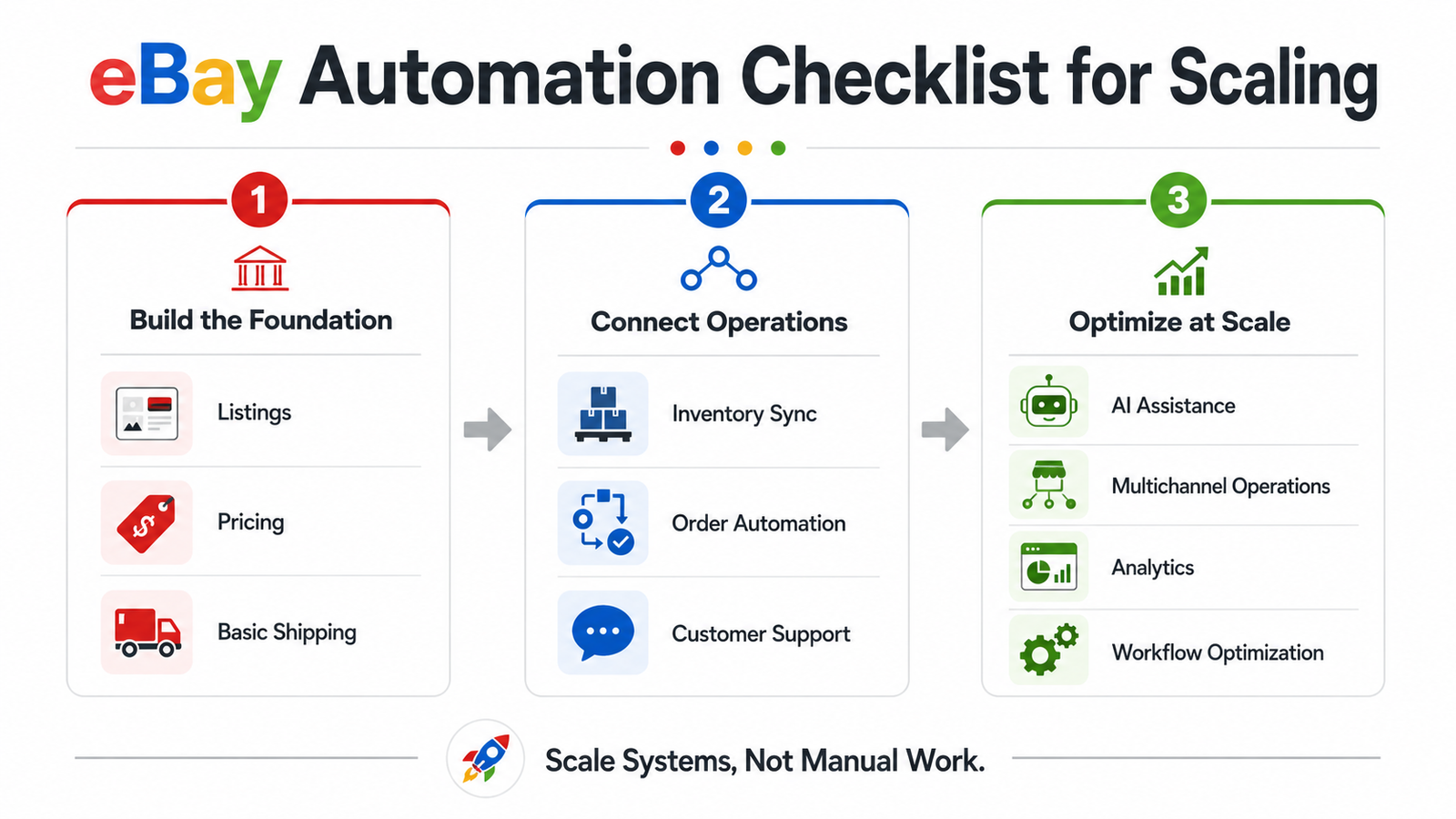 Small Catalog: Automate Repetition First
For a smaller catalog, prioritize:
- Listing templates
- Business policies
- Shipping labels
- Buyer feedback
- Basic product research
- Routine message assistance
You may not need expensive multichannel software yet.
Growing Catalog: Centralize Operations
As your store expands, look at:
- Bulk listing tools
- Seller Hub Reports
- Inventory synchronization
- Repricing
- Shipping integrations
- Customer-service workflows
- Advertising rules
This is also the stage when selling limits and seller performance can become more important. Our guide on eBay selling limits for new sellers explains how limits can affect expansion.
Large or Multi-Channel Catalog: Integrate Systems
Large catalogs may need:
- Central inventory management
- Order management
- Warehouse or 3PL integration
- Automated purchasing
- Bulk listing feeds
- Advanced repricing
- Support ticketing
- Advertising rules
- Reporting dashboards
- Exception monitoring
At this point, the goal is not “automate everything.”
The goal is to create a connected system in which repetitive tasks flow automatically while exceptions are surfaced to the right person.
eBay Automation Checklist for 2026
Use this table as a practical store audit.
| Area | Automation Check | Human Review Still Needed? |
|---|---|---|
| Product Research | Use Product Research / Sourcing Insights | Yes |
| Listing Creation | Templates, bulk tools, AI drafts | Yes |
| Item Specifics | Import/map structured data | Yes |
| Pricing | Repricing rules and limits | Yes |
| Inventory | Multichannel stock sync | Yes |
| Shipping | Labels and tracking | Exceptions only |
| Customer Messages | AI suggestions/templates | Yes |
| Advertising | Rules and dynamic ad rates | Yes |
| Feedback | Automatic buyer feedback | Periodic review |
| Seller Performance | Dashboard/report monitoring | Yes |
| Compliance | Alerts and workflow controls | Always |
| Reporting | Scheduled exports/dashboards | Yes |
This is the safest way to approach eBay automation in 2026: automate repetition while keeping people responsible for decisions and exceptions.
Measuring Success With eBay Automation
Automation should improve business operations, not simply increase the number of software subscriptions you pay for.
Time Saved
Track the hours spent on repetitive operations before and after introducing automation.
Examples include:
- Listing updates
- Price changes
- Label creation
- Inventory adjustments
- Repetitive messages
- Reporting
Time saved is useful only if that capacity is redirected productively.
Sales and Contribution Margin
Revenue alone is not enough.
If a repricing system increases sales while reducing your margins too aggressively, it may not be an improvement.
Track:
- Revenue
- Units sold
- Gross margin
- Contribution margin
- Returns
- Advertising costs
- Shipping costs
Seller Performance Metrics
Seller automation should help protect operational accuracy. eBay’s current seller standards monitor transaction defects, cases closed without seller resolution, and late shipment performance, among other program requirements.
Use Seller Hub to monitor your seller level and identify problems early.
Automation Error Rate
Also track the failures your automation creates.
Examples include:
- Inventory mismatches
- Incorrect pricing
- Failed tracking uploads
- Listing-data errors
- AI response errors
- Orders that fail to route
If the automation creates more exceptions than it removes, the workflow needs adjustment.
Return on Investment
Calculate the real value of an automation system using:
Time Saved + Operational Capacity + Error Reduction + Incremental Contribution
compared with:
Software + Implementation + Management + Integration Costs
Do not assume every automation subscription automatically pays for itself.
Final Thoughts
eBay automation in 2026 is most valuable when it reduces repetitive work while protecting listing accuracy, margins, inventory, fulfillment, customer experience, and seller performance.
Start with the processes that create the most manual work.
Use eBay Product Research for marketplace data. Standardize listings with business policies and bulk tools. Use repricing carefully instead of chasing the lowest price. Synchronize inventory when selling across multiple channels. Automate shipping and tracking where possible. Use AI for drafting and routine communication, but keep people involved in decisions that affect customers or account health.
Most importantly, do not treat automation as a shortcut around eBay’s rules. You remain responsible for your products, listings, inventory, suppliers, customer experience, and compliance regardless of which software performs the task.
For sellers who want help designing and managing a more complete system, HiSellIt’s eBay automation services cover product research, listing optimization, inventory coordination, fulfillment, advertising, and store operations. You can also contact HiSellIt to discuss your current eBay workflow.
Frequently Asked Questions
Q. What is eBay Automation?
eBay automation means using eBay’s native tools, third-party software, integrations, or managed workflows to reduce repetitive seller tasks.
Common examples include product research, listing creation, bulk editing, pricing, inventory updates, shipping labels, tracking, advertising rules, buyer feedback, reporting, and AI-assisted customer messages.
Automation does not eliminate the seller’s responsibility for accuracy, fulfillment, customer service, and policy compliance.
Q. How Much Does eBay Automation Cost in 2026?
There is no universal cost.
Pricing depends on which parts of the operation you automate, your number of listings, order volume, marketplaces, users, integrations, and whether you use individual software tools or professional store-management services.
Some eBay native tools are included within Seller Hub or Store subscriptions, while third-party listing, repricing, inventory, shipping, and support platforms have their own changing pricing structures.
Check current pricing before building your automation budget rather than relying on fixed $20, $50, or $500 estimates.
Q. Is eBay Automation Profitable for Beginners?
It can improve efficiency, but automation itself does not guarantee profit.
A new seller may benefit from simple automation such as listing templates, shipping labels, product research, and automatic feedback without immediately purchasing a complex software stack.
Profitability still depends on product selection, selling price, fees, shipping, returns, demand, supplier costs, and seller performance.
Q. What Are the Best eBay Automation Tools for Dropshipping?
The right tools depend on the workflow.
Platforms such as AutoDS can support parts of compliant eBay dropshipping operations, while ZIK Analytics can assist with product and market research. eBay’s own Product Research can also provide marketplace sales and pricing data.
However, the software does not determine whether your sourcing model is compliant. eBay allows dropshipping from wholesale suppliers but prohibits listing an item and then purchasing it from another retailer or marketplace to ship directly to the buyer.
Q. How Does eBay Multi-Channel Inventory Management Work?
A multichannel inventory system connects eBay with your other supported selling channels and maintains a central view of available stock.
When a qualifying inventory event occurs, the system can push updated quantities to connected channels.
This helps reduce overselling, but sellers should still monitor returns, cancellations, bundles, multiple warehouses, supplier feeds, synchronization delays, and failed integrations.
Q. Does eBay have a Buy Box?
Not in the same way Amazon does.
Older eBay automation articles sometimes use the phrase “win the eBay Buy Box,” but that is misleading. eBay sellers should focus on competitive pricing, listing quality, seller performance, delivery, item specifics, and visibility rather than applying Amazon’s Featured Offer terminology to eBay.
Q. Can eBay Customer Service Be Fully Automated?
Parts of it can. eBay’s current AI Assistant can suggest responses to common buyer questions using information from live listings, but sellers review and control what is sent.
Routine tracking or product questions may be suitable for automation, while disputes, refunds, complaints, complex returns, and unusual order problems should generally have human oversight.
Q. What Should I Automate First on eBay?
Start with the most repetitive tasks that have clear rules.
For many sellers, that means:
Product Research → Listing Templates → Inventory → Shipping → Tracking → Feedback → Reporting
Add repricing, advertising automation, multichannel inventory, and AI customer support when your catalog and order volume justify the added complexity.


3 Comments