
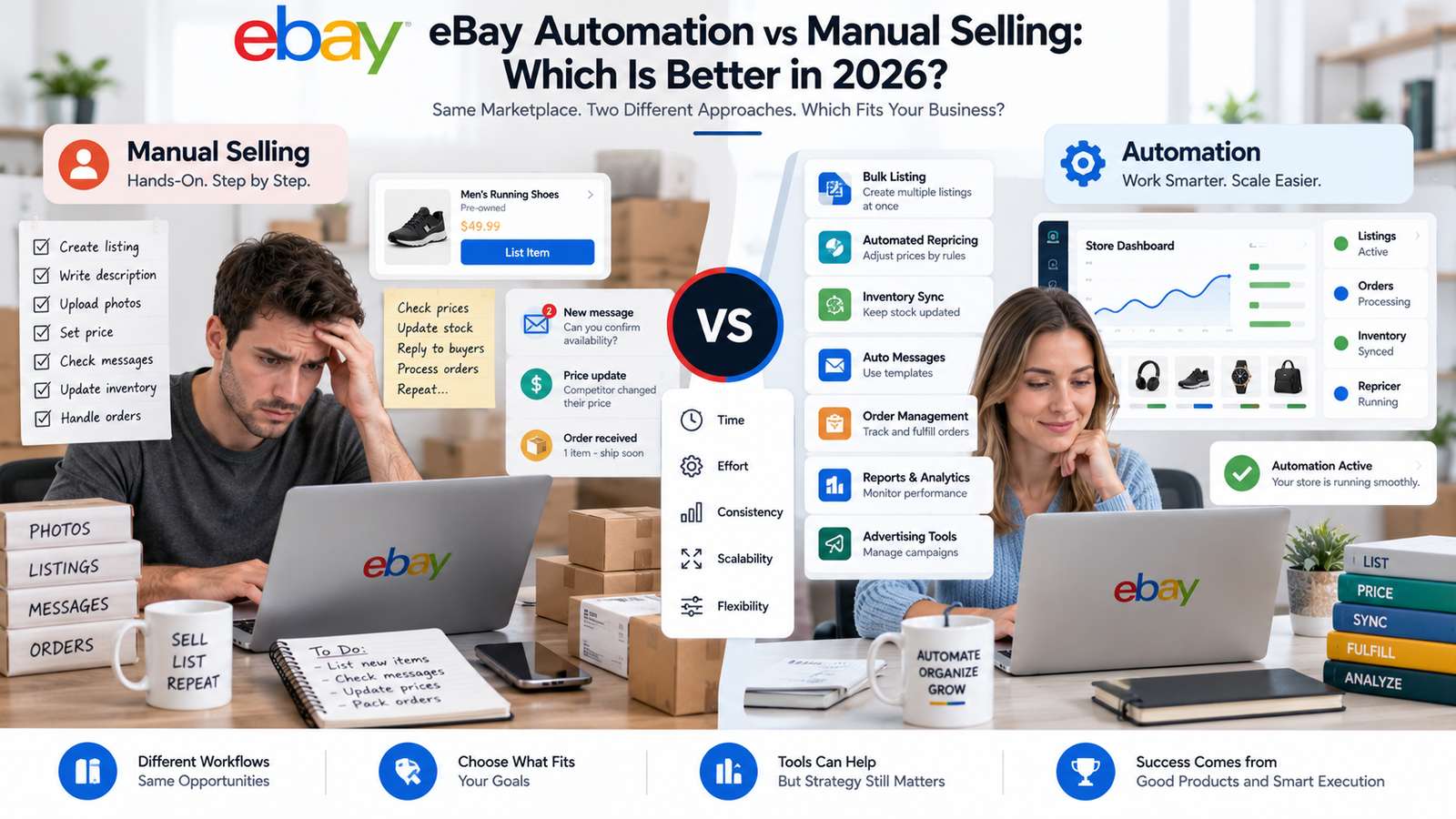
eBay Automation vs Manual Selling: Which Is Better in 2026?
The choice between eBay automation vs manual selling affects how much control sellers retain, how repetitive tasks are managed, how easily a store can scale, and what operational risks need to be monitored.
Manual sellers typically handle product research, listings, pricing, inventory, orders, promotions, and customer communication themselves. Automation uses eBay’s built-in features or third-party software to streamline some of these processes.
Neither approach automatically produces higher profits.
Automation can reduce repetitive work and make larger catalogs easier to manage, while manual selling can provide more direct control over sourcing, pricing, unusual inventory, and customer interactions.
Sellers building more structured workflows can use our eBay automation checklist and tools guide to identify tasks that can be streamlined without removing necessary seller oversight.
The strongest approach in 2026 is often not completely manual or completely automated. It is using automation where repetitive work creates a bottleneck while keeping people involved in decisions that affect margins, suppliers, compliance, and customers.
Quick Answer: Is eBay Automation Better Than Manual Selling in 2026?
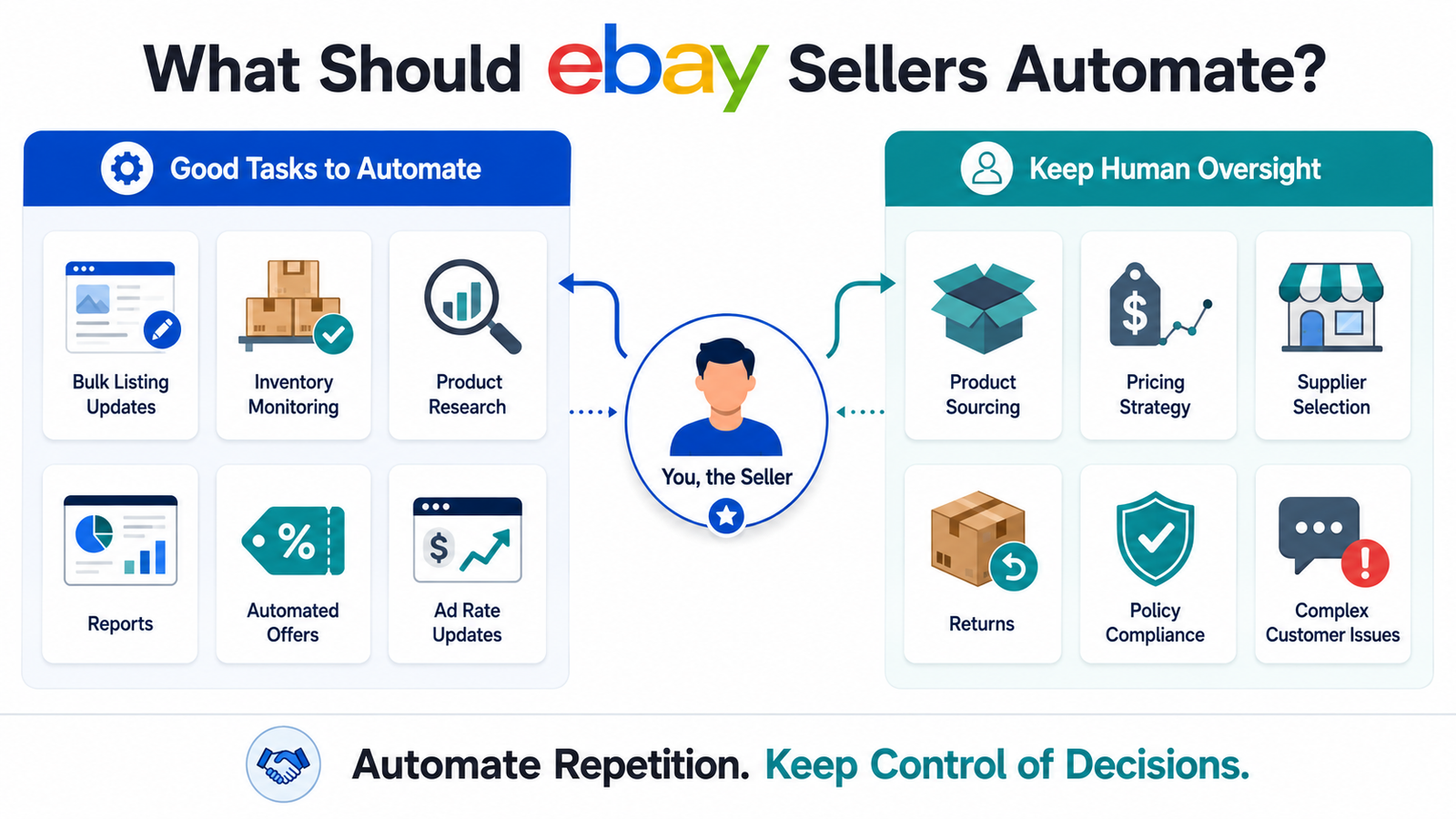
eBay automation can be more practical for sellers managing larger catalogs, frequent inventory changes, bulk listing updates, reports, offers, and advertising workflows. Manual selling can be better for smaller catalogs, one-off products, collectibles, specialized sourcing, and businesses that need direct control over every transaction. Neither approach guarantees higher profit. Many sellers benefit from a hybrid model that automates repetitive work while keeping human oversight for sourcing, pricing strategy, compliance, returns, and complex customer issues.
eBay Automation vs Traditional Manual Selling
Instead of assuming one model is universally better, it is more useful to compare how each approach affects daily operations.
Manual eBay sellers generally perform tasks themselves, including:
- Product research
- Product sourcing
- Listing creation
- Pricing
- Inventory updates
- Order management
- Customer communication
- Advertising
- Reporting
This provides direct control, which can be particularly useful when products are unique, collectible, high-value, or require specialist knowledge.
Automated eBay operations use native eBay tools or third-party systems to streamline repeatable processes such as bulk listing changes, inventory monitoring, reports, offers, product research, and selected advertising workflows.
Automation can therefore increase operational capacity, but sellers still need to monitor the systems and make important business decisions.
For businesses whose catalogs or daily workflows have become difficult to manage manually, HiSellIt’s eBay automation services can support the development and management of more structured marketplace workflows.
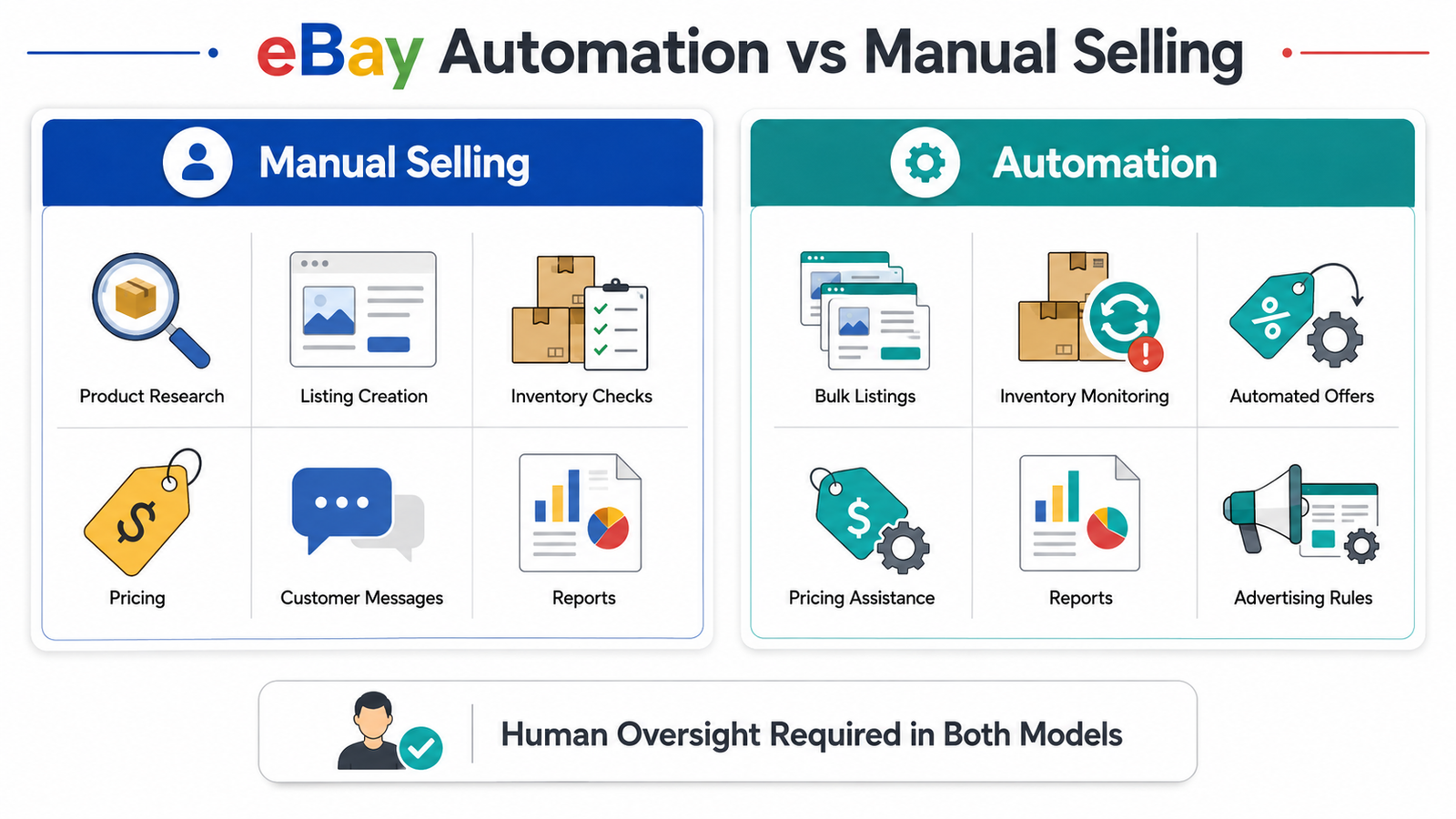 eBay Automation vs Manual Selling at a Glance
| Area | Manual Selling | Automated Selling |
|---|---|---|
| Product Research | Seller researches individually | Tools can organize and analyze market data |
| Listing Creation | Created or edited manually | Bulk tools can streamline updates |
| Inventory | Manually monitored | Can be synchronized or monitored automatically |
| Pricing | Seller changes prices manually | Rules or software can assist |
| Offers | Sent manually | Eligible offers can be automated |
| Advertising | Seller manages campaigns manually | Some settings can update dynamically |
| Reporting | Manual checks and spreadsheets | Reports can streamline data management |
| Customer Service | Direct seller handling | Routine workflows can be assisted |
| Control | Very high | Depends on automation configuration |
| Scalability | Limited partly by available labor | Can support larger catalogs |
| Human Oversight | Required | Still required |
eBay Automation Must Still Follow Dropshipping Policy
Automation does not change eBay’s marketplace policies.
This is especially important for dropshipping.
According to eBay’s official dropshipping and product sourcing policy, dropshipping is permitted when sellers fulfill orders directly through a wholesale supplier. However, listing an item and then purchasing it from another retailer or marketplace that ships directly to the eBay customer is not allowed. Sellers also remain responsible for safe delivery within the stated timeframe and for buyer satisfaction.
This means automated sourcing should not be treated as permission to purchase products from any website after an eBay sale occurs.
A compliant workflow should consider:
- Supplier type
- Inventory availability
- Shipping times
- Tracking
- Returns
- Product accuracy
- Buyer satisfaction
Automation can help monitor some of these areas, but it does not transfer policy responsibility away from the seller.
eBay Automation vs Manual Selling Costs in 2026
Initial Investment Requirements
There is no universal amount required to start either manual or automated eBay selling.
Startup costs depend on:
- Whether you hold inventory
- Product category
- Supplier arrangements
- Store subscription
- Software
- Shipping model
- Advertising
- Photography
- Fulfillment
A seller listing products already owned may start with very little inventory investment. A seller building a wholesale or larger inventory operation may require considerably more capital.
Automation can introduce additional expenses such as:
- Software subscriptions
- Inventory-management platforms
- Multichannel software
- Integrations
- Managed services
- Training
The more useful question is therefore not simply:
Which option is cheaper?
It is:
Which costs are justified by the workload and complexity of the business?
Ongoing eBay Selling Expenses
Manual sellers may have fewer software expenses, but both manual and automated businesses need to account for marketplace fees.
According to eBay’s current selling-fee guidance, selling fees vary depending on factors such as product category, listing format, selling price, Store subscription, and seller performance. eBay currently provides up to 250 zero-insertion-fee listings each month for many U.S. sellers without higher Store allowances.
For many common U.S. categories, the current basic final value fee is 13.6% of the total sale amount up to $7,500, with a lower percentage applying to the portion above $7,500, plus the applicable per-order fee. Other categories have different fee structures.
Therefore, an article should not describe eBay fees simply as a universal “10% to 15%.”
The older assumption that all sellers separately pay PayPal processing fees should also be removed from modern eBay cost calculations.
Automated sellers may additionally pay for:
- Repricing tools
- Inventory synchronization
- Product research software
- Multichannel management
- Analytics
- Managed services
These costs should be evaluated against the actual operational value provided rather than assumed sales or profit increases.
Hidden Costs and Considerations
Manual selling carries an opportunity cost because sellers personally complete more recurring tasks.
Automation has different hidden costs, including:
- Learning new software
- Monitoring integrations
- Correcting automation rules
- Resolving synchronization problems
- Handling software downtime
- Reviewing bulk changes
- Maintaining backup procedures
Neither approach removes work completely.
Automation changes where the work happens.
Instead of repeatedly performing the same task, automated sellers may spend more time configuring systems, reviewing exceptions, and making strategic decisions.
If you are unsure which workflows make sense to automate first, you can contact the HiSellIt team to discuss your existing eBay operation.
Scalability and Revenue Capacity: Manual vs Automated Selling
Manual Selling Characteristics
Manual selling can work particularly well for businesses dealing with:
- Collectibles
- Rare inventory
- Vintage products
- One-off items
- Local sourcing
- High-value goods
- Specialized product categories
In these situations, seller knowledge can be an important competitive advantage.
For example, a seller sourcing rare watches, trading cards, antiques, or refurbished electronics may gain more value from specialist knowledge than from listing thousands of standardized products.
Manual operations can become harder to scale when the catalog grows because more products create additional inventory, listing, pricing, order-management, and customer-service work.
Automated Selling Characteristics
Automation becomes more useful when sellers manage:
- Large catalogs
- Repetitive listing formats
- Frequent inventory changes
- Regular offers
- Multichannel inventory
- Bulk price changes
- Repeated reporting tasks
The main advantage is greater operational capacity, not guaranteed revenue.
Revenue and profit still depend on:
- Product demand
- Sourcing cost
- Competition
- Selling price
- Marketplace fees
- Fulfillment
- Advertising
- Conversion
- Seller performance
An automated store selling weak products can perform poorly, while a highly specialized manual seller can operate a successful business with a relatively small catalog.
eBay Automation vs Manual Selling: Time and Workload
Manual sellers generally spend more time directly performing marketplace tasks.
Automated sellers can shift some of that work toward system configuration, monitoring, and exception management.
The workload varies considerably depending on catalog size and business model.
Claims such as “manual sellers need six hours per day” or “automated stores require only 30 minutes” should therefore be avoided.
Manual vs Automated eBay Workflows
| Task | Manual Approach | Automated or Assisted Approach |
|---|---|---|
| Product Research | Search and compare individually | Product Research can accelerate analysis |
| Listings | Create and revise manually | Bulk tools can streamline updates |
| Inventory | Review stock manually | Integrations can synchronize quantities |
| Offers | Send individually | Eligible offers can be automated |
| Advertising | Adjust campaigns manually | Dynamic ad rates can update automatically |
| Reports | Download and process manually | Seller Hub Reports can streamline workflows |
| Orders | Process individually | Integrations and reports can assist |
| Pricing | Change manually | Bulk tools or repricers can assist |
eBay’s Built-In Automation Tools Sellers Can Use in 2026
Before paying for several third-party subscriptions, sellers should understand the tools eBay already provides.
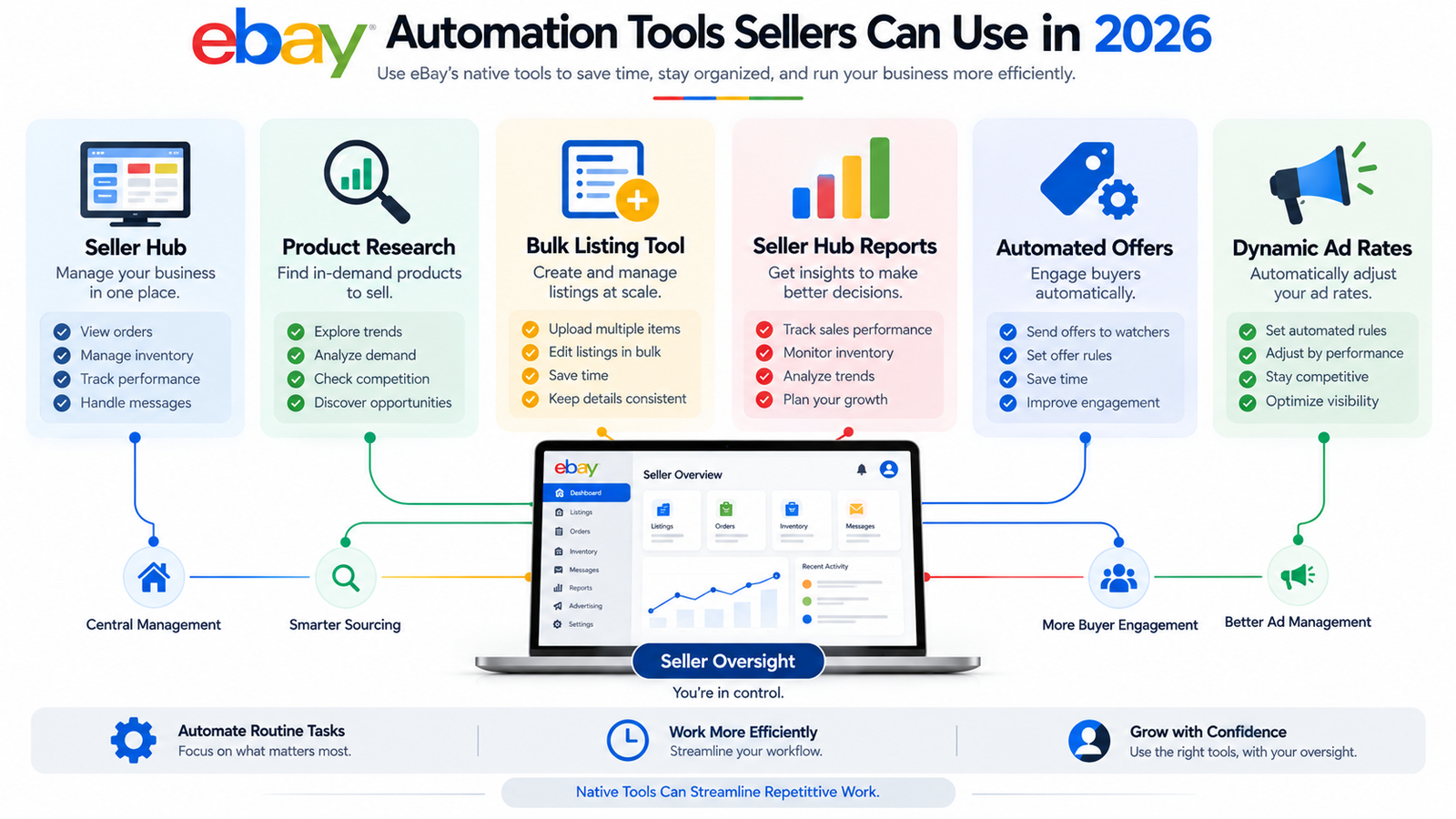
Seller Hub
Seller Hub brings several core eBay business functions into one dashboard, including:
- Listings
- Orders
- Advertising
- Performance
- Payments
- Product research
- Reports
- Store management
For smaller sellers, eBay’s native tools may already handle a meaningful portion of daily marketplace management.
eBay Product Research
Sellers researching products do not need to rely only on third-party estimates.
According to eBay Product Research documentation, sellers with access to Seller Hub can analyze up to three years of eBay sales data across millions of items. The tool provides information such as actual sold prices, seller counts, average shipping costs, sell-through rates, and market trends.
This makes Product Research useful for both manual and automated sellers.
Automation can make research faster, but sellers should still interpret the information according to their own costs, suppliers, inventory, and margins.
Bulk Listing Tool
Large catalogs create repetitive listing-management work.
According to eBay’s Bulk Listing Tool guidance, sellers can manage up to 2,000 listings using the tool. It supports bulk editing, relisting, pricing adjustments, listing scheduling, templates, and Promoted Listings management.
This demonstrates that sellers do not necessarily need a third-party platform simply to begin automating bulk catalog management.
 Seller Hub Reports
Seller Hub Reports can support higher-volume workflows involving inventory and listing data.
Depending on the workflow, sellers can use reports and file-based processes to manage:
- Listings
- Revisions
- Orders
- Tracking
- Inventory
- Scheduled reporting
For high-volume businesses, this can significantly reduce reliance on individual listing edits.
Automated Offers
eBay also provides automation around offers to interested buyers.
Eligible sellers can use automatic offers to reduce the need to manually send the same promotional offer repeatedly.
The seller still controls the offer strategy and should monitor whether discounts remain commercially sensible.
Dynamic Promoted Listings Ad Rates
Advertising is another area where eBay provides automation.
Under eBay’s dynamic ad rate guidance, sellers using the General campaign strategy can select a dynamic ad rate that automatically updates each day to eBay’s suggested rate. eBay calculates suggested rates using marketplace and listing signals such as competition, buyer demand, and listing information.
This can reduce repetitive ad-rate adjustments, but eBay also makes clear that higher or suggested ad rates do not guarantee sales.
If your advertising is already active but producing weak results, our guide explaining why eBay Promoted Listings may not be working covers additional issues involving pricing, listing quality, demand, and campaign structure.
eBay Native Automation Tools in 2026
| eBay Tool | What It Streamlines | Human Oversight Needed? |
|---|---|---|
| Seller Hub | Central marketplace management | Yes |
| Product Research | Market and sales analysis | Yes |
| Bulk Listing Tool | Bulk listing and pricing updates | Yes |
| Seller Hub Reports | Listing, reporting and order workflows | Yes |
| Automated Offers | Offers to interested buyers | Yes |
| Dynamic Ad Rates | Promoted Listings rate updates | Yes |
Product Sourcing: Manual Research vs Automated Discovery
Manual Product Sourcing Strategies
Manual sellers rely on their own research skills, specialist knowledge, market awareness, and supplier relationships to identify opportunities.
This can be particularly effective for:
- Local inventory
- Collectibles
- Liquidation
- Rare products
- Specialist categories
- Wholesale relationships
Useful manual research sources include:
- eBay Product Research
- Sold-market data
- Google Trends
- Competitor listings
- Supplier catalogs
- Seasonal-demand information
Experienced sellers may also develop local and specialist supplier relationships that cannot easily be replicated by automated software.
eBay Selling Tools and Automated Product Discovery
Automation tools can process larger quantities of marketplace data and help narrow the list of products worth investigating.
Depending on the system, they may analyze:
- Sales trends
- Sell-through
- Competitor pricing
- Inventory
- Historical data
- Product demand
- Supplier information
However, automated product research does not identify products that are guaranteed to generate profit.
Using eBay Product Research alongside third-party research tools can provide sellers with marketplace data such as actual sold prices, seller counts, and sell-through trends before they commit to inventory.
Seller judgment remains important for:
- Product quality
- Supplier reliability
- Total costs
- Returns
- Shipping
- Competition
- Market fit
Quick Answer: What Should eBay Sellers Automate First?
eBay sellers should usually automate repetitive, rule-based tasks first, such as bulk listing updates, inventory monitoring, product research workflows, scheduled reports, automatic offers, and selected advertising settings. Human oversight should remain strongest around sourcing, pricing strategy, supplier selection, policy compliance, returns, unusual customer issues, and major business decisions. Start with the tasks that consume the most repeated effort while carrying the lowest strategic risk.
Risks of Manual and Automated eBay Selling
Manual Selling Risk Factors
Manual selling can create operational risks when workload increases.
Potential problems include:
- Missed inventory changes
- Pricing mistakes
- Slow listing revisions
- Inconsistent updates
- Manual data-entry errors
- Limited coverage when the seller is unavailable
However, manual selling does not automatically increase account-suspension risk.
Policy compliance depends on seller behavior and business practices.
eBay Automation Risk Factors
Automation introduces a different group of risks.
These may include:
- Incorrect automation rules
- Software downtime
- Supplier-data errors
- Inventory-sync failures
- Bulk listing mistakes
- Incorrect prices
- Integration problems
- Policy violations occurring across multiple listings
Poor automation can increase the scale of a mistake because one incorrect rule may affect many products simultaneously.
Sellers should therefore use:
- Pricing boundaries
- Alerts
- Regular audits
- Manual exception handling
- Backup processes
- Inventory checks
Automation should reduce repetitive work without removing accountability.
Dropshipping sellers should also remember that software does not change eBay’s dropshipping policy. Wholesale-supplier fulfillment is allowed, while purchasing from another retailer or marketplace after receiving the customer’s order is prohibited.
Integration With Other E-Commerce Platforms
Cross-Platform Selling Opportunities
Some eBay sellers eventually expand to other channels such as:
- Amazon
- Walmart Marketplace
- Etsy
- Shopify
Multichannel selling can diversify sales channels, but it also increases inventory and operational complexity.
Automation platforms may help centralize:
- Inventory quantities
- Orders
- Pricing
- Product data
- Reporting
However, sellers should not assume that one set of rules or optimization tactics works identically everywhere.
Each marketplace has different:
- Fees
- Search systems
- Listing requirements
- Fulfillment expectations
- Advertising tools
- Policies
Platform-Specific Optimization Benefits
On eBay, search visibility is influenced by listing relevance and overall offer quality rather than automation alone.
Automation can help keep inventory and listing information consistent, but it cannot guarantee a higher organic search position.
Important listing elements still include:
- Accurate titles
- Relevant keywords
- Item specifics
- Complete descriptions
- Competitive pricing
- High-quality images
- Shipping terms
- Return information
- Seller performance
If storefront presentation and listing organization are weak, these eBay store design tips explain how sellers can improve branding, navigation, organization, and buyer experience.
Customer Service and Communication Management
Personal Touch vs Automated Responses
Manual selling provides direct control over customer conversations.
This can be particularly useful for:
- Custom products
- Complicated questions
- High-value items
- Returns
- Damaged orders
- Negotiations
- Unusual requests
The main limitation is workload.
As sales increase, responding manually to every repetitive inquiry can become difficult.
Automation Customer Service Capabilities
Automation can assist routine customer-service workflows through:
- Response templates
- Order notifications
- Alerts
- Ticket routing
- Third-party support systems
However, automated responses should not be assumed to be more accurate simply because software or AI generates them.
Human attention remains important for:
- Complaints
- Returns
- Damaged orders
- Policy disputes
- Unusual requests
- Complex product questions
The strongest customer-service setup automates routine work while escalating unusual cases to a person.
Technology and Tool Requirements
Manual Selling Technology Needs
Manual eBay sellers can often operate using:
- Seller Hub
- eBay mobile app
- Computer or smartphone
- Basic photography equipment
- Photo-editing software
- Spreadsheets
The technical barrier is relatively low.
However, additional systems may become necessary as the catalog grows.
Automation Technology Infrastructure
Most modern eBay automation platforms are cloud-based.
Sellers generally do not need dedicated computers running automation software continuously.
Instead, automated operations may require:
- Software subscriptions
- Marketplace integrations
- Inventory systems
- Multichannel platforms
- API connections
- Staff training
- Documented workflows
The real technology challenge is not owning more hardware.
It is ensuring systems exchange accurate information and that someone remains responsible for reviewing those systems.
What to Automate vs What Needs Human Oversight
| Task | Automation Can Help? | Human Oversight Needed? |
|---|---|---|
| Product Research | Yes | Yes |
| Bulk Listing Updates | Yes | Yes |
| Inventory Monitoring | Yes | Yes |
| Reports | Yes | Yes |
| Automatic Offers | Yes | Yes |
| Promoted Listings Rates | Yes | Yes |
| Routine Messages | Partially | Yes |
| Product Sourcing | Assist | Yes |
| Pricing Strategy | Assist | Yes |
| Supplier Selection | Assist | Yes |
| Returns and Disputes | Limited | Yes |
| Policy Compliance | Limited | Yes |
| Strategic Decisions | Limited | Yes |
 Should You Automate Your eBay Store or Sell Manually?
The decision between eBay automation vs manual selling depends on the complexity of the business rather than a fixed revenue target.
Manual Selling May Make More Sense When:
- Your catalog is small
- Products are unique or one-off
- Specialist sourcing is a competitive advantage
- Customer interaction is highly personalized
- You want lower software overhead
- Inventory changes infrequently
eBay Automation May Make More Sense When:
- Your catalog is growing
- Repetitive edits consume significant time
- Inventory changes frequently
- You need bulk reporting
- You send offers regularly
- You sell across multiple channels
- Advertising management is becoming complex
A Hybrid eBay Selling Strategy Often Makes Sense
A seller may automate:
- Inventory monitoring
- Bulk listing changes
- Reports
- Offers
- Selected advertising settings
while handling manually:
- Supplier decisions
- Product selection
- Returns
- Pricing strategy
- Policy compliance
- Complex buyer issues
New sellers may benefit from learning basic eBay workflows manually before automating high-volume processes.
However, an established business with documented procedures can introduce automation immediately wherever it provides a clear operational benefit.
The aim should not be to make the business completely “hands-free.”
It should be to use automation where it reduces low-value repetitive work while keeping people involved wherever judgment matters.
For sellers ready to move beyond purely manual workflows, HiSellit’s eBay automation services can support listing, inventory, operational, and marketplace automation while maintaining human oversight.
Frequently Asked Questions
Q. How Much Does eBay Automation Cost Compared With Manual Selling?
There is no universal cost difference. Manual selling may involve fewer software subscriptions, while automation can add costs for inventory systems, repricing, multichannel platforms, research software, or managed services. Both approaches also need to account for inventory, shipping, advertising, and eBay’s applicable selling fees. The best comparison is the cost of the technology against the operational workload it replaces or improves.
Q. Is eBay Automation More Profitable Than Manual Selling?
Not automatically. Automation can improve operational capacity and reduce repetitive work, but profit still depends on sourcing, demand, pricing, fees, shipping, advertising, returns, and seller performance. Manual selling can work particularly well for unique or specialized inventory, while automation may be useful for larger standardized catalogs.
Q. Can You Combine Manual and Automated eBay Selling Strategies?
Yes. A hybrid eBay selling strategy is often practical. Sellers can automate repeatable tasks such as bulk listing updates, inventory monitoring, reports, offers, and selected advertising settings while keeping direct control over sourcing, pricing strategy, returns, supplier relationships, and complex customer issues.
Q. What Are the Biggest Risks of eBay Automation?
The main risks include incorrect automation rules, software outages, inventory-sync errors, supplier-data problems, bulk listing mistakes, and policy violations occurring across several products at once. Sellers should use alerts, boundaries, audits, and human review instead of allowing automated systems to operate without oversight.
Q. How Long Does It Take to Set Up eBay Automation?
Setup time varies according to catalog size, software, supplier integrations, inventory systems, and the number of workflows being automated. A seller automating only offers or reporting may need relatively little configuration, while a larger multichannel inventory system can require substantially more planning. There is no universal setup or profitability timeline.
Q. Does eBay Have Its Own Automation Tools?
Yes. eBay provides Seller Hub, Product Research, Bulk Listing Tool, Seller Hub Reports, automatic offers, and dynamic Promoted Listings ad rates. These native tools can streamline many repetitive selling processes before a seller adds third-party software.
Q. What Is Better for Beginners: Manual eBay Selling or Automation?
Beginners may benefit from learning core eBay processes manually so they understand listings, fees, shipping, buyer communication, and policies before automating them. However, native tools such as Product Research, bulk-editing features, reports, and automatic offers can still be introduced early when they solve a specific operational problem.


One Comment