
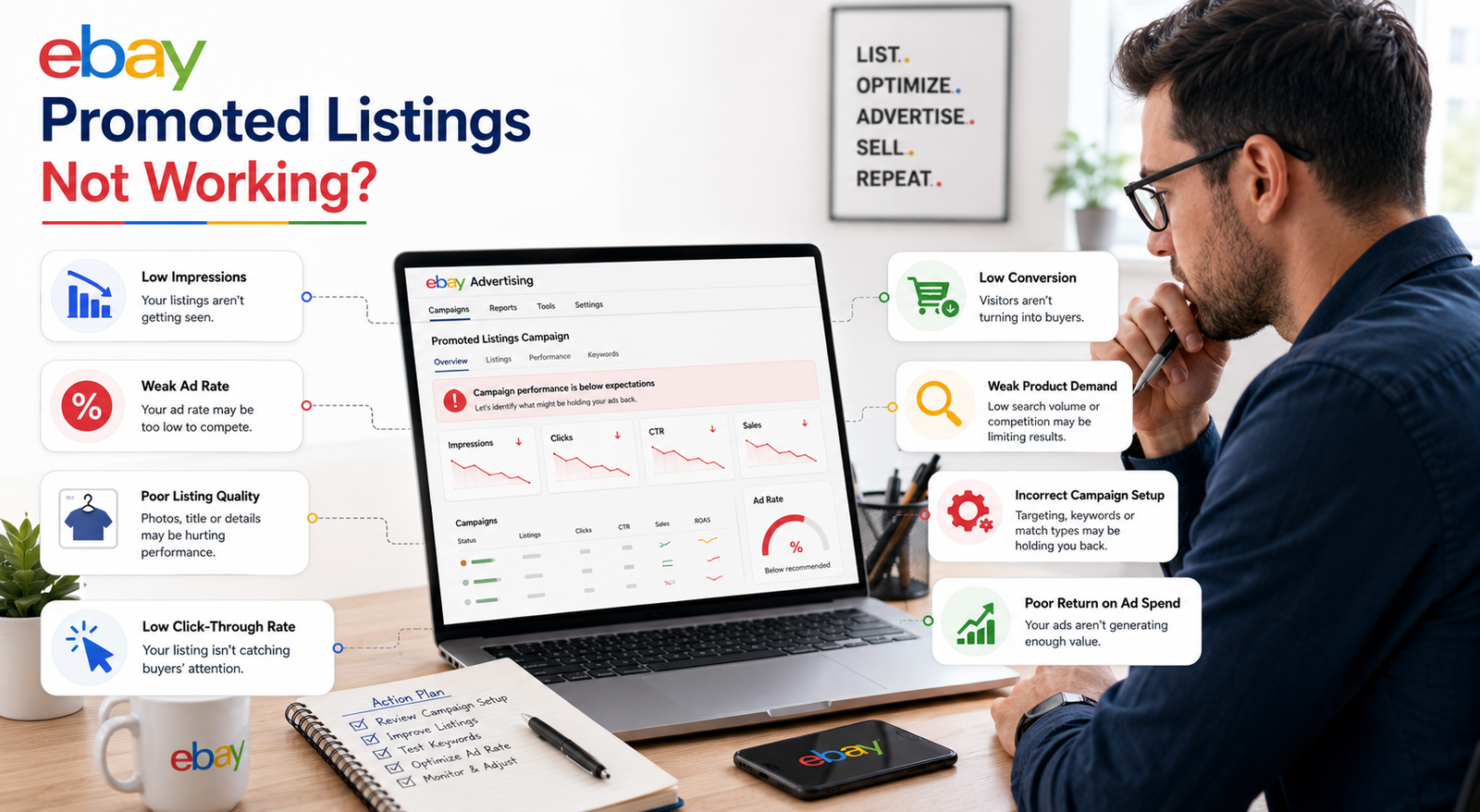
eBay Promoted Listings Not Working? 7 Reasons and How to Fix It
You set up your eBay Promoted Listings campaign, but the results are disappointing. Maybe you are getting impressions without sales, paying for Priority clicks without conversions, or barely seeing your ads at all. This is a common problem for eBay sellers, and in many cases the cause can be identified by looking at campaign setup, listing quality, pricing, targeting, and buyer demand.
When eBay Promoted Listings are not working, the issue is usually not one mysterious algorithm problem. It is often a combination of weak visibility, an uncompetitive General ad rate or Priority bid, poor listing relevance, low click-through rate, weak conversion, or simply low product demand. This guide explains the seven most common causes and shows you how to diagnose each one.
Quick Answer: Why Are My eBay Promoted Listings Not Working?
eBay Promoted Listings may not be working because your ads have low visibility, your General ad rate or Priority bid is uncompetitive, your listing has weak search relevance, buyers are not clicking, your offer is not converting, or the product has low demand. Start by checking impressions, clicks, sales, ad fees, conversion rate, and ROAS in the Advertising dashboard.
What Are eBay Promoted Listings?
eBay Promoted Listings are paid advertising options that can give eligible listings additional visibility across eBay. Depending on the campaign strategy and placement, promoted listings can appear in eligible areas such as search results, product pages, and other advertising placements. Promotion can improve your opportunities for exposure, but it does not guarantee a specific position or a sale. eBay explains the available formats in its official Promoted Listings overview.
There are two main campaign strategies. General Strategy uses a cost-per-sale model. You choose an ad rate, and eBay generally charges the advertising fee when an attributed promoted sale qualifies after a buyer clicks the ad. Priority Strategy uses cost-per-click pricing, so you pay for eligible ad clicks whether or not those clicks later turn into purchases. Priority also gives sellers more control over bidding, budget, and targeting.
Both campaign types can be managed through the Advertising section inside eBay Seller Hub.
Promoted Listings are not necessarily available to every brand-new seller immediately. eBay requires eligible sellers to meet account-activity and performance criteria before they can promote supported listings. If you are still building a new seller account, our guide to eBay selling limits for new sellers explains the account side before you start scaling advertising.
Why Are My eBay Promoted Listings Not Working?
The most important thing to understand is that Promoted Listings do not repair a weak listing. They create additional opportunities for eligible listings to be shown to buyers.
If your product has a poor title, weak photos, incomplete item specifics, an uncompetitive price, or little buyer demand, increased visibility may simply mean more shoppers see the listing and decide not to click. That is why listing optimization and advertising should work together rather than being treated as separate strategies.
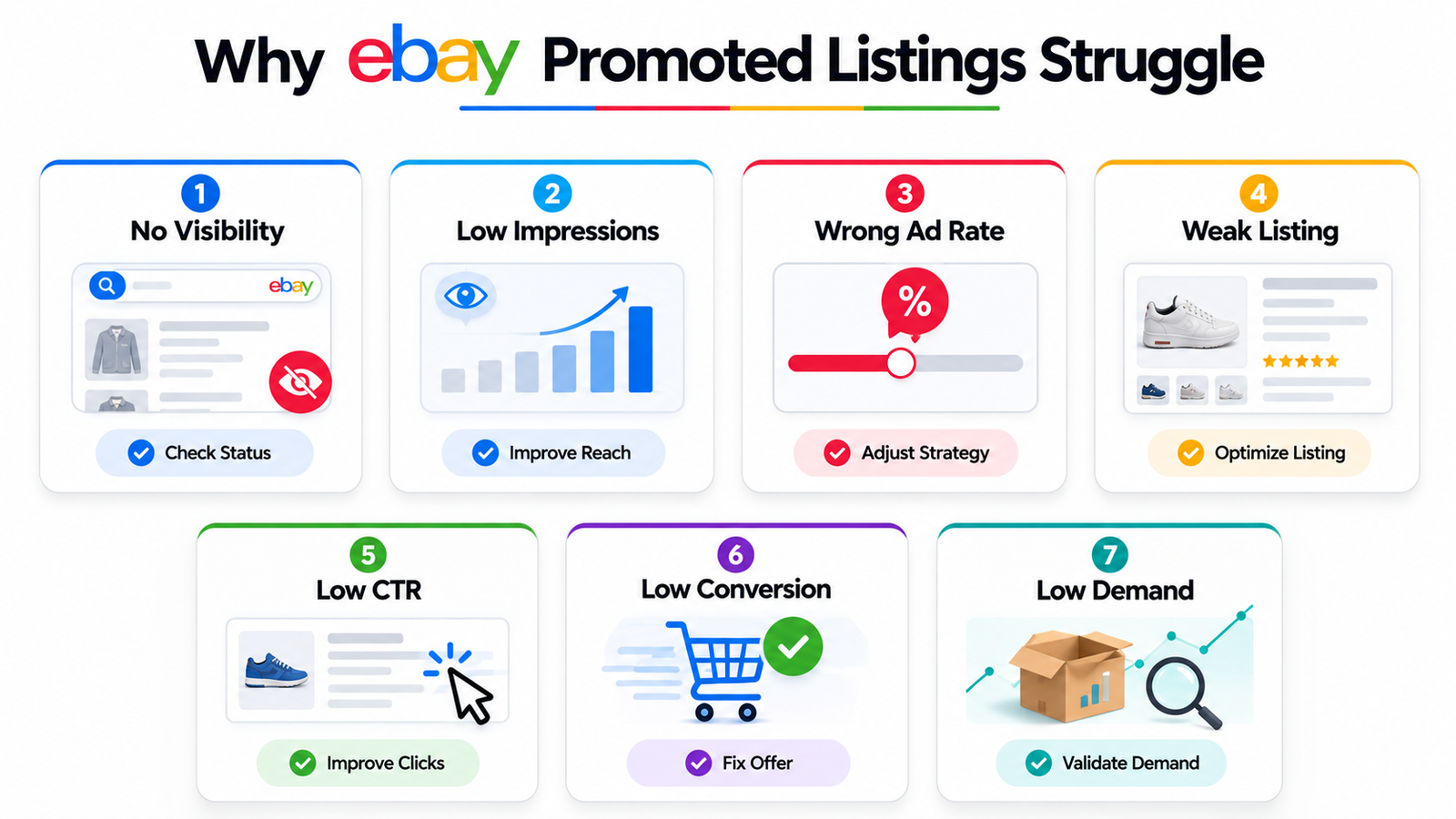
Here are the seven most common reasons eBay Promoted Listings struggle.
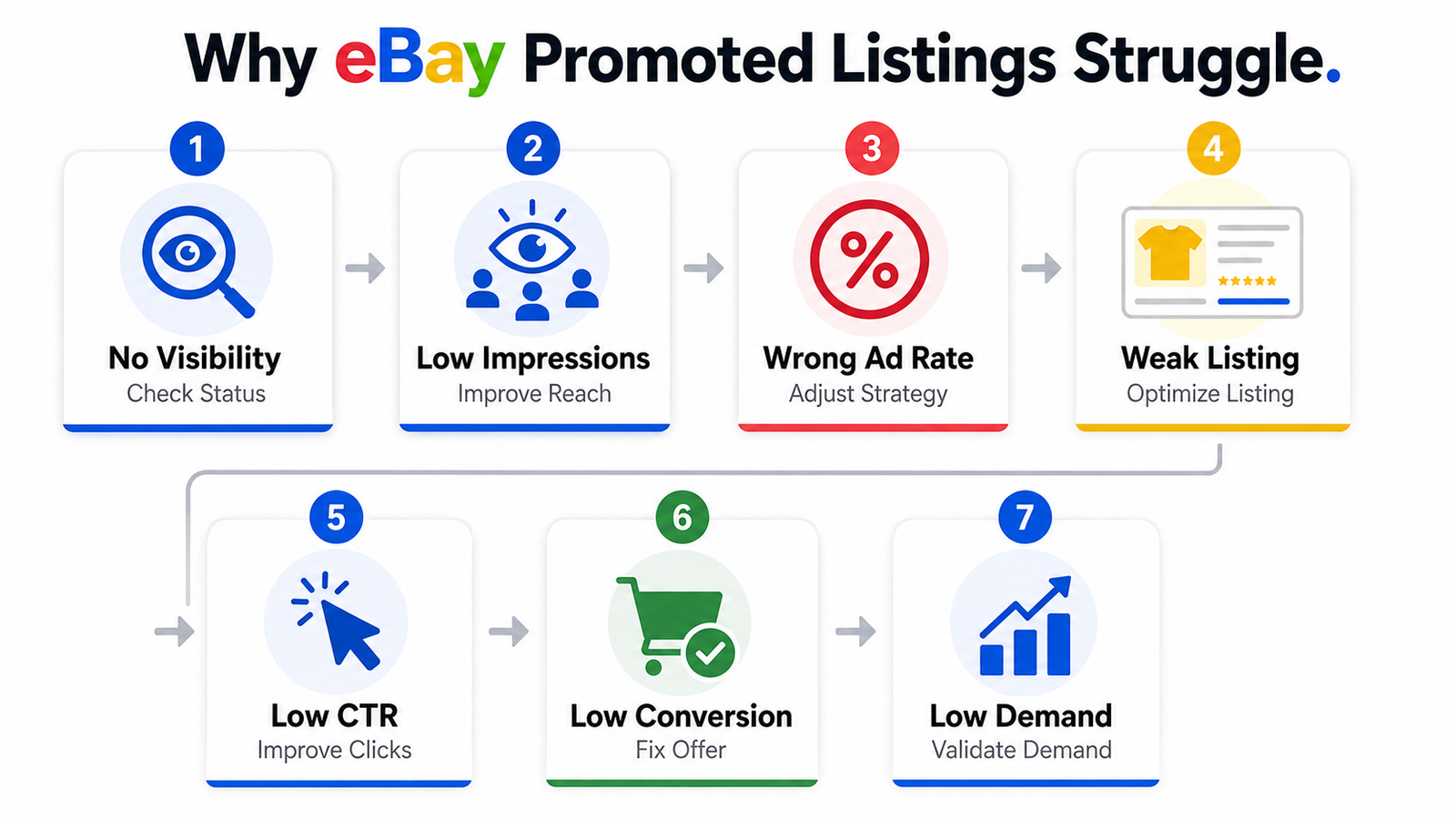 1. eBay Promoted Listings Not Showing in Search
Many sellers search for their own product and cannot find the promoted version of the listing. That can be frustrating, but it does not automatically mean the campaign is broken.
Your promoted listing may not appear because the underlying listing is not yet appearing normally in eBay search, the campaign or listing is not eligible or active, your General ad rate is less competitive, or your Priority CPC bid, budget, or targeting is limiting delivery. Weak search relevance, low demand, high competition, or an out-of-stock item can also reduce available ad opportunities.
eBay says newly created listings should generally appear in search within around 24 hours. If the underlying listing itself is missing, check whether it is active and whether there are title, listing, or inventory problems before changing the advertising campaign.
Inside Seller Hub, review the campaign status, listing eligibility, impressions, clicks, inventory, budget, and either the General ad rate or Priority CPC settings. If impressions remain at zero, do not assume the ad rate is the only possible cause.
2. Low Impressions on eBay Promoted Listings
Why Am I Not Getting Impressions on eBay Ads?
Impressions show how often your promoted listing is being displayed in eligible advertising placements. Low impressions mean the ad is receiving limited exposure, but the reason depends partly on which campaign strategy you are using.
With General campaigns, the ad rate is one factor that can influence your opportunity to receive additional placement. eBay’s suggested ad rate guidance explains that recommendations can consider factors such as competition, demand, product attributes, listing quality, seasonality, past performance, and advertising activity. A lower ad rate can make a campaign less competitive, but increasing the rate alone does not guarantee more impressions or sales.
With Priority campaigns, the system works differently. Priority uses CPC pricing and a second-price auction. Delivery can depend on factors such as your CPC bid, listing quality, keyword relevance, targeting method, competition, available budget, and eBay’s reserve price.
This distinction matters because a seller with low General impressions should not troubleshoot the campaign in exactly the same way as a seller with low Priority impressions.
3. Wrong Ad Rate Strategy
What Is a Good Ad Rate for eBay Promoted Listings?
There is no single best ad rate for every eBay category, product, or seller. With General campaigns, eBay provides listing-specific suggested rates based on current marketplace conditions and information associated with the listing.
The suggested rate can be useful as a reference point, but it should not be treated as a guaranteed formula. eBay itself states that using a suggested rate does not guarantee stronger advertising performance.
General campaigns can use either a Fixed ad rate or a Dynamic ad rate. A Fixed rate remains at the percentage you choose until you change it. A Dynamic rate adjusts to eBay’s current daily suggested rate, while an optional cap can be used to limit how high the percentage is allowed to go.
The goal is not to find the lowest possible percentage. It is to find a promotion level where the additional sales still make financial sense after product cost, eBay fees, advertising fees, shipping, returns, and other expenses.
For sellers managing a large catalog, eBay automation services can help reduce repetitive store and campaign-management work, but advertising economics should still be reviewed rather than left completely unattended.
4. Poor Listing Optimization
How to Fix eBay Promoted Listings Not Showing
Ads can only do so much if the underlying listing is weak. eBay’s Best Match search system considers factors such as relevance to the buyer’s search, item popularity, price, listing quality, listing completeness, selling terms, and seller track record. You can review eBay’s official Best Match optimization guidance for more detail.
A strong listing should include a clear title based on relevant buyer search terms, high-quality product photos, useful descriptions, accurate item specifics, competitive pricing, and clear shipping and return information.
eBay currently allows titles of up to 80 characters, so use that space to describe the item accurately rather than stuffing unrelated keywords. Item specifics are also particularly important because shoppers use them to filter search results. Complete all required specifics and as many relevant recommended fields as possible.
For example, a title such as “Blue Jacket Men L” provides less useful information than “Men’s Navy Slim Fit Blazer Jacket Size Large” when those details accurately describe the item.
If titles and images are one of the weak points in your catalog, our guide to optimizing eBay titles and images using AI explains a practical optimization workflow. Store presentation can also affect buyer confidence after shoppers begin exploring your wider catalog, so these eBay store design tips are useful for the broader shopping experience.
5. Low Click-Through Rate or Low Conversion Rate
Why Are My eBay Ads Not Converting?
Impressions without clicks and clicks without sales are two different problems.
If your click-through rate is low, shoppers are seeing your ad but choosing not to open the listing. Common causes include an unclear main image, an uncompetitive price, a weak title, unclear condition information, slow delivery, or simply a product that does not attract much buyer interest.
If shoppers are clicking but not purchasing, you have more of a conversion problem. The description may not answer important questions, shipping may be expensive, delivery may be slow, the return policy may reduce confidence, or competing sellers may offer a better price or stronger seller feedback.
Poor conversion matters because you are generating attention without enough sales. However, you should not assume that one specific conversion percentage automatically causes eBay to reduce your organic ranking. eBay uses a broader range of listing, marketplace, relevance, and historical-performance signals.
There is also no universal eBay conversion-rate benchmark that applies to every product category. Compare your own listings over time, look at similar products, and evaluate sales conversion rate, advertising cost, and ROAS together rather than relying on a generic ecommerce benchmark.
6. Weak Product Demand
Sometimes the product itself is the problem.
Advertising can improve visibility, but it cannot create strong buyer demand for an item that very few people actually want. Before you promote a listing, check whether similar products have recent sales, whether demand is seasonal, how crowded the market is, and whether your pricing leaves enough margin to support advertising.
eBay’s Product Research tools can help sellers study historical pricing, sales activity, supply, demand, and seasonal trends before committing more advertising spend.
The financial risk also differs by campaign type. With Priority campaigns, weak-demand products can consume CPC budget without producing enough sales. With General campaigns, the advertising fee is tied to an attributed promoted sale rather than every click, so the cost structure is different.
Validate demand before assuming the campaign itself is the main problem.
7. How eBay Decides Which Promoted Listings Get Shown
eBay officially uses Best Match as its default search-ranking system. Promoted Listings work alongside eBay’s search and advertising systems rather than overriding them.
Best Match can consider how closely the listing matches the buyer’s search, item popularity, pricing, listing quality, listing completeness, selling terms, and seller track record.
General advertising can additionally be influenced by factors such as the ad rate, competition, buyer demand, product attributes, listing quality, seasonality, and past performance.
Priority campaigns use additional advertising signals such as CPC bids, keyword relevance, targeting, competition, listing quality, and reserve price.
This is why eBay SEO and advertising work best together. A strong ad cannot fully compensate for a weak product, poor offer, or badly optimized listing.
eBay Promoted Listings General Strategy vs Priority Strategy
Many sellers start with General campaigns and do not realize how different Priority campaigns are. Some sellers may still recognize older campaign terminology, but eBay’s current strategies are General and Priority.
| Feature | General Strategy | Priority Strategy |
|---|---|---|
| Pricing Model | Cost per sale | Cost per click |
| When You’re Charged | When an attributed promoted sale qualifies | For eligible ad clicks |
| Main Control | Ad rate | Budget, targeting and CPC bidding |
| Targeting | Automated | Smart or Manual targeting |
| Manual Keywords | No | Available with Manual targeting |
| Bidding Options | Fixed or Dynamic ad rate | Smart targeting or Manual bidding |
| Budget | Advertising fees tied mainly to attributed sales | Target daily budget |
| Best Fit | Simpler cost-per-sale promotion | More CPC, budget and targeting control |
 General campaigns can be easier for sellers who prefer a simpler cost-per-sale model. Priority may suit sellers who want greater CPC, budget, keyword, and targeting control.
Priority currently supports both Smart targeting and Manual targeting. Smart targeting lets eBay automate more of the targeting process, while Manual targeting allows sellers to work with keywords, match types, negative keywords, and bidding controls. eBay explains these options in its Priority campaign strategy guide.
The right campaign depends on your margins, eligibility, advertising goals, catalog, and level of campaign-management experience.
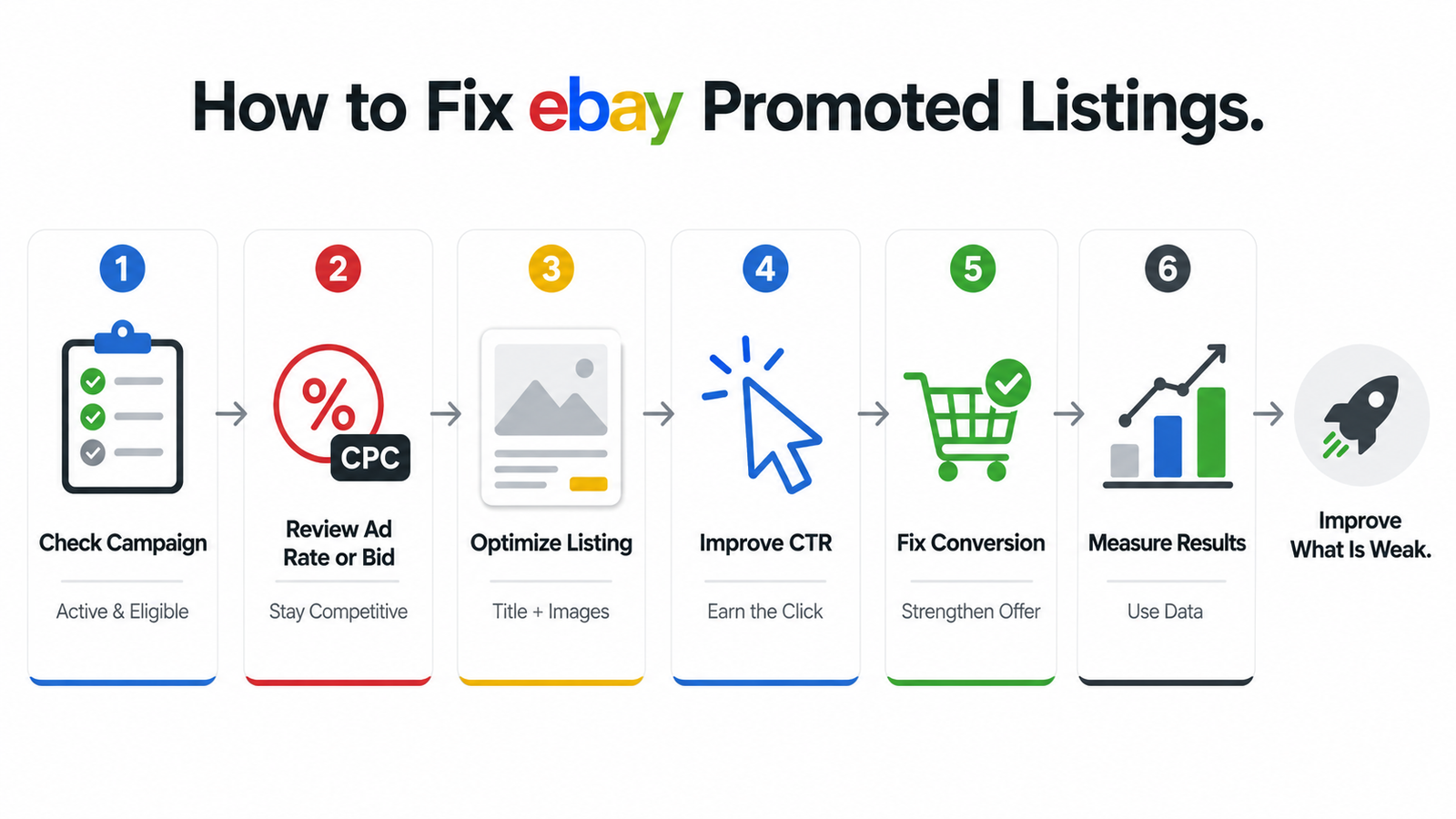
How to Fix eBay Promoted Listings Not Working
Do not make random campaign changes. Work through the problem in a logical order.
- Check the Advertising dashboard. Confirm that the campaign and listings are active and review impressions, clicks, sales, ad fees, conversions, and ROAS.
- Review the campaign strategy. For General campaigns, compare your ad rate with eBay’s suggested rate or consider Dynamic ad rate. For Priority campaigns, inspect CPC settings, budget, Smart or Manual targeting, and keyword performance.
- Improve weak titles. Use accurate buyer search terms and important product attributes without keyword stuffing.
- Improve the main image. A bright, clear image can make the listing more competitive when shoppers compare several results at once.
- Complete relevant item specifics. Required and recommended item specifics help eBay match listings with buyer searches and filters.
- Review pricing. Compare your offer with relevant market and sold-listing data rather than looking only at active listings.
- Check shipping and returns. Delivery speed, handling time, shipping cost, and return terms can affect buyer confidence.
- Allow reporting to reconcile. eBay says campaign performance reporting is near real time but some metrics may take up to 72 hours to reconcile, so avoid judging incomplete data too quickly.
- Make controlled changes. Changing everything at once makes it much harder to identify which adjustment affected performance.
 Best Strategy for eBay Promoted Listings
The most effective way to use eBay advertising is to treat it as a measurable part of the wider listing strategy.
Step 1: Fix Your Listing First
Before increasing advertising spend, make sure the listing itself is competitive. A relevant title, strong photos, accurate item specifics, competitive price, clear condition details, and reasonable shipping and returns can support both Best Match visibility and paid advertising.
Step 2: Start With Listings You Can Evaluate
Listings with existing demand can be easier to assess because you already have sales and conversion history. That does not mean newer products should never be advertised, but you should have some evidence that demand exists and that the economics can support promotion.
Step 3: Review Campaign Data Regularly
Avoid relying on a fixed two-week schedule for every campaign. A high-volume listing may provide useful data relatively quickly, while a niche product may need more time before enough impressions and clicks accumulate.
The Advertising dashboard should guide that decision. Allow for reporting reconciliation and judge performance based on the amount of usable data rather than an arbitrary number of days.
Step 4: Let Data Drive Your Decisions
eBay provides metrics such as impressions, clicks, CTR, sales, conversion rate, advertising fees, ROAS, and, for relevant Priority campaigns, average CPC.
Use those numbers to determine where the funnel is breaking. If impressions are weak, investigate delivery and campaign competitiveness. If impressions are healthy but CTR is weak, improve the search-result offer. If clicks are strong but sales are weak, focus on conversion and product economics.
If managing a large catalog makes this difficult to do consistently, HiSellIt’s eBay automation services can support a more structured approach to store operations and repetitive management tasks.
Final Thoughts
When eBay Promoted Listings are not working, the problem can usually be narrowed down by reviewing both the campaign and the listing.
A General campaign may struggle because the ad rate is uncompetitive, while a Priority campaign may need changes to bids, budget, keywords, or targeting. In other cases, the advertising is doing its job and the real problem is the listing, price, product demand, click-through rate, or conversion.
Start with the listing. Then review the campaign strategy, advertising settings, and actual performance data. Make controlled changes and measure what happens instead of increasing ad spend blindly.
Treating eBay advertising as a measurable system makes it much easier to identify what is working and where improvements are needed.
For help managing and scaling a larger eBay operation, explore HiSellIt’s eBay automation services. If you want to discuss your current store or campaign setup, contact the HiSellIt team.
Frequently Asked Questions
Q. Why are my eBay Promoted Listings not getting impressions?
Low impressions can come from several causes. With General campaigns, your ad rate may be less competitive, listing relevance may be weak, or buyer demand may be limited. With Priority campaigns, CPC bids, budget, targeting, keyword relevance, and competition can all affect delivery.
Before changing anything, confirm that the campaign is active, the item is eligible, and the listing is in stock.
Q. Do Promoted Listings increase eBay sales?
Promoted Listings can create additional visibility and more opportunities for buyers to click and purchase, but they do not guarantee higher sales. Product demand, pricing, listing quality, targeting, competition, delivery, and the overall offer still determine whether shoppers actually buy.
The strongest approach is to optimize the listing first and then use advertising to expand its opportunities for exposure.
Q. What is a good ad rate for eBay Promoted Listings?
There is no universal percentage that works for every category.
For General campaigns, review eBay’s listing-specific suggested rate alongside your actual margins and advertising goals. Suggested rates reflect marketplace conditions, but they are not guaranteed performance targets.
The best ad rate is one that provides useful visibility without making the economics of the sale unattractive.
Q. Why are my Promoted Listings not showing up in search?
First confirm that the underlying eBay listing is active and appearing normally in search. Newly created listings should generally become searchable within around 24 hours.
Then check the advertising campaign. General campaigns may need a review of the ad rate, eligibility, relevance, and buyer demand. Priority campaigns may require a review of budget, targeting, CPC bidding, and keywords.
Remember that some advertising metrics may take up to 72 hours to fully reconcile.
Q. What is the difference between General and Priority Promoted Listings?
General uses a cost-per-sale model, while Priority uses a cost-per-click model.
General primarily revolves around the ad rate and automated promotion. Priority gives sellers more control over daily budgets and targeting. Priority currently supports both Smart and Manual targeting, with Manual targeting providing access to keyword, match-type, negative-keyword, and bidding controls.
Neither campaign type is automatically better for every seller.
Q. How long does it take for eBay Promoted Listings to work?
There is no fixed amount of time that applies to every campaign. The amount of data needed depends on impressions, clicks, product demand, sales volume, price, competition, and campaign type.
Rather than waiting for an arbitrary two or four weeks, evaluate performance once enough impressions, clicks, sales, spend, and ROAS data have accumulated to support a meaningful decision. Keep in mind that some campaign metrics can take up to 72 hours to reconcile.