
Shopify SEO Guide for Beginners: How to Rank Your Store on Google in 2026
You can build the perfect Shopify store, but if no one finds it on Google, it will struggle to make sales. This Shopify SEO Guide for Beginners walks you through the exact steps to improve your search rankings, increase organic traffic, and grow your store without depending on paid advertising.
SEO, short for Search Engine Optimization, is the process of making your store show up on Google when people search for what you sell. No paid ads. No influencer deals. Just free, consistent traffic landing on your pages every single day.
Whether you’re launching your first store or improving an existing one, this Shopify SEO Guide for Beginners gives you a step-by-step framework that continues to deliver results over time.
What Is Shopify SEO?
Quick Answer: What Is Shopify SEO?
Shopify SEO is the process of optimizing a Shopify store to rank higher on Google. It includes keyword research, optimizing product and collection pages, improving site speed, adding internal links, and publishing helpful content to increase organic traffic and sales.
Why SEO Matters More Than Most Beginners Realize
Paid ads stop the moment the budget runs out. SEO keeps working around the clock.
According to data from Statista, organic search drives more than 50% of all website traffic across industries. For ecommerce stores, that number is even more significant. Shoppers who arrive through Google searches are already looking for what you sell.
When a Shopify store is properly optimized, it does not just get traffic. It gets the right traffic. People who are already thinking about buying.
That is why learning how to do SEO on Shopify early, even before the store has dozens of products, pays off in a big way later.
Shopify SEO vs Paid Ads
Choosing between SEO and paid advertising is one of the biggest decisions for new Shopify store owners. Here’s how they compare.
| Shopify SEO | Paid Ads |
|---|---|
| Free organic traffic | Requires ongoing budget |
| Long-term results | Stops when ads stop |
| Builds authority and trust | Instant visibility |
| Higher ROI over time | Higher ongoing costs |
| Continues generating traffic | Traffic ends when the budget stops |
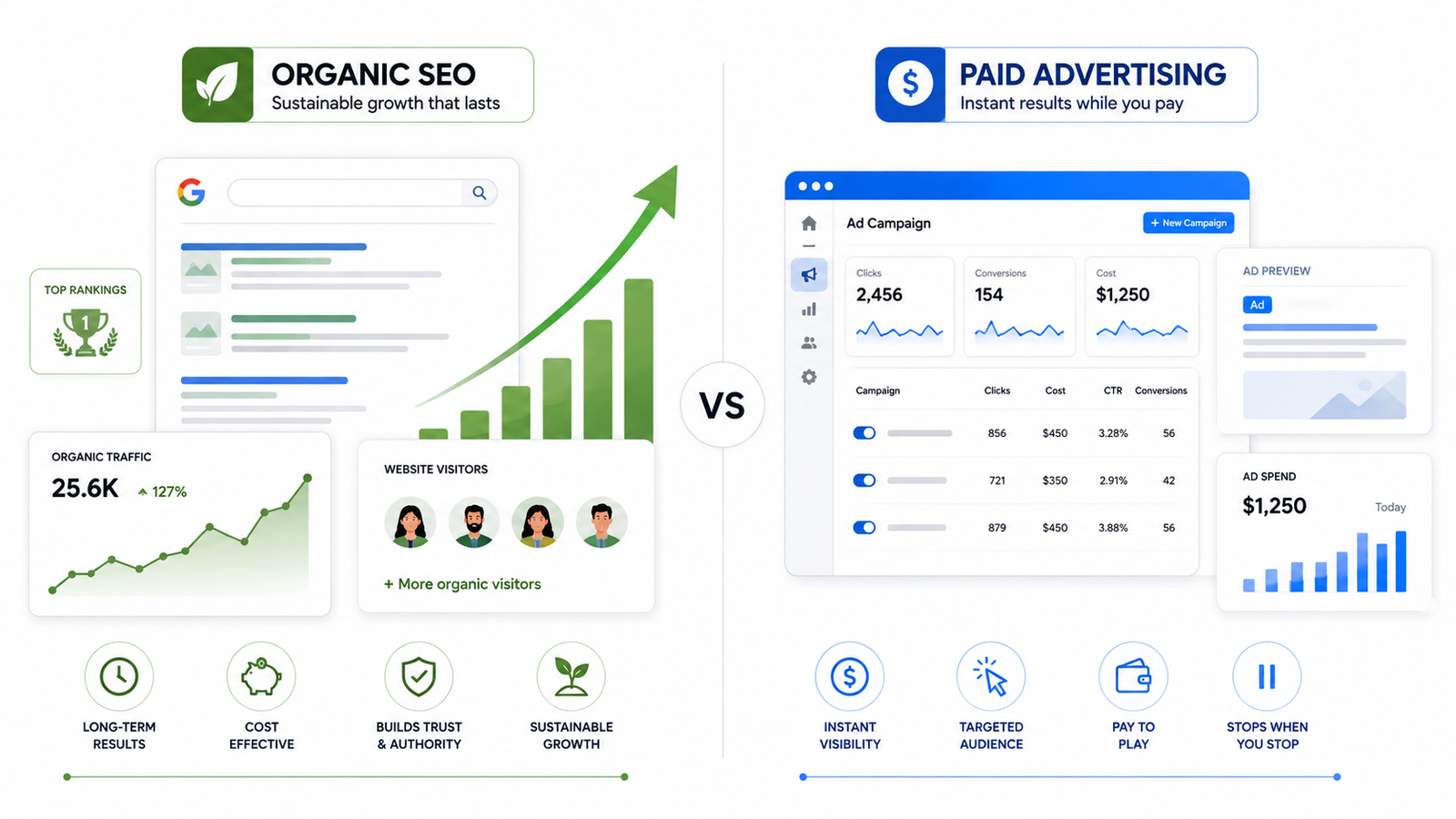
Compare Shopify SEO and paid advertising to understand the differences between long-term organic growth and paid traffic strategies.
How Google Actually Ranks Shopify Stores
Before touching a single setting, it helps to understand what Google is actually doing.
Google sends out small automated programs called crawlers (sometimes called “spiders” or “bots”). These crawlers visit websites, read the content, follow links, and report everything back to Google. Google then decides where each page ranks based on hundreds of signals.
The most important signals for a Shopify store are:
- Relevance — Does this page actually answer what the searcher typed?
- Authority — Do other trusted websites link to this store?
- Experience — Is the page fast, mobile-friendly, and easy to use?
- Content quality — Is the content helpful, accurate, and original?
Google’s algorithm has evolved a lot. In 2026, it rewards stores that demonstrate genuine expertise and deliver real value to shoppers. Thin, generic content does not cut it anymore.
Quick Answer: Shopify SEO Checklist
Follow these essential Shopify SEO steps to improve your store’s Google rankings and increase organic traffic:
- Set up Google Search Console and verify your store
- Connect Google Analytics to track performance
- Perform keyword research before creating content
- Optimize product page titles, descriptions, and URLs
- Add unique descriptions to collection pages
- Fix duplicate content issues
- Improve site speed and Core Web Vitals
- Build a strong internal linking structure
- Add schema markup to product pages
- Earn quality backlinks through content and outreach
Use this Shopify SEO checklist as a roadmap and revisit it regularly as your store grows.
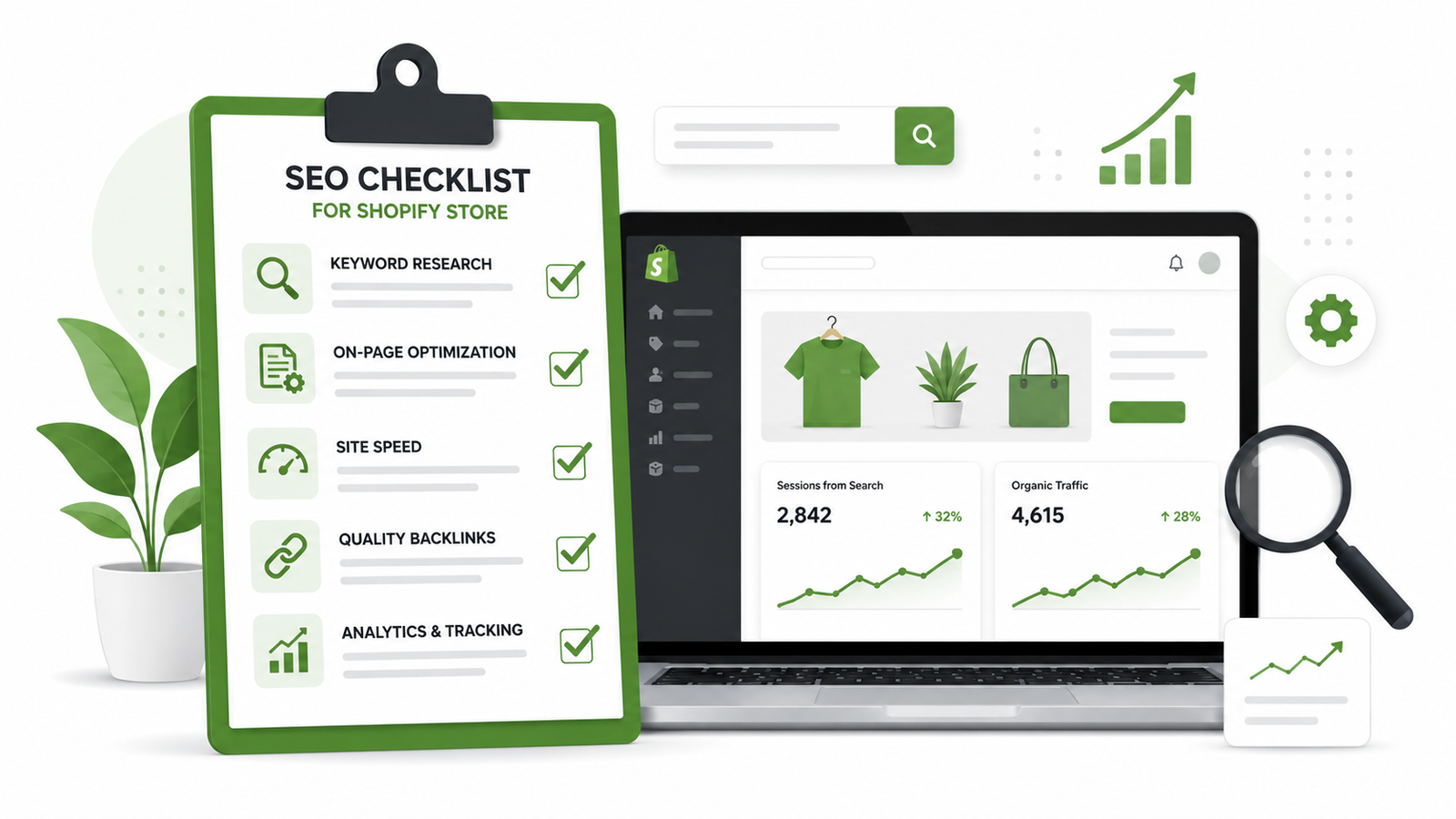
A beginner-friendly Shopify SEO checklist covering the essential steps to improve search rankings and drive more organic traffic.
Step 1: Keyword Research for Beginners
Keywords are the words shoppers type into Google. Getting this right is the foundation of everything else.
Think about it from the shopper’s point of view. Someone looking for a leather wallet does not type “wallet”; they type “slim leather wallet for men” or “best minimalist wallet under 30 dollars.” Those longer, more specific phrases are called long-tail keywords, and they are gold for new stores.
How to find the right keywords:
- Type your product into Google and look at the autocomplete suggestions
- Scroll to the bottom of the search results and check “People also ask” and “Related searches.”
- Use free tools like Google’s Keyword Planner for volume data
- Try tools like Ahrefs or SEMrush for deeper keyword analysis once the store starts generating revenue
For beginners, focus on keywords that are specific, have clear buying intent, and are not dominated entirely by huge brands. Those are the easiest wins.
Step 2: Shopify Product Page SEO
The product page is where most sales happen. It also tends to be the most under-optimized part of a new Shopify store.
Each product page should have:
- A clear, keyword-rich title (example: “Slim Genuine Leather Wallet for Men — Minimalist Card Holder”)
- A unique product description that explains benefits, not just features
- A clean URL slug like /products/slim-leather-wallet-men — not random numbers
- An SEO-optimized meta title and meta description (Shopify lets you edit these under each product)
- Alt text on every product image describing what the image shows
- Product reviews, if possible. They add fresh content and social proof
One mistake beginners make constantly is copying the manufacturer’s description word for word. Google sees that on hundreds of other sites. Write something original, even if it is short. Describe who the product is for, what problem it solves, and why it is worth buying.
Good Shopify product page SEO does more than rank better; it also increases conversion rate. Better descriptions mean more people actually buy.
If setting up a product-focused store for the first time, this dropshipping setup guide covers the full product sourcing and store setup process step by step.
Step 3: Shopify Collection Page SEO
Collection pages are often ignored by beginners. That is a missed opportunity.
A collection page groups related products together, like “Men’s Wallets” or “Vegan Leather Bags.” These pages can rank for category-level keywords that get searched thousands of times a month.
To optimize Shopify collection pages:
- Add a short paragraph at the top of the collection (50 to 150 words) that describes the category naturally
- Use the primary keyword in the H1 heading and the first sentence
- Write a unique meta title and meta description for each collection
- Link to related collections and individual products within the description
Most Shopify themes leave collection descriptions blank by default. Filling them in is one of the fastest ways to improve Shopify rankings on collection-level searches.
Step 4: Technical SEO for Shopify (The Stuff That Runs in the Background)
Technical SEO sounds intimidating. It is not. It just refers to the behind-the-scenes factors that affect how well Google can crawl and understand a Shopify store.
The main technical SEO Shopify issues to address:
Duplicate content. Shopify automatically creates multiple URLs for the same product when it appears in different collections. This can confuse Google. Shopify mostly handles this with canonical tags automatically, but it is worth checking in Google Search Console.
Site speed. A slow store loses both rankings and customers. According to Google’s own research, as page load time goes from one second to three seconds, the probability of a bounce increases by 32 percent. Compress images, remove unused apps, and use a lightweight Shopify theme.
Mobile optimization. Most shoppers browse on phones. Google now uses mobile-first indexing, which means it looks at the mobile version of a site first when deciding how to rank it. Test the store on a phone before launching.
Sitemap and robots.txt. Shopify generates these automatically. Submit the sitemap to Google Search Console, so Google knows which pages to crawl.
Step 5: Internal Linking (The Underrated Growth Tool)
Internal links are links from one page on the store to another page on the same store. They help Google understand which pages are most important and help shoppers navigate easily.
A simple internal linking structure might look like this:
- The homepage links to the top 3 collection pages
- Each collection page links to its top products
- Each product page links to related products or a relevant blog post
- Blog posts link to relevant products or collection pages
This creates a web of connections Google can follow easily. It also increases the organic traffic Shopify stores receive by keeping shoppers browsing longer.
For store owners working on brand building alongside SEO, this complete Shopify branding guide explains how a strong brand identity supports better long-term rankings.
Step 6: Content Marketing and Blogging
Google rewards stores that are genuinely helpful. One of the best ways to demonstrate that is through blog content.
A Shopify store selling yoga mats could write posts like:
- “Best yoga mats for beginners, what to look for.”
- “How to clean a yoga mat properly.”
- “Yoga mat thickness guide, which one is right for your practice”
These posts attract readers who are interested in yoga but not yet ready to buy. Over time, as those readers trust the brand, they come back and convert. Blog content also creates opportunities to build backlinks, links from other websites pointing to the store, which is one of the strongest signals Google uses to determine authority.
Even two to four blog posts per month, done consistently and written with real search intent in mind, can meaningfully increase the organic traffic Shopify stores generate over a six to twelve-month period.
Step 7: Schema Markup for Shopify
Schema markup is a small piece of code added to product pages that gives Google extra context about what it is looking at. It helps Google display rich results in search, things like star ratings, prices, and stock availability, directly in the search listing.
Most modern Shopify themes include basic schema markup for products automatically. To verify this, use Google’s Rich Results Test tool and paste in any product URL. If the schema is missing, there are Shopify apps that can add it without touching code.
Rich results stand out in search listings. They tend to get more clicks, even if the ranking position is the same. That means better schema markup can directly improve organic traffic without changing anything else.
Step 8: Measure and Track Your Shopify SEO
SEO without tracking is like driving with no dashboard. Here is what to watch:
Google Search Console shows which keywords are bringing traffic, which pages are ranking, how often the store appears in search (impressions), and if there are any technical errors Google found. Set it up on day one; it is free.
Google Analytics shows what visitors do after they arrive. Which pages they visit, how long they stay, and where they drop off before buying. This data is essential for improving the conversion rate over time.
Ahrefs or SEMrush are paid tools useful for tracking keyword rankings, spying on competitor SEO strategies, and finding backlink opportunities. Not necessary for beginners, but valuable as the store grows.
Check Search Console at least once a week. Look for pages climbing in rankings and give them an extra internal link push. Look for pages losing clicks and update the content.
Realistic SEO Timelines (No Hype)
One of the most common beginner questions is: “How long until SEO works?”
The honest answer: three to six months for early results, six to twelve months for meaningful organic traffic.
SEO is not a switch. It is a snowball. It starts slowly, gains momentum, and eventually rolls on its own. Stores that publish useful content consistently, fix technical issues, and earn even a handful of backlinks in the first year are often generating thousands of monthly visitors by month twelve without spending on ads.
The key is not to stop in month two when the rankings do not move. That is when most beginners quit, and when the stores that stay consistent start pulling ahead.
For store owners wanting expert guidance to accelerate the process, this page covers available Shopify growth services.
Common Beginner SEO Mistakes to Avoid
These mistakes slow progress more than almost anything else:
- Ignoring collection pages — they often rank for high-volume terms
- Using the manufacturer’s product descriptions — duplicate content tanks rankings
- Keyword stuffing — repeating keywords unnaturally makes Google penalize pages
- No internal links — Google struggles to find and prioritize pages
- No Google Search Console setup — flying blind with no data
- Expecting fast results — quitting before SEO has time to work
Pair a strong SEO strategy with a solid email list, and the results compound fast. This Shopify email marketing guide explains how to turn organic visitors into repeat buyers.
Final Thoughts
Getting a Shopify store to rank on Google is not complicated. It just takes the right steps, done consistently, over time.
Use this Shopify SEO guide for beginners as a repeatable framework. Start with keyword research. Optimize product and collection pages. Fix the technical basics. Build internal links. Write helpful content. Track everything in Google Search Console.
Every improvement compounds. Every optimized page is another potential entry point for a shopper searching on Google right now.
Start today by completing the first item on your Shopify SEO checklist. Small improvements made consistently can lead to higher Google rankings, more organic traffic, and more sales over time.
FAQ: Shopify SEO for Beginners
Q. Is Shopify good for SEO?
Yes. Shopify is one of the most SEO-friendly ecommerce platforms available. It automatically generates sitemaps, handles canonical tags to reduce duplicate content, and supports fast-loading themes. It also allows full editing of meta titles, meta descriptions, URLs, and alt text. The platform is not perfect; it has some known duplicate URL issues, but these are manageable and should not discourage beginners from using it.
Q. How long does Shopify SEO take?
Most stores start seeing movement in search rankings within three to four months of consistent effort. Real, meaningful organic traffic typically begins around the six to twelve-month mark. The timeline depends on competition in the niche, how often new content is published, and how many quality backlinks the store earns. Patience and consistency are the most important factors.
Q. Do Shopify tags help SEO?
Shopify tags are primarily for internal filtering and organization; they help customers find products in a store, but are not a strong SEO signal. In fact, tag-generated filter pages can sometimes create duplicate content issues if not handled correctly. Focus more energy on optimizing product titles, descriptions, and collection pages rather than relying on tags.
Q. What is the best Shopify SEO app?
Several solid options exist. Plug In SEO and SEO Manager are popular starter tools for fixing basic on-page issues and monitoring problems. Schema Plus for SEO adds product markup effectively. For more advanced needs, pairing Google Search Console with Ahrefs gives the most complete picture. Beginners should not over-rely on apps; understanding the fundamentals matters more than any plugin.
Q. How do you rank a Shopify store on Google?
Start with keyword research, then optimize every product and collection page with those keywords. Fix technical SEO basics, site speed, mobile experience, and sitemap submission. Build internal links across the store. Write helpful blog content that targets informational keywords. Earn backlinks by reaching out to bloggers, being featured in round-up articles, and creating genuinely shareable resources. Then track everything in Google Search Console.
Q. Can beginners do Shopify SEO without hiring an agency?
Absolutely. Shopify SEO is learnable, and most beginner-level optimizations require no technical background. The biggest wins, keyword research, product page rewrites, meta descriptions, internal linking, and blogging, can all be done without any code or specialized knowledge. Agencies are valuable when scaling, but a new store owner with time, patience, and the right guide can build a solid SEO foundation entirely on their own.
Q. What is the first thing to set up for Shopify SEO?
Set up Google Search Console immediately after launching the store. Submit the sitemap. Then focus on keyword research before writing or rewriting any product descriptions. These two steps create the tracking system and the strategic direction; everything else builds on them.
Shopify SEO Guide for Beginners: How to Rank Your Store on Google in 2026
Starting a Shopify store is exciting. But here is the hard truth. Building the store is only half the battle. If nobody finds it, nothing sells.
That is where this Shopify SEO guide for beginners comes in.
SEO, short for Search Engine Optimization, is the process of making your store show up on Google when people search for what you sell. No paid ads. No influencer deals. Just free, consistent traffic landing on your pages every single day.
This guide walks through everything a new store owner needs to know. From the basics of how Google thinks to the exact steps that move a Shopify store up in search rankings. No jargon. No fluff. Just what actually works.
What Is Shopify SEO? (Simple Answer First)
Shopify SEO is the practice of optimizing a Shopify store so it ranks higher on Google and other search engines. Higher rankings mean more people see your store. More visibility means more clicks, more trust, and more sales, without spending a dollar on ads.
Here is the short definition worth bookmarking:
Shopify SEO is the process of improving your store’s pages, content, speed, and structure so Google ranks them higher in search results.
It covers everything from the words on your product pages to how fast your store loads on a phone.
Why SEO Matters More Than Most Beginners Realize
Paid ads stop the moment the budget runs out. SEO keeps working around the clock.
According to data from Statista, organic search drives more than 50% of all website traffic across industries. For ecommerce stores, that number is even more significant. Shoppers who arrive through Google searches are already looking for what you sell.
When a Shopify store is properly optimized, it does not just get traffic. It gets the right traffic. People who are already thinking about buying.
That is why learning how to do SEO on Shopify early, even before the store has dozens of products, pays off in a big way later.
How Google Actually Ranks Shopify Stores
Before touching a single setting, it helps to understand what Google is actually doing.
Google sends out small automated programs called crawlers (sometimes called “spiders” or “bots”). These crawlers visit websites, read the content, follow links, and report everything back to Google. Google then decides where each page ranks based on hundreds of signals.
The most important signals for a Shopify store are:
- Relevance — Does this page actually answer what the searcher typed?
- Authority — Do other trusted websites link to this store?
- Experience — Is the page fast, mobile-friendly, and easy to use?
- Content quality — Is the content helpful, accurate, and original?
Google’s algorithm has evolved a lot. In 2026, it rewards stores that demonstrate genuine expertise and deliver real value to shoppers. Thin, generic content does not cut it anymore.
Shopify SEO Checklist: The 10 Steps That Matter Most
Use this as a starting point. Work through each step before moving on.
- Set up Google Search Console and verify your store
- Connect Google Analytics to track traffic and user behavior
- Do keyword research before writing any content
- Optimize every product page title, description, and URL
- Optimize collection pages with unique descriptions
- Fix duplicate content issues (Shopify creates some automatically)
- Improve site speed and pass Google’s Core Web Vitals
- Build a simple internal linking structure across pages
- Add schema markup to product pages
- Build backlinks through outreach, content, and partnerships
Bookmark this Shopify SEO checklist and check off each item as the store grows.
Step 1: Keyword Research for Beginners
Keywords are the words shoppers type into Google. Getting this right is the foundation of everything else.
Think about it from the shopper’s point of view. Someone looking for a leather wallet does not type “wallet”; they type “slim leather wallet for men” or “best minimalist wallet under 30 dollars.” Those longer, more specific phrases are called long-tail keywords, and they are gold for new stores.
How to find the right keywords:
- Type your product into Google and look at the autocomplete suggestions
- Scroll to the bottom of the search results and check “People also ask” and “Related searches.”
- Use free tools like Google’s Keyword Planner for volume data
- Try tools like Ahrefs or SEMrush for deeper keyword analysis once the store starts generating revenue
For beginners, focus on keywords that are specific, have clear buying intent, and are not dominated entirely by huge brands. Those are the easiest wins.
Step 2: Shopify Product Page SEO
The product page is where most sales happen. It also tends to be the most under-optimized part of a new Shopify store.
Each product page should have:
- A clear, keyword-rich title (example: “Slim Genuine Leather Wallet for Men — Minimalist Card Holder”)
- A unique product description that explains benefits, not just features
- A clean URL slug like /products/slim-leather-wallet-men — not random numbers
- An SEO-optimized meta title and meta description (Shopify lets you edit these under each product)
- Alt text on every product image describing what the image shows
- Product reviews, if possible. They add fresh content and social proof
One mistake beginners make constantly is copying the manufacturer’s description word for word. Google sees that on hundreds of other sites. Write something original, even if it is short. Describe who the product is for, what problem it solves, and why it is worth buying.
Good Shopify product page SEO does more than rank better; it also increases conversion rate. Better descriptions mean more people actually buy.
If setting up a product-focused store for the first time, this dropshipping setup guide covers the full product sourcing and store setup process step by step.
Step 3: Shopify Collection Page SEO
Collection pages are often ignored by beginners. That is a missed opportunity.
A collection page groups related products together, like “Men’s Wallets” or “Vegan Leather Bags.” These pages can rank for category-level keywords that get searched thousands of times a month.
To optimize Shopify collection pages:
- Add a short paragraph at the top of the collection (50 to 150 words) that describes the category naturally
- Use the primary keyword in the H1 heading and the first sentence
- Write a unique meta title and meta description for each collection
- Link to related collections and individual products within the description
Most Shopify themes leave collection descriptions blank by default. Filling them in is one of the fastest ways to improve Shopify rankings on collection-level searches.
Step 4: Technical SEO for Shopify (The Stuff That Runs in the Background)
Technical SEO sounds intimidating. It is not. It just refers to the behind-the-scenes factors that affect how well Google can crawl and understand a Shopify store.
The main technical SEO Shopify issues to address:
Duplicate content. Shopify automatically creates multiple URLs for the same product when it appears in different collections. This can confuse Google. Shopify mostly handles this with canonical tags automatically, but it is worth checking in Google Search Console.
Site speed. A slow store loses both rankings and customers. According to Google’s own research, as page load time goes from one second to three seconds, the probability of a bounce increases by 32 percent. Compress images, remove unused apps, and use a lightweight Shopify theme.
Mobile optimization. Most shoppers browse on phones. Google now uses mobile-first indexing, which means it looks at the mobile version of a site first when deciding how to rank it. Test the store on a phone before launching.
Sitemap and robots.txt. Shopify generates these automatically. Submit the sitemap to Google Search Console, so Google knows which pages to crawl.
Step 5: Internal Linking (The Underrated Growth Tool)
Internal links are links from one page on the store to another page on the same store. They help Google understand which pages are most important and help shoppers navigate easily.
A simple internal linking structure might look like this:
- The homepage links to the top 3 collection pages
- Each collection page links to its top products
- Each product page links to related products or a relevant blog post
- Blog posts link to relevant products or collection pages
This creates a web of connections Google can follow easily. It also increases the organic traffic Shopify stores receive by keeping shoppers browsing longer.
For store owners working on brand building alongside SEO, this complete Shopify branding guide explains how a strong brand identity supports better long-term rankings.
Step 6: Content Marketing and Blogging
Google rewards stores that are genuinely helpful. One of the best ways to demonstrate that is through blog content.
A Shopify store selling yoga mats could write posts like:
- “Best yoga mats for beginners, what to look for.”
- “How to clean a yoga mat properly.”
- “Yoga mat thickness guide, which one is right for your practice”
These posts attract readers who are interested in yoga but not yet ready to buy. Over time, as those readers trust the brand, they come back and convert. Blog content also creates opportunities to build backlinks, links from other websites pointing to the store, which is one of the strongest signals Google uses to determine authority.
Even two to four blog posts per month, done consistently and written with real search intent in mind, can meaningfully increase the organic traffic Shopify stores generate over a six to twelve-month period.
Step 7: Schema Markup for Shopify
Schema markup is a small piece of code added to product pages that gives Google extra context about what it is looking at. It helps Google display rich results in search, things like star ratings, prices, and stock availability, directly in the search listing.
Most modern Shopify themes include basic schema markup for products automatically. To verify this, use Google’s Rich Results Test tool and paste in any product URL. If the schema is missing, there are Shopify apps that can add it without touching code.
Rich results stand out in search listings. They tend to get more clicks, even if the ranking position is the same. That means better schema markup can directly improve organic traffic without changing anything else.
Step 8: Measuring SEO Progress
SEO without tracking is like driving with no dashboard. Here is what to watch:
Google Search Console shows which keywords are bringing traffic, which pages are ranking, how often the store appears in search (impressions), and if there are any technical errors Google found. Set it up on day one; it is free.
Google Analytics shows what visitors do after they arrive. Which pages they visit, how long they stay, and where they drop off before buying. This data is essential for improving the conversion rate over time.
Ahrefs or SEMrush are paid tools useful for tracking keyword rankings, spying on competitor SEO strategies, and finding backlink opportunities. Not necessary for beginners, but valuable as the store grows.
Check Search Console at least once a week. Look for pages climbing in rankings and give them an extra internal link push. Look for pages losing clicks and update the content.
Realistic SEO Timelines (No Hype)
One of the most common beginner questions is: “How long until SEO works?”
The honest answer: three to six months for early results, six to twelve months for meaningful organic traffic.
SEO is not a switch. It is a snowball. It starts slowly, gains momentum, and eventually rolls on its own. Stores that publish useful content consistently, fix technical issues, and earn even a handful of backlinks in the first year are often generating thousands of monthly visitors by month twelve without spending on ads.
The key is not to stop in month two when the rankings do not move. That is when most beginners quit, and when the stores that stay consistent start pulling ahead.
For store owners wanting expert guidance to accelerate the process, this page covers available Shopify growth services.
Common Beginner SEO Mistakes to Avoid
These mistakes slow progress more than almost anything else:
- Ignoring collection pages — they often rank for high-volume terms
- Using the manufacturer’s product descriptions — duplicate content tanks rankings
- Keyword stuffing — repeating keywords unnaturally makes Google penalize pages
- No internal links — Google struggles to find and prioritize pages
- No Google Search Console setup — flying blind with no data
- Expecting fast results — quitting before SEO has time to work
Pair a strong SEO strategy with a solid email list, and the results compound fast. This Shopify email marketing guide explains how to turn organic visitors into repeat buyers.
Final Thoughts
Getting a Shopify store to rank on Google is not complicated. It just takes the right steps, done consistently, over time.
Use this Shopify SEO guide for beginners as a repeatable framework. Start with keyword research. Optimize product and collection pages. Fix the technical basics. Build internal links. Write helpful content. Track everything in Google Search Console.
Every improvement compounds. Every optimized page is another potential entry point for a shopper searching on Google right now.
Start today. Check something off the Shopify SEO checklist. Then do it again tomorrow.
FAQ: Shopify SEO for Beginners
Q. Is Shopify good for SEO?
Yes. Shopify is one of the most SEO-friendly ecommerce platforms available. It automatically generates sitemaps, handles canonical tags to reduce duplicate content, and supports fast-loading themes. It also allows full editing of meta titles, meta descriptions, URLs, and alt text. The platform is not perfect; it has some known duplicate URL issues, but these are manageable and should not discourage beginners from using it.
Q. How long does Shopify SEO take?
Most stores start seeing movement in search rankings within three to four months of consistent effort. Real, meaningful organic traffic typically begins around the six to twelve-month mark. The timeline depends on competition in the niche, how often new content is published, and how many quality backlinks the store earns. Patience and consistency are the most important factors.
Q. Do Shopify tags help SEO?
Shopify tags are primarily for internal filtering and organization; they help customers find products in a store, but are not a strong SEO signal. In fact, tag-generated filter pages can sometimes create duplicate content issues if not handled correctly. Focus more energy on optimizing product titles, descriptions, and collection pages rather than relying on tags.
Q. What is the best Shopify SEO app?
Several solid options exist. Plug In SEO and SEO Manager are popular starter tools for fixing basic on-page issues and monitoring problems. Schema Plus for SEO adds product markup effectively. For more advanced needs, pairing Google Search Console with Ahrefs gives the most complete picture. Beginners should not over-rely on apps; understanding the fundamentals matters more than any plugin.
Q. How do you rank a Shopify store on Google?
Start with keyword research, then optimize every product and collection page with those keywords. Fix technical SEO basics, site speed, mobile experience, and sitemap submission. Build internal links across the store. Write helpful blog content that targets informational keywords. Earn backlinks by reaching out to bloggers, being featured in round-up articles, and creating genuinely shareable resources. Then track everything in Google Search Console.
Q. Can beginners do Shopify SEO without hiring an agency?
Absolutely. Shopify SEO is learnable, and most beginner-level optimizations require no technical background. The biggest wins, keyword research, product page rewrites, meta descriptions, internal linking, and blogging, can all be done without any code or specialized knowledge. Agencies are valuable when scaling, but a new store owner with time, patience, and the right guide can build a solid SEO foundation entirely on their own.
Q. What is the first thing to set up for Shopify SEO?
Set up Google Search Console immediately after launching the store. Submit the sitemap. Then focus on keyword research before writing or rewriting any product descriptions. These two steps create the tracking system and the strategic direction; everything else builds on them.


2 Comments