
Walmart Seller Center Explained: A Beginner’s Guide
Walmart Seller Center is where most of the day-to-day work happens after you become a Walmart Marketplace seller. You use it to add products, check orders, update inventory, review pricing, manage shipping, monitor account performance, open reports, and find payment information.
This Walmart Seller Center guide explains those areas without turning them into an advanced marketplace-management lesson. The Walmart Marketplace Seller Center can look crowded the first time you sign in, so this Walmart Seller Center for beginners walkthrough focuses on what actually matters first.
You do not need to learn every tool on day one. Start by knowing where orders appear, where product problems show up, whether your stock is accurate, and which alerts require action.
What Is Walmart Seller Center?
Walmart Seller Center is the main management environment Walmart Marketplace sellers use to manage products, orders, pricing, inventory, fulfillment, account settings, seller performance, reports, and payment information. It is the central workspace for most everyday marketplace operations after a seller completes onboarding.
Think of it as your Walmart seller portal.
Your Walmart seller account gives you access to the tools needed to operate the business, while services such as Walmart Fulfillment Services and Walmart Connect perform more specialized jobs.
If you’re learning how to sell on Walmart Marketplace, keeping those tools separate makes the platform much easier to understand.
Walmart Seller Center Dashboard and Main Sections Explained
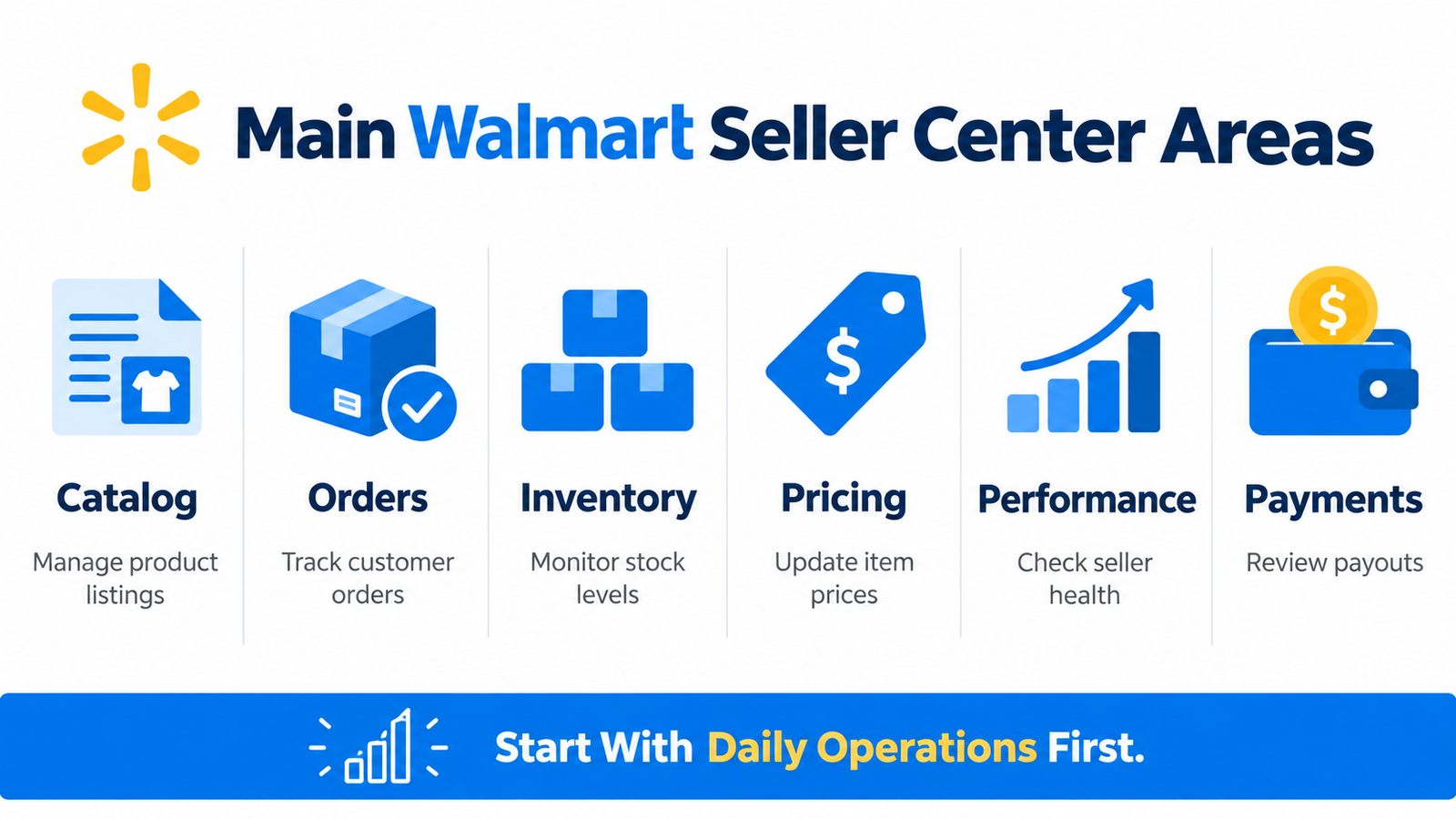 A useful way to understand Walmart Seller Center navigation is through Walmart’s current broad structure: Setup, Manage, and Grow.
Walmart describes Seller Center as the place where sellers can update account settings, view reports, monitor catalog performance, and manage items and orders when they are not relying entirely on APIs or a Solution Provider.
Setup
Setup covers the foundations of the account.
Depending on where you are in onboarding and how your account is configured, this can include business information, financial settings, shipping configuration, catalog setup, and other operational details.
The first time you open your Walmart Seller Center account, confirm the business and fulfillment information rather than assuming everything carried over correctly from onboarding.
Manage
This is where most routine work happens.
The relevant Walmart Seller Center tabs cover areas such as catalog, orders, inventory, pricing, returns, and other operational tasks.
These Walmart Seller Center sections answer questions such as:
- Is an item live?
- Did a new order arrive?
- Is something out of stock?
- Is the price correct?
- Does an order need shipping?
- Is an account or catalog problem waiting for action?
Grow
Grow is where sellers can encounter optional Walmart Marketplace tools related to advertising, assortment opportunities, promotions, and other growth functions.
A beginner does not need to master those immediately.
A Simpler Way to Read the Dashboard
Instead of memorizing menus, organize the Walmart seller dashboard around seven questions:
| Beginner Question | Where to Look |
| What needs attention? | Notifications, orders, messages |
| What am I selling? | Catalog |
| Do I have stock? | Inventory |
| Are orders going out correctly? | Orders and shipping |
| How is the account performing? | Performance |
| What is selling? | Reports |
| When do I get paid? | Payments |
That is the easiest way to approach Walmart Seller Center explained for someone opening the account for the first time.
How to Manage Products and Catalog
Learning how to use Walmart Seller Center starts with understanding your catalog.
Walmart catalog management covers the items you sell, their product information, status, media, pricing connections, and problems that may stop them from appearing correctly.
Walmart item setup generally involves supplying the information Walmart needs to identify and publish a product, such as identifiers, title, description, images, price, and category-specific attributes.
Walmart currently supports multiple ways to add catalog items, including Seller Center workflows, bulk setup, API connections, and Solution Providers.
What Beginners Should Watch
The Walmart Seller Center catalog is where you should learn to recognize:
- active items
- pending submissions
- products under review
- item errors
- Walmart unpublished items
- media or attribute problems
If you need to add products, Walmart add items tools can support individual entry or multiple-item workflows.
A Walmart bulk item upload is more useful once your catalog becomes larger.
Do not make listing optimization your first concern.
For a new Walmart seller, the first goal is simpler: make sure Walmart product listings are accurate, published, and actually available to buy.
That basic habit is the foundation of Walmart catalog management.
Where Do Walmart Sellers Manage Orders?
Walmart Seller Center orders are handled through the Orders area.
This is where you review incoming Walmart Marketplace orders, order status, fulfillment details, tracking information, and items requiring action.
For seller-fulfilled orders, shipping dates and valid tracking matter because Walmart evaluates how reliably sellers fulfill marketplace orders.
Good Walmart order management at beginner level is mostly about consistency:
check new orders, understand the expected shipping timeline, provide valid tracking, and resolve anything flagged before it becomes a larger problem.
If you’re wondering where do Walmart sellers manage orders, remember that the dashboard may alert you to activity, but the Orders area is where detailed work happens.
Check Walmart Seller Center orders daily.
How Inventory Works in Walmart Seller Center
Walmart inventory management is the process of keeping the quantity shown in your account aligned with what you can actually fulfill.
Walmart Seller Center inventory tells the marketplace how many units are available at the relevant fulfillment location.
If stock reaches zero, customers cannot purchase the item until sellable inventory is available again.
That is why inventory accuracy matters.
You may make Walmart inventory updates individually or through larger workflows depending on your setup. Walmart’s mobile app also currently supports seller-fulfilled inventory updates, although Walmart notes that WFS inventory changes require desktop workflows.
For a beginner, Walmart stock management means one thing:
the quantity in Seller Center should match what you can realistically ship.
If you’re learning how to manage inventory in Walmart Seller Center, check your available quantities, investigate Walmart out of stock inventory, and avoid selling stock you do not have.
How Pricing Works in Seller Center
Walmart Seller Center pricing lets you review and maintain item prices.
Walmart’s current Seller Center guidance describes Pricing as the area where sellers can set item prices, monitor price performance, and access tools for deals and discounts.
At beginner level, Walmart pricing management should stay simple.
Check that:
- the correct product has the correct price
- bulk updates did not introduce errors
- promotional prices are intentional
- pricing still makes sense against your costs
Walmart item pricing should not be changed randomly because a product had one slow day.
For more detailed rules later, see HiSellIt’s guide to Walmart repricing rules and restrictions.
Shipping and Fulfillment Settings
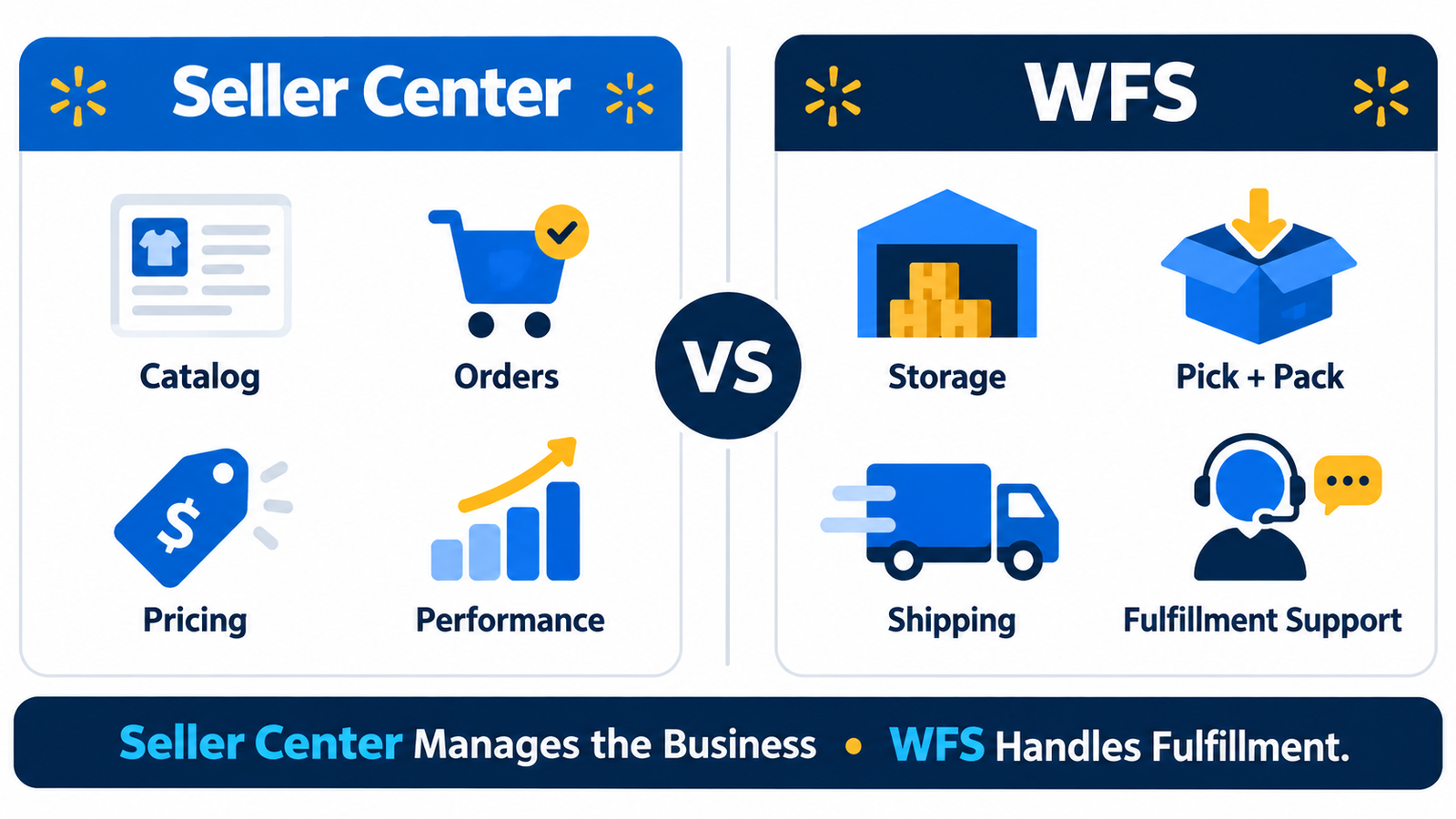 Walmart shipping settings and Walmart fulfillment settings tell the marketplace how customer orders will be handled.
There are two broad approaches to understand.
Seller Fulfillment
You or your fulfillment partner handle the order while following Walmart’s applicable shipping and performance requirements.
That means your Walmart Seller Center shipping configuration needs to reflect the way orders are actually handled.
Walmart Fulfillment Services
Walmart Fulfillment Services is Walmart’s fulfillment option for Marketplace sellers.
With WFS, sellers send eligible inventory into Walmart’s network and Walmart handles storage, picking, packing, shipping, and related fulfillment functions. Walmart currently states that WFS has no inventory minimums or maximums, while fees depend on fulfillment and storage characteristics.
WFS is optional. It is not another name for Seller Center, and it does not replace every seller-management task.
That distinction is important for Walmart Marketplace for beginners.
Returns, Messages and Customer Issues
Returns, messages, and customer issues are part of routine seller management, not separate from it.
Walmart returns management can involve reviewing return-related activity and problems connected to customer orders.
Walmart seller messages and the Walmart Message Center give sellers a way to respond to customer communication and resolve issues requiring attention.
At beginner level, Walmart customer service management means:
respond promptly, investigate order problems, resolve exceptions, and do not let open issues sit unnoticed.
You do not need a complicated service system yet. You need a habit of checking.
How to Read Walmart Seller Center Performance and Reports
This section becomes easier if you divide the information into four questions.
What Is Selling?
Sales information helps you understand which items are moving.
How Is the Account Operating?
Walmart seller performance focuses on the operational quality of the account.
Walmart’s current Seller Center guidance says the Performance area includes information on areas such as order response, valid tracking, cancellations, refunds, reviews, and seller performance.
Is the Catalog Healthy?
Walmart catalog performance can help you recognize whether products are live, available, and encountering issues that may need attention.
Where Can I Dig Deeper?
Walmart Marketplace reports give sellers a way to investigate activity beyond the surface dashboard.
These reports may support analysis of orders, inventory, sales, and other operational information depending on the report available to the account.
The key beginner lesson is not to judge the business from one number.
A strong sales week does not cancel out shipping problems. High inventory is not useful if items are unpublished.
Use Walmart seller metrics, Walmart seller analytics, and Walmart Marketplace reports together.
Walmart Seller Payments and Payouts
Sales and payouts are different things.
A sale means an order generated revenue activity.
Walmart seller payouts are the money sent through Walmart’s current payment process after relevant marketplace activity, adjustments, and payment rules are applied.
During current onboarding, Walmart asks sellers to choose and connect an eligible payout provider through the Payments section in Seller Center. Walmart notes that new sellers may also be subject to a New Seller Payment Hold, with timing varying by country of incorporation.
Do not rely on an old blog post for a fixed payout schedule.
Use the Payments area and your provider information for current details.
That is where Walmart seller payments, Walmart Marketplace payments, statements, and relevant Walmart payment settings fit into the account.
What New Sellers Should Know About Performance Standards
Walmart Seller Performance Standards matter because Walmart regularly evaluates marketplace order performance.
Walmart’s July 2026 guidance currently lists metrics including Cancellation Rate, On-Time Delivery Rate, Valid Tracking Rate, Seller Response Rate, Return Rate, Item Not Received Rate, and Negative Feedback Rate. Walmart evaluates relevant standards over 30- or 60-day periods.
Official Walmart Seller Performance Standards guide
For a beginner, do not obsess over every threshold.
Understand the logic behind the Walmart seller standards:
Ship correctly, avoid unnecessary cancellations, provide valid tracking, respond to customers, and review performance regularly.
Your Walmart seller performance metrics are early warnings.
If performance problems become serious, HiSellIt’s guide to Walmart account suspension explains the next stage.
Growth Tools Inside Seller Center
Seller Center also contains optional Walmart seller growth tools.
Depending on eligibility and account configuration, these can include:
- Walmart Connect
- Walmart advertising tools
- Walmart promotions
- assortment opportunities
- other Walmart Marketplace growth tools
These tools matter later.
A beginner should get products, inventory, orders, shipping, and performance under control first.
Can You Manage Walmart Marketplace From Your Phone?
The Walmart Seller App handles useful day-to-day work away from a computer.
Walmart’s May 2026 documentation says the app can currently support product matching and setup, order management, seller-fulfilled inventory and pricing updates, customer communication, sales-performance monitoring, WFS inventory and shipment visibility, and payment statements. Some desktop functions are still unavailable in the app.
Official Walmart Seller App overview
The Walmart seller mobile app is therefore useful for monitoring and quick actions, but it should not be treated as a complete replacement for desktop Seller Center.
What Should a New Seller Check in Seller Center?
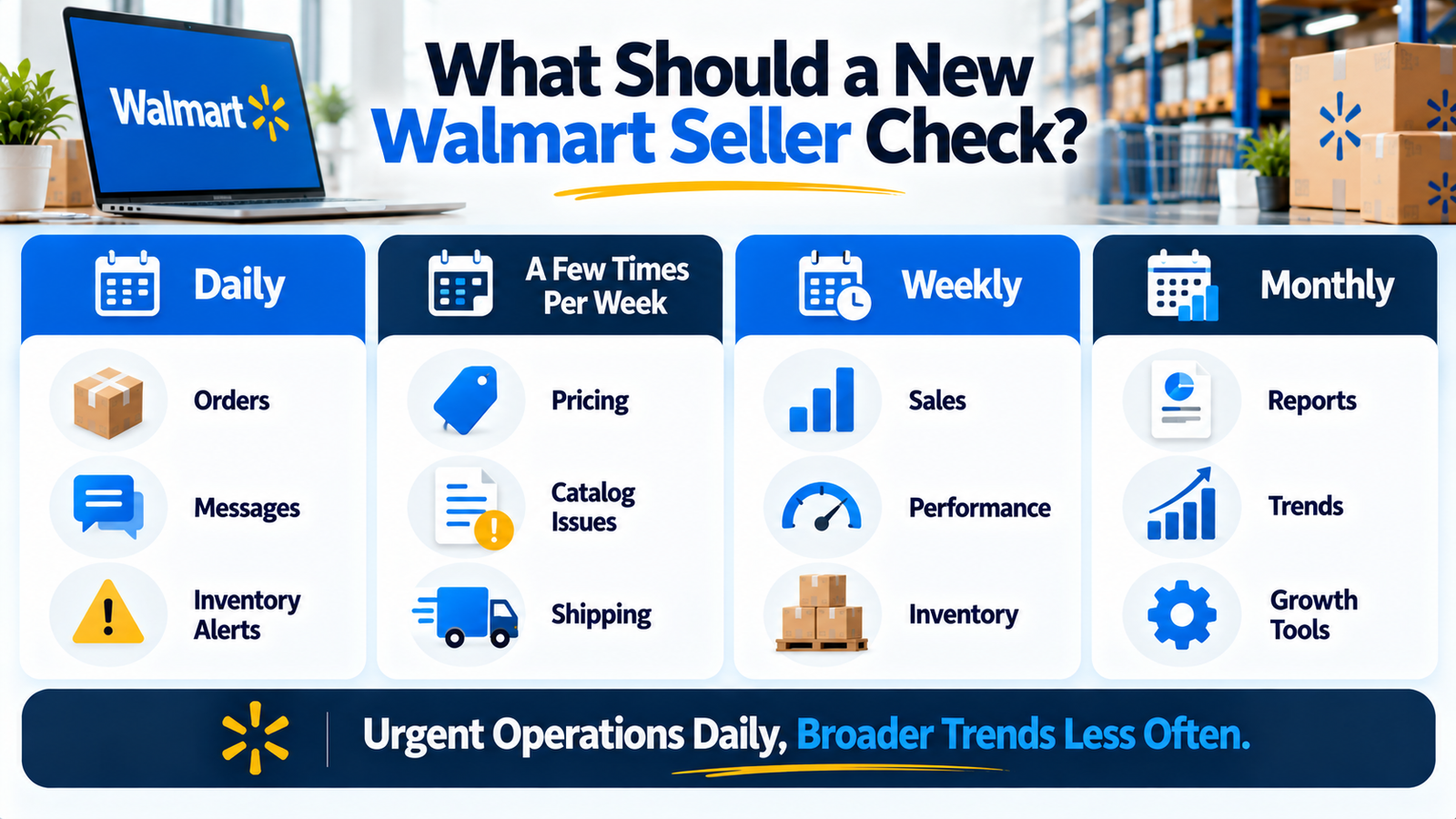 Here is what to check in Walmart Seller Center without turning marketplace management into an all-day dashboard habit.
This is a practical routine, not an official Walmart-required schedule.
Daily
- new orders
- customer messages
- urgent catalog problems
- inventory alerts
- shipping issues
A Few Times Per Week
- Walmart Seller Center pricing
- unpublished products
- catalog issues
- shipping configuration
- fulfillment settings
Weekly
- sales
- Walmart seller performance
- catalog health
- inventory patterns
Monthly
- reports
- broader account trends
- growth tools
- recurring operational issues
These Walmart Seller Center daily tasks become quick once you know where everything lives.
A simple Walmart seller daily checklist is better than checking every menu repeatedly.
That is really how to use Walmart Seller Center day to day.
Common Beginner Mistakes
New sellers commonly make a few avoidable mistakes:
- ignoring unpublished products
- missing order deadlines
- allowing inventory to become inaccurate
- watching sales but ignoring performance
- changing prices without understanding why
- overlooking catalog errors
- leaving customer messages unanswered
- assuming WFS manages the entire seller account
A good Walmart seller beginner guide should make Seller Center feel smaller, not more complicated.
Conclusion
Walmart Seller Center becomes much easier when you stop thinking of it as one giant dashboard.
Use this Walmart Seller Center guide as a map.
For Walmart Marketplace for beginners, focus first on orders, inventory, catalog issues, pricing, shipping, seller performance, reports, and Walmart seller payments.
A new Walmart seller does not need to master every feature immediately.
Once the platform feels familiar, the next step is learning how to improve products, pricing, inventory, and marketplace performance using the information already inside your account.
Frequently Asked Questions
Q. What Is Walmart Seller Center?
It is Walmart Marketplace’s seller-management workspace for products, orders, inventory, pricing, fulfillment, performance, reports, payments, and account settings.
Q. How Does Walmart Seller Center Work?
How does Walmart Seller Center work is easiest to understand as a workflow: list products, maintain inventory and pricing, receive orders, fulfill them, monitor account performance, review reports, and track payments.
Q. How to Use Walmart Seller Center for Beginners?
Start with alerts, orders, catalog problems, inventory, and shipping. Once those feel familiar, learn performance reports and payments. That is the practical approach to Walmart Seller Center for beginners.
Q. What Can You Do in Walmart Seller Center?
You can manage products, catalog issues, orders, inventory, pricing, shipping, fulfillment settings, returns, account performance, reports, payments, and selected growth functions.
Q. How to Add Products in Walmart Seller Center?
Use the catalog item-setup tools. Sellers can work with individual-item workflows, bulk methods, APIs, or Solution Providers depending on their setup.
Q. Where Can I See Walmart Seller Performance?
Open the Performance area and review current account metrics and alerts. The Walmart Seller App also currently provides performance status and selected performance details.
Q. What Reports Are Available in Walmart Seller Center?
Walmart Marketplace reports can provide deeper information on sales and operational activity. Exact report availability can vary, so use the reports currently shown in your own account rather than an old screenshot.
Q. What Should New Walmart Sellers Check Daily?
A new Walmart seller should prioritize new orders, customer messages, urgent listing problems, inventory alerts, and shipping issues. Detailed reports and growth tools can be checked less often.


2 Comments